"Dimensions" broken in export file name

When exporting pictures, the output "Naming" section contains a tag "Dimensions". While in the last versions this correctly delivered the size of the output file (at least according to my recent outputs), in C1.22 it renders the size of the original file. This is not very useful (always renders the sensor dimensions) and it means it is impossible to generate multiple versions of the same file with different dimensions, e.g. one for printing and one for web. Could you please fix this, or if not possible, at least add a tag "Output dimensions"? At the moment, the only workaround seems to be to put the dimensions of the output into the recipe name and include that with the output.
(This is a C.22 issue, but there's no section yet.)
-
Have you tried using the Width x Height option instead of the Dimensions option in the Export recipe? I'm not sure whether this will make a difference to your issue, but I know that it is important if you want to use the Output option in the crop tool. That only works if the recipe uses Width x Height and it doesn't work if it uses Dimensions.
Ian
0 -
Hi Ian,
Not sure I understand, but I selected "Width x Height" in the format. Unfortunately there is no such tag in the naming dialogue, only "Dimensions", and that shows the dimensions of the original image?
Best
Thomas
0 -
Ah, right. Sorry - I didn't read the question properly. No there is no facility to use a token for that. But you could get round it like this.
If you have an Export Recipe that produces output of a particular size, you can type the size into the definition of the output naming, for instance like this in my recipe that outputs at 2048 px for web use.
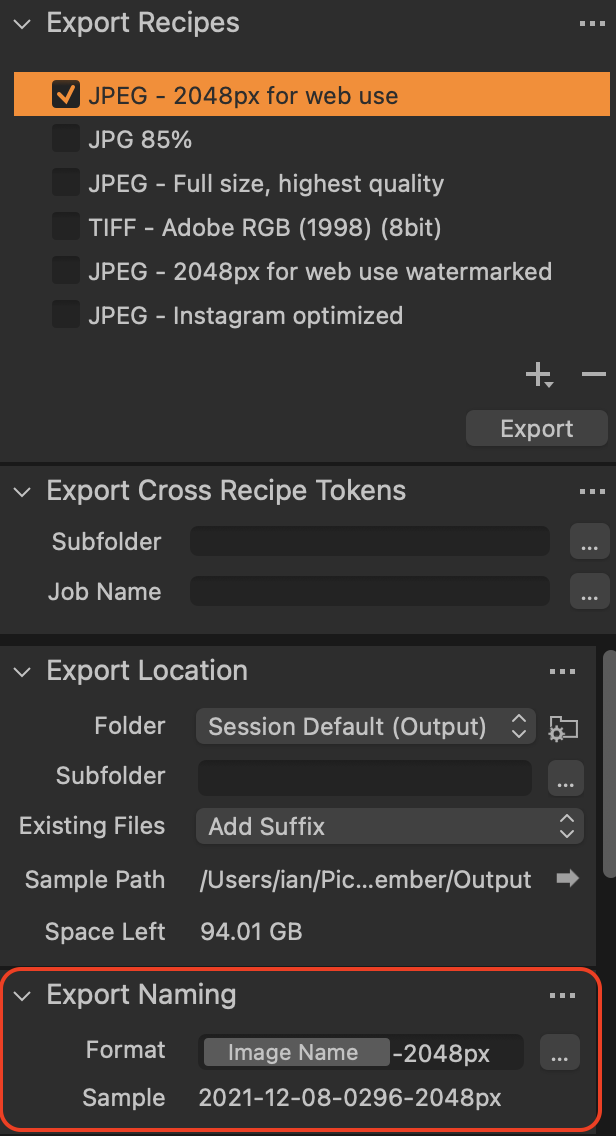
Every image I export with that recipe has -2048px added to the file name.
Another thing you could think of doing is using the recipe name, and that could use a token. For instance, I have a recipe Called Macbook Screen (which I created so that I could generate versions of images to use as the Desktop background on my Macbook). It uses the token Recipe Name and adds that to the filename.
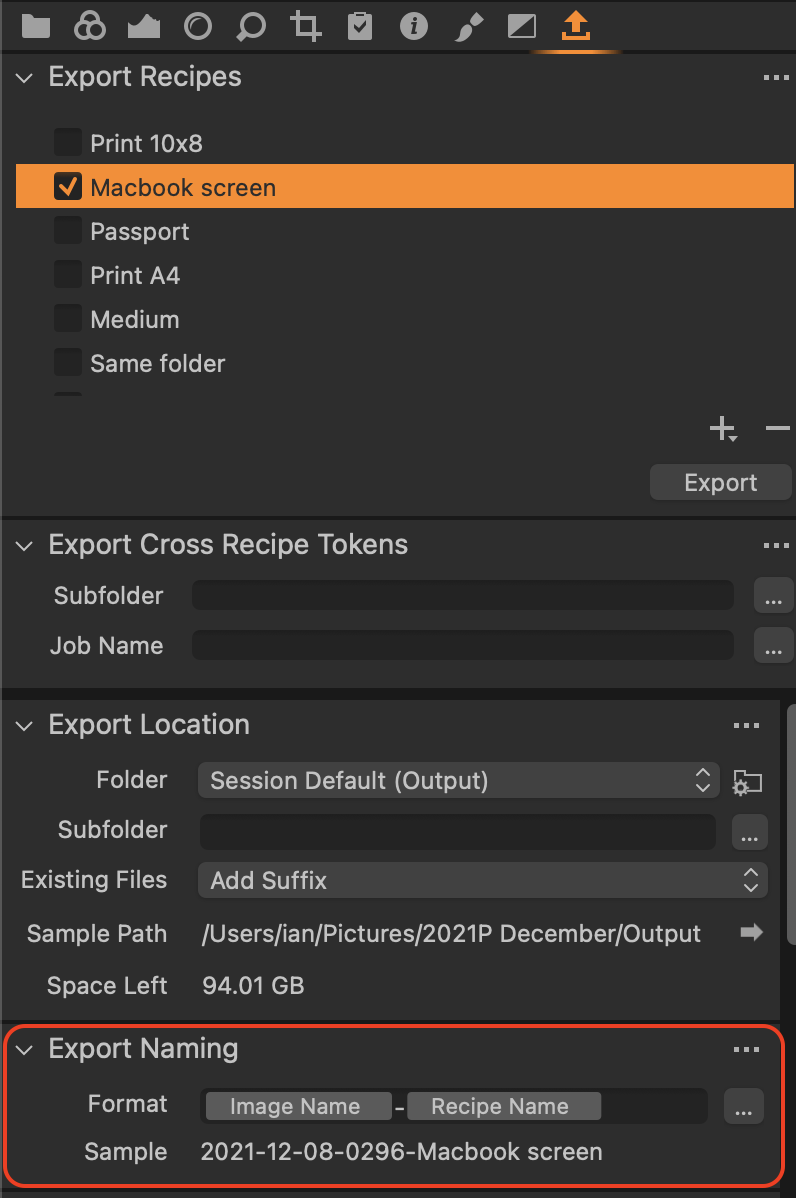
If I were to check both recipes at the same time I would get two output files with the two different suffixes to the file names.
Does that help?
Ian
0

投稿コメントは受け付けていません。
コメント
3件のコメント