After reinstall macOS Catalina not possible to activate licence Capture one 21

Hi,
Having problems activating my licence code for Capture One 21 after reinstalling macOS Catalina.
I got a new SSD, drive and battery and now trying to reinstall Capture One 21. I bought the licence code in September 2021.
I hope to get some help, please if anyone can help me?
Thanks!!
Greets Nick
-
If you have changed the computer hardware considerably, perhaps Capture One sees it as a different computer? Maybe you need to log in to your account on the Capture One website, deactivate the old computer, and then reinstall and activate on the new hardware?
Ian
0 -
Hello Ian,
Thank you for your comment. I will try your advice and see what happens.
Greets. Nick
0 -
Hello Ian,
I'm really in the dark about deactivating the old computer. on the Capture One website. Need some guidance please. It's a shame that there is no customer support after buying software. I hope you can help me, or anyone out there?
Greet. Nick
0 -
So here's what to do...
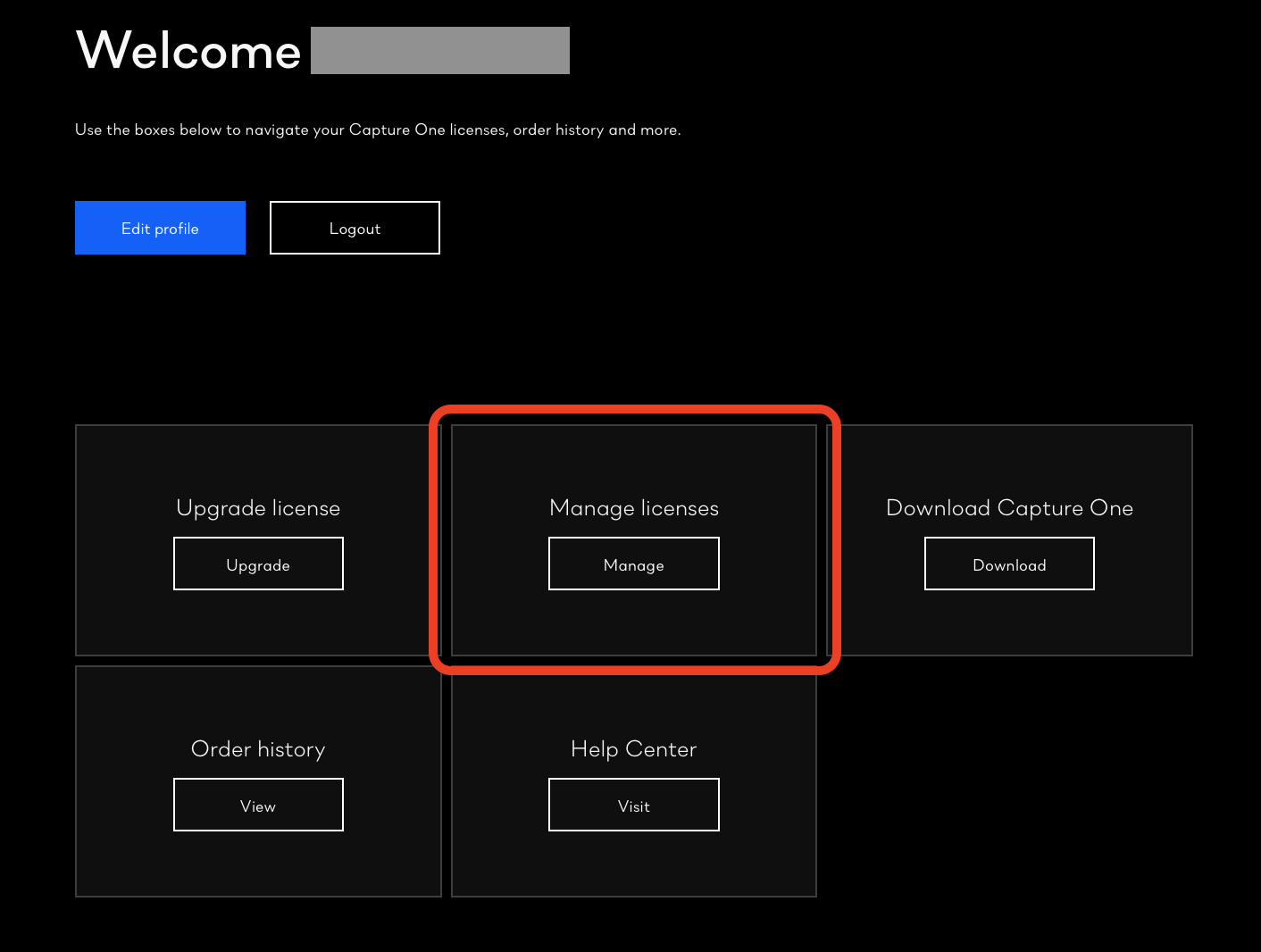
Log in to your account on the Capture One website, and go to the part that says Manage Licences.
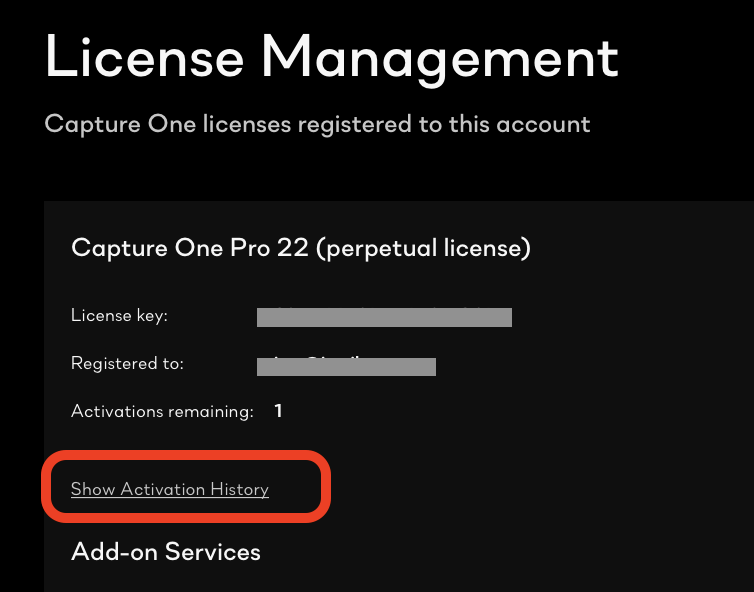
Then click on Show Activation History
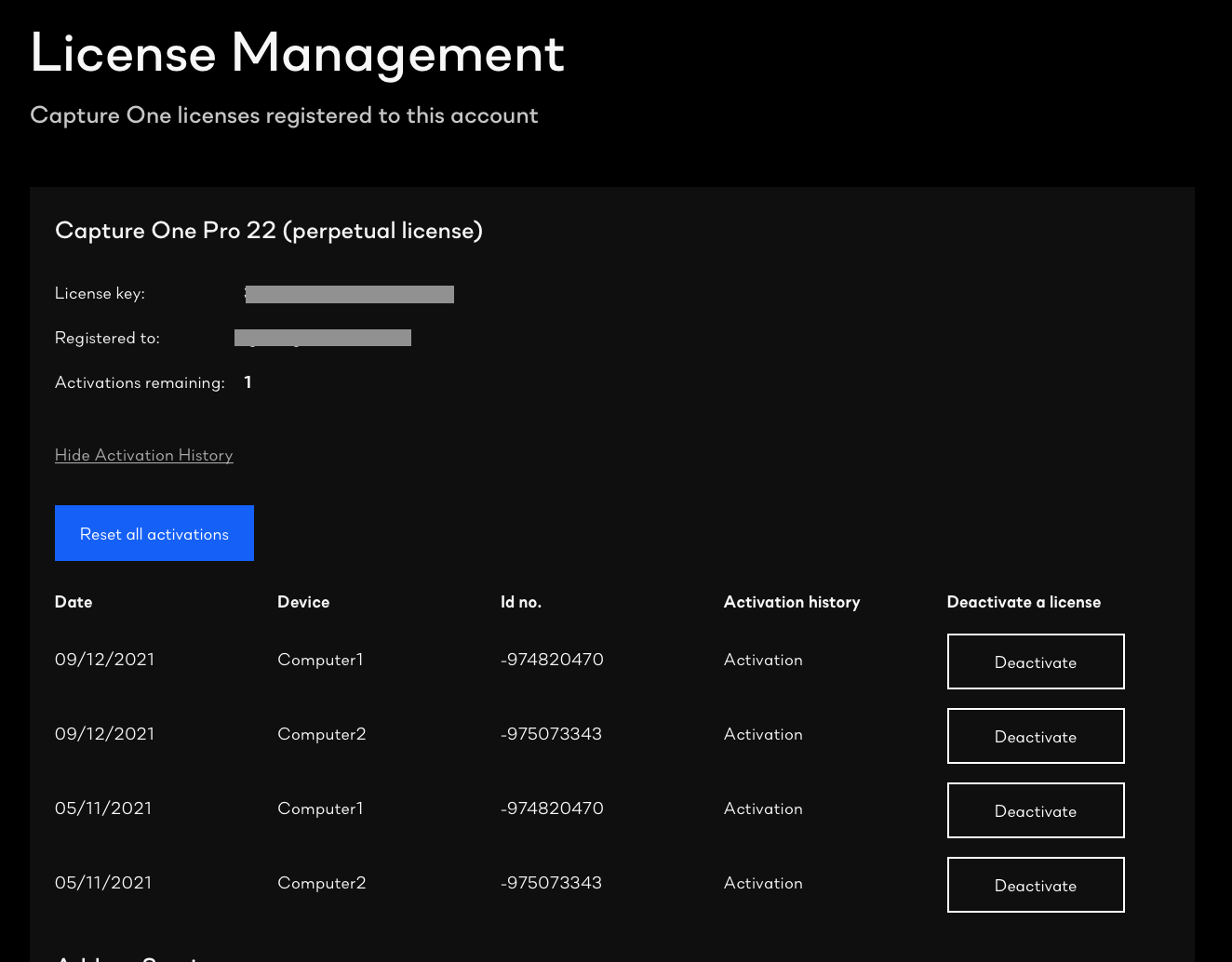
You will see this where you can deactivate whichever you want. It's sometimes a bit of guesswork to work out which computer is which!
Ian
0

投稿コメントは受け付けていません。
コメント
4件のコメント