Size of C1 catalog is very large (> 280GB in a 8000pictures library)

Hi guys,
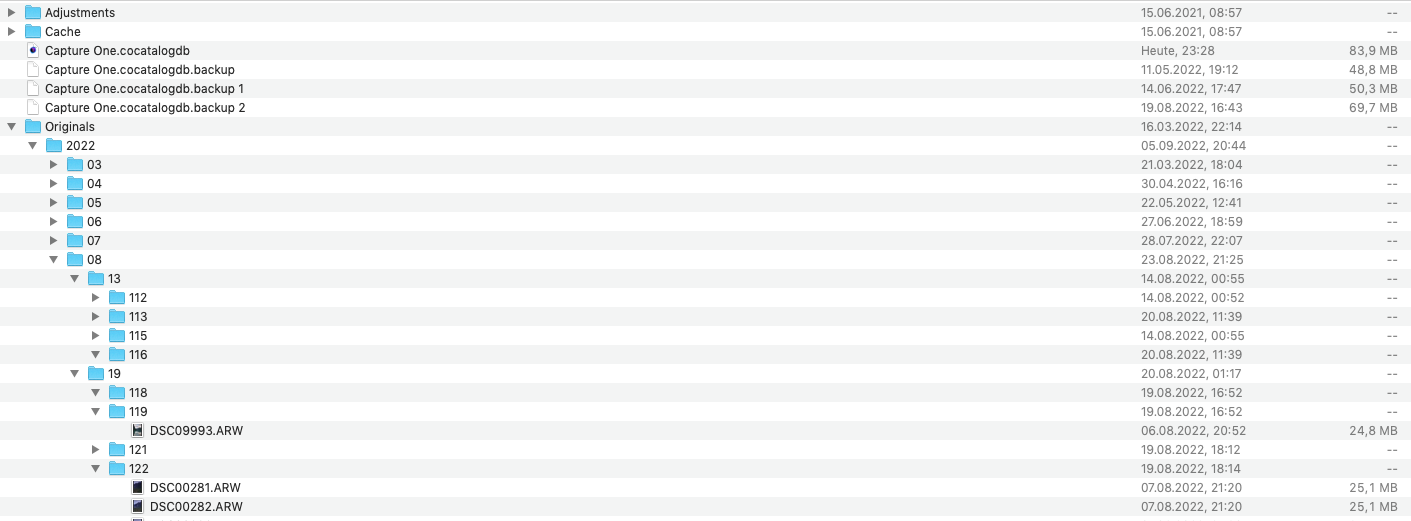
my catalog file has over 280GB and I think this is to much. Can you help me out, if there are some files in the folders which I should delete from time to time? I thought that the original RAW files of my Images in C1 aren't saved in the catalog file ... but there are 250GB of files in the folder "Originals" (9000 files).
Is there a setting in C1, to not have duplicates of my imported RAW files in the "catalog-file"?
Thank you so much
-

Hi Patrick,
I think your RAWs are saved in the catalog file. This is an option to select when importing your images. If you want your RAWs stored in an other place, you have to tell C1 to do so. 280 GB / 8000 files = 35 MB, and this is very likely the weight of your RAWs.
0 -
Thank you. So my RAWs are saved seperat on the same SSD as the catalog file. So I doubled the size.
Is there an option in my case to throw out the RAWs of my catalog-file and link them to the RAW-Files which are stored outside the catalog?
0 -
Either erase them all (be careful and make a copy somewhere !!), or relocate (to the external DD) if there were some risks of losing some of them ?
0 -

Perhaps check where the reference is pointing to by right-clicking a photo in the C1 browser and "show in finder". Then you know which of the 2 C1 is actually using.
0
投稿コメントは受け付けていません。
コメント
4件のコメント