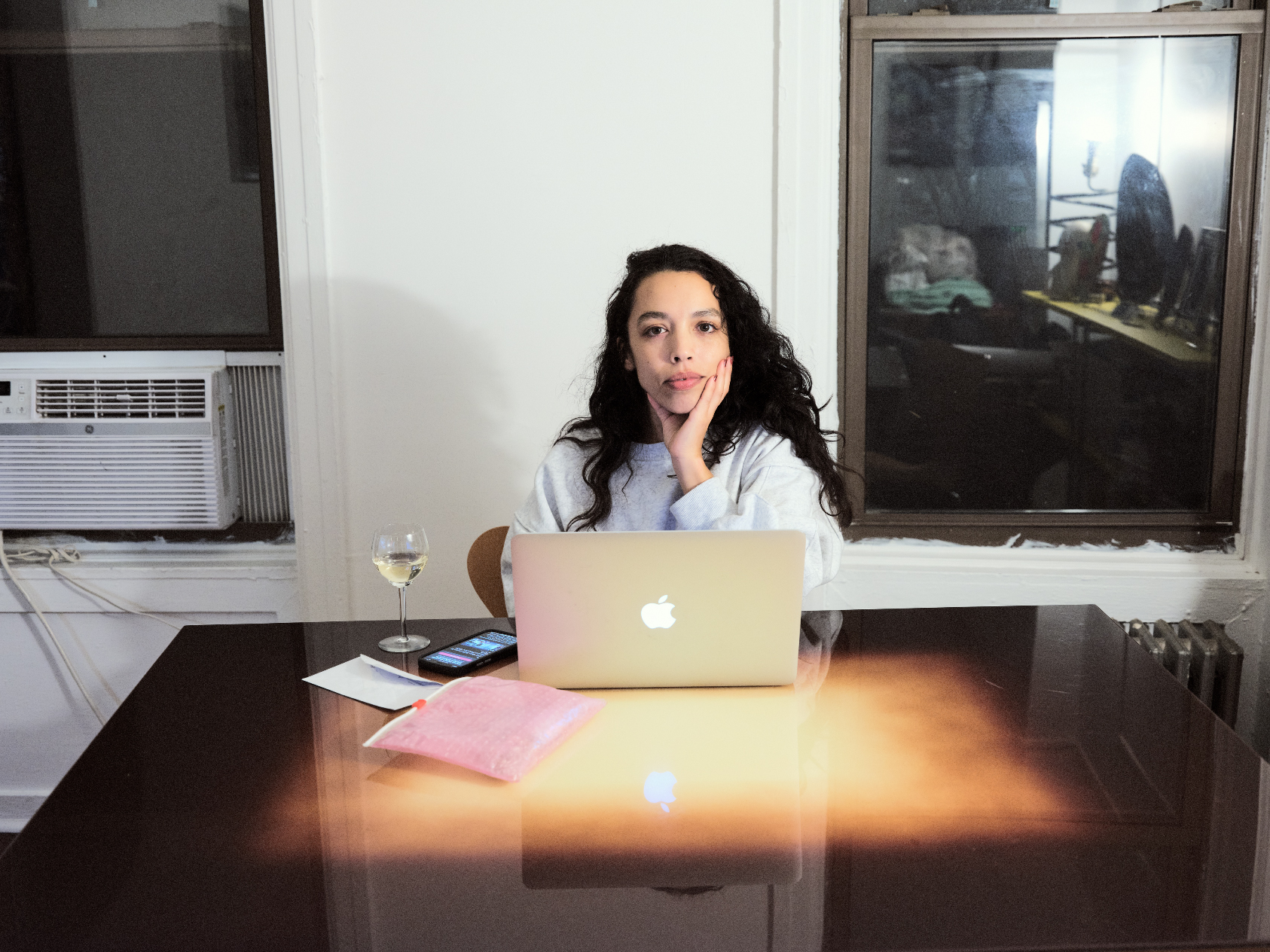
Photo Looks way different after export than in Capture One...grainy and severly overexposed.

Hi,
Can someone please help me with this? It's driving me nuts. A
Attached is a screen shot of how the photo looks in Capture and the export recipe I am using as well as a screen shot of how the photo looks after export.
Any idea why this would be happening?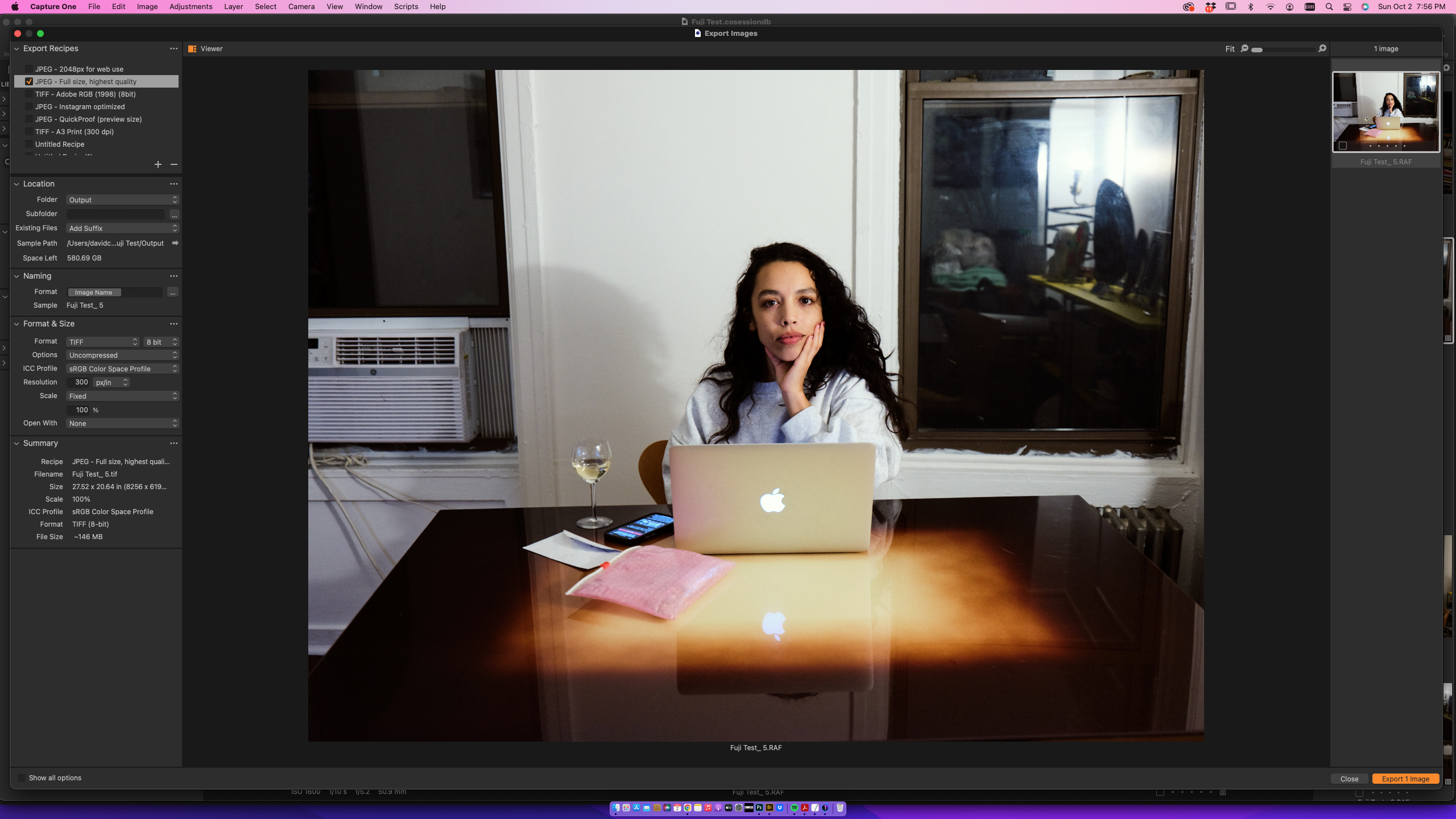
0
-

Try turning off Hardware Acceleration in the General Tab of Preferences. There were some issues with Hardware Acceleration when Capture One for Mac recently moved to the Metal interface. I do believe the current version, 15.4.0.22 has resolved most of those issues...
1
投稿コメントは受け付けていません。
コメント
1件のコメント