Printing Problems with 17x25

I am experiencing problems printing on a 17x25 sheet with an Epson P900. No matter what what I do the image is printed with about a one-and-a-half-inch line (portions of the image) across the bottom. I've tried changing printer settings, paper settings, dimensions, zoom, etc. and none of them have worked. Anyone know of a solution to this?
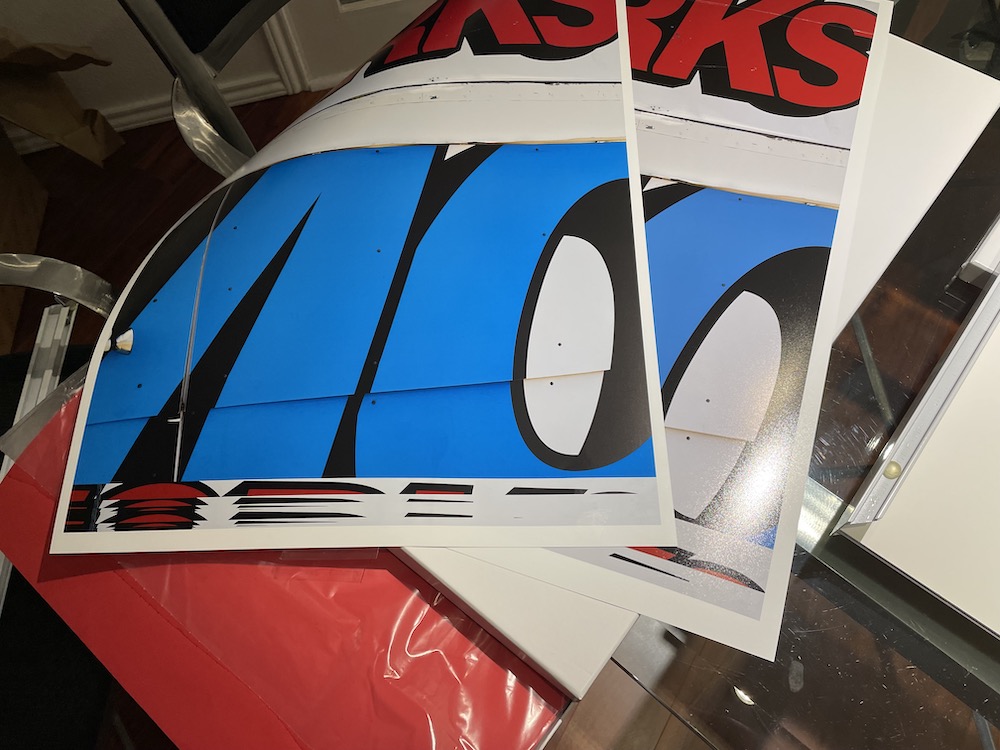
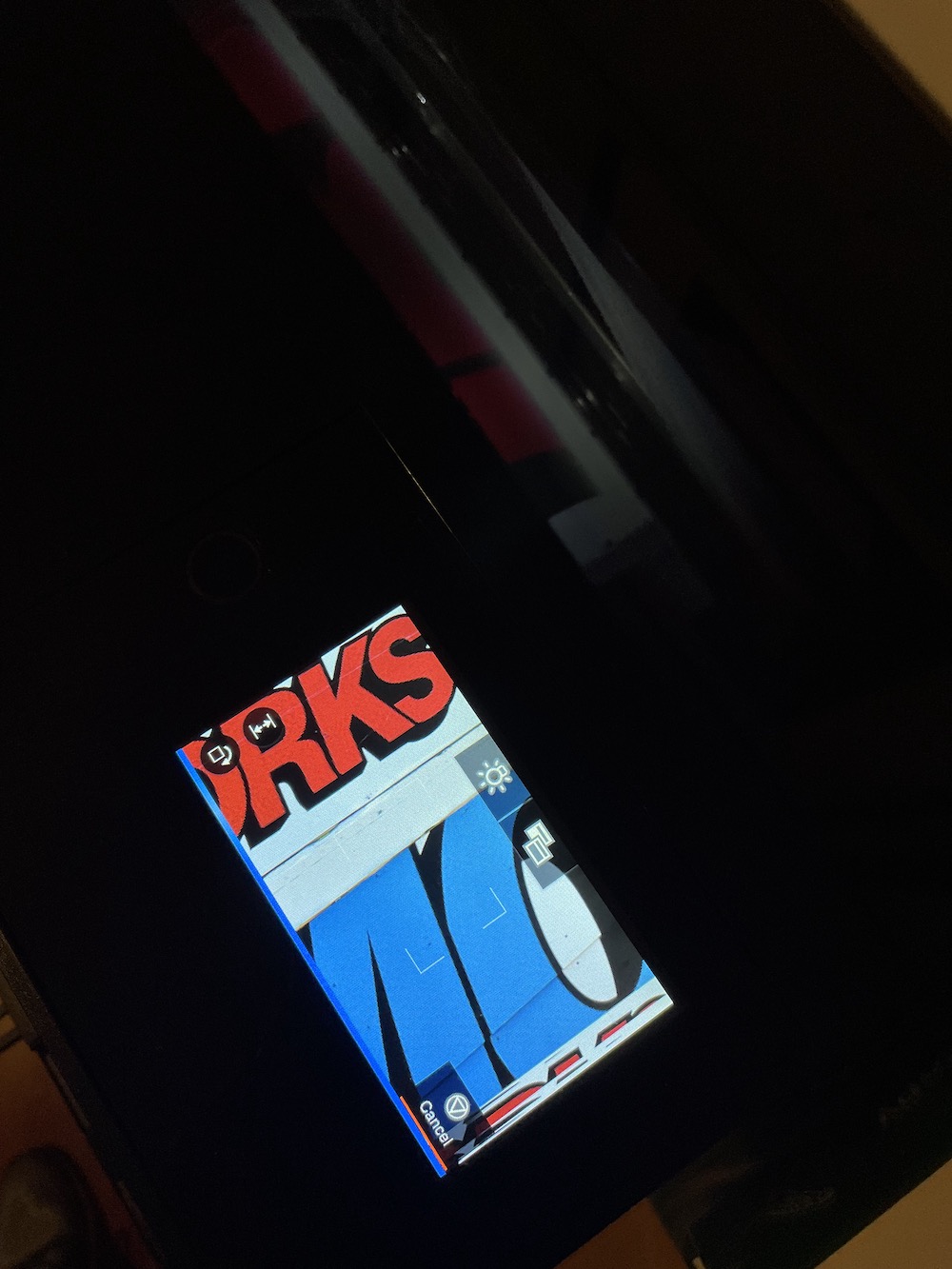
-
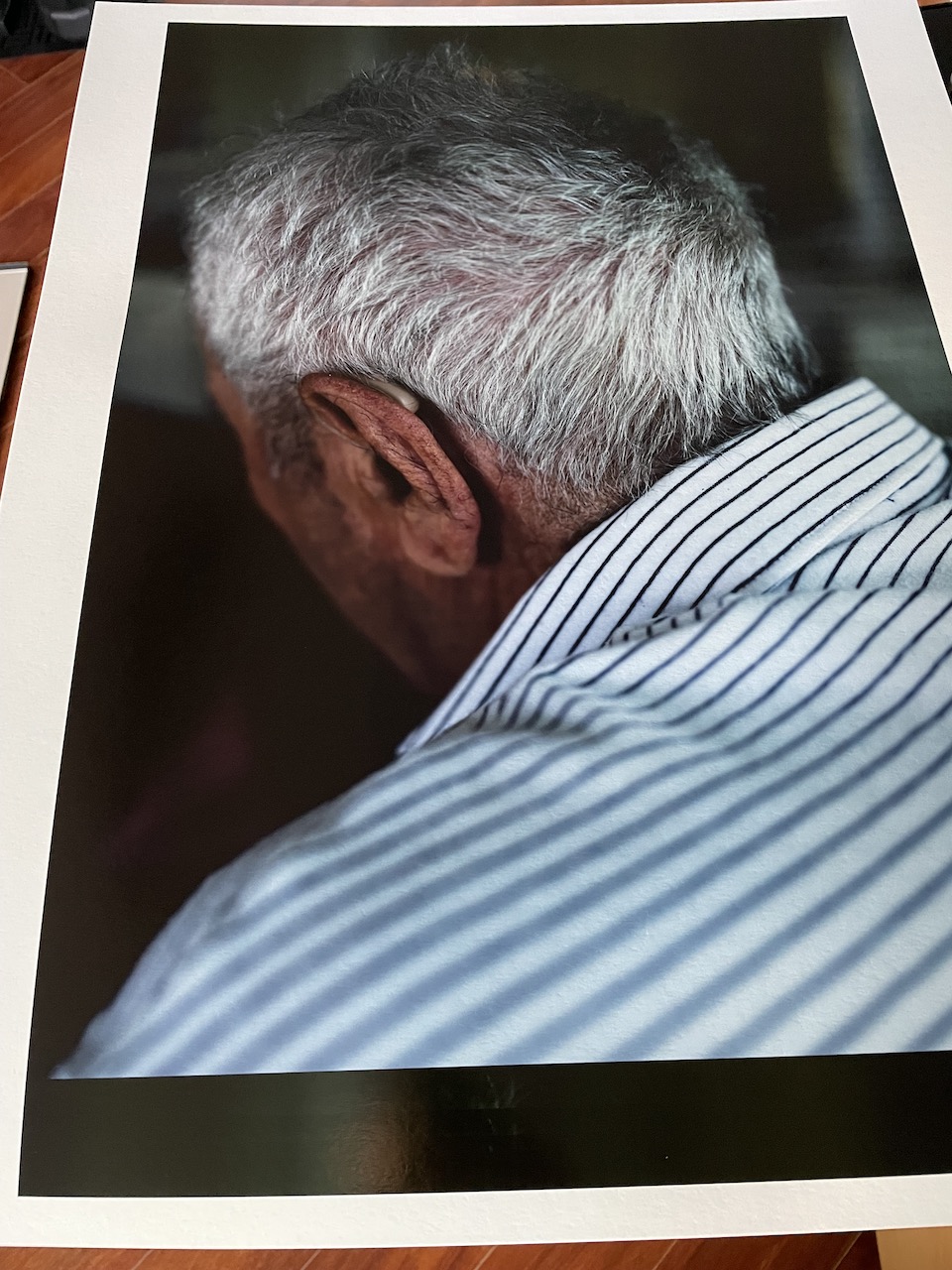
This printing problem apparently isn't limited to 17x25. This is a 17x22 size paper. Can anyone inform me of a solution?
0 -

I'm having the same problem (images print fine in LR). Was the root cause identified? I'm printing on canvas roll paper 36" wide, so it seems like the issue is independent of the paper type/size. Thanks.
0 -
C1 asked for a lot of information and then informed me it was a bug in the software. No promises of when it will be fixed.
0 -
Thanks so much for the information. I submitted a ticket last night to C1 and haven't heard anything. I ended up exporting the image as a tiff, opening it in lightroom, and printing from LR. No issue printing from LR of course. I actually prefer the LR print module over C1, so I just might make this a regular part of my workflow......
1 -
The last release did not fix the problem. I emailed C1 and never received an answer. I guess I will have to make LR a regular part of the workflow, too. That's a shame.
0 -

The same thing happens to me, I can't print in A3+, and I export to do it with the Adobe suite or with the printer's own program, an Epson. The truth is that every time I wonder what I'm doing paying for C1, with those ridiculous updates and increasingly higher prices, and with terrible customer service (I've been waiting for 5 days for them to tell me where the C1 preferences file is, since For a problem I have, they have told me to delete it, but it is not in the route they gave me, "they have to change the script of instructions"... In short, my hope that something will change is running out.
0 -

I have the same problem with A3+. I've also seen a couple of other people with the same issue. Anything resolved?
No problem printing from LR, PS or Affinity Photo
Mac M1 running Sonoma 14.3.1 Canon Pro-1000. Capture 1 16.3.5.10
0 -
Unfortunately there is a solution, go back to Adobe. Phase One does not take care of its customers
0 -
magaly barreiro – PhaseOne does not own Capture One. Capture One is a stand alone company. Both companies are owned by the same parent holding company.
0 -
Walter, Yes you are right, it is a "new company", but the customer service protocol is the same. The 3-4 queries that I have opened before with Phase One and now with Capture One, the result is the same, some answer and no solution, only silence.
A shame, because I liked C1 until they started with that poor upgrade policy, and I charge up front for nothing. I gave them several opportunities, but no more. If C1 ever becomes a serious software again, with real updates, that thinks there are more photographers than we are wedding photographers and also with good customer service, it will be time to come back, but the day I don't mind today.Good luck
0 -

How do I transfer photos of capture one 6 to C1 20?
0 -
I would open a support case for transferring CO6 to CO20. You may need an interim version that can upgrade your CO6 sessions/catalogs (eg CO10), then upgrade those CO10 versions of sessions/catalogs to CO20.
0 -
Dear Mr. Walter. I have not received any more information regarding my case. I tried version 10 and didn’t have any luck. I needs further guidance, please.
0 -
I wish I could help. I'm a user like yourself. Keep putting comments on your case to keep it open.
0 -
So now what do I do?
0 -
I don’t know my case number.
0 -
I have not heard from CO at all.
0

投稿コメントは受け付けていません。
コメント
17件のコメント