EmptyName

When importing images I am using a folder structure on my catalog that goes Pictures-2022-Winter 2022-Date Shot. Under date shot I'm getting another folder named EmptyName with a duplicate of all of the images in the folder just above it. If there's 4 there's 4, if there's 58 there's 58. My last import was on the 20th because I want to fix this. Any ideas? I'm using tokens for a new naming organization that looks like this, Flowers-22-01-06-00909.ARW
In my 22-01-06 folder will be the images I shot that day plus a subfolder with the same images called EmptyName. That seems wrong there should be no subfolder with the same images as the one above it. My folders structure is as follows: In Catalog, my MBP SSD, Users, Me, Pictures, 2022, Winter 2022, 22-01-06, EmptyName
I'm using C1 V22 on a Mac
-
In the import dialog, can you check what you have in "Backup To"?
0 -
Backup is enabled, Location is 2022.
Naming Format is Flowers-Image Date (yy-mm-dd)-5 Digit Counter
Job Name is Flowers Description is Flowers-Winter
I have been working on this project for several years, last year I shot 11,000+ images, my Sony starts renumbering after 9,999 so I thought a 5 digit counter would be advisable, but maybe not if the date shot is part of the naming.
I backup my MBP with different drives including Time Machine and Carbon Copy Cloner. My Catalog structure is a mess. I guess I could reimport everything, as long as I stay inside C1 it should keep all of my edits which I have months invested in. I have already exported all of my images to be printed as 16 bit Tifs but haven't done the same for SRGB JPG's for my website which is still being built. So whatever names they were called in the past is still important. Any help untangling this Gordian knot would be more than appreciated. New MBP on order with much faster throughput.
0 -
Maybe the duplicate image files are due to the backup, this was my thought. I don't understand though why you backup all images to the folder Pictures-2022. But I am not a Mac user...
So whatever names they were called in the past is still important. Any help untangling this Gordian knot would be more than appreciated.
Do you mean you have renamed the raw images after the tif export and thus don't know how to export the same images with the same name as jpg files?
0 -

This section is all about the question. The question is the most important part of any topic. It can be a statement, a direct question, or an indirect question. It's important to know How To Question in order to have an engaging topics that will keep your reader interested and engaged.
-1 -
My Tif exports and SRGB exports all reflect the file names within C1. I have been exporting in duplicate so that I can email friends. I'm going to have to re-export another SRGB with a watermark to be posted to my under construction website.
As to why I put a backup in the folder Pictures-2022, I don't have a really good answer other than that I wanted C1 to know where the backup was located and my connection to my external drives was through USB 2.0 which is laboriously slow. I started re-naming my images about half way through last year after watching David talk about using tokens. I wanted to start this year with a naming system that I won't ever have to undo. Last year's Catalog doesn't have the EmptyName problem, so when I first saw it alarm bells went off. At 75 I am still learning after making a living with photography in the motion picture industry for 30 years. Now that I'm retired I'm going back to my first love of fine art photography and I'm doing the best work of my life. Thank you for your replies BeO, I appreciate it.
0 -
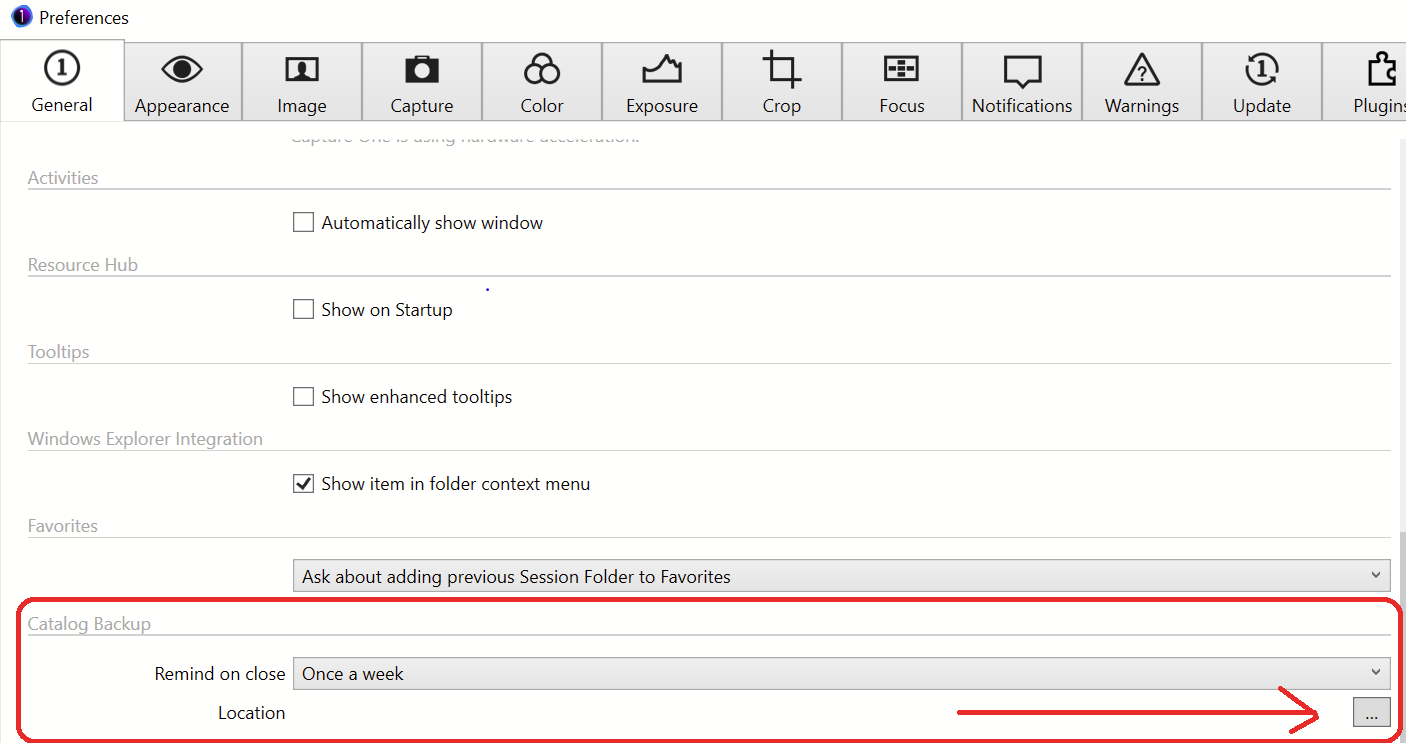
Just to make sure you are using the right backup settings for what you want to achieve, there are two different backup functionalities:
1. Backup location for your catalog backup (catalog database and and your adjustments, without original (referenced) image files:
2. Backup location for backing up original image file when importing them into the C1 catalog:
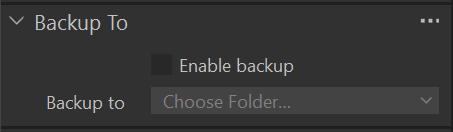
These are your valuable files from the camera, so if you have another backup process (with a backup application on Mac or you do a manually backup of your original image files) then you can disable this. I you don't have another backup process then you should enable this and choose a backup location on a different disk to avoid loosing them when your main image disk crashes or gets lost.
0 -
That fixed it BeO, I was using a token naming system and in one of them I had it set to original file name which conflicted thie the new naming protocol. Do you know if it's possible to rename my earlier images from this year without loosing all of my adjustments, I have exported @ 40 Tifs to be printed which I might have to re-export which is easy enough if all of my existing grading and imager adjustments remain. I couldn't do what I'm doing without C1, so my thanks to all who have helped make it better.
0 -
Hi Dick,
Yes you can rename your image files by clicking on the name in the Browser, your adjustments should not get lost. It is also possible to rename many images in a batch using tokens:
https://support.captureone.com/hc/en-us/articles/360002529997-Rename-multiple-files-Batch-Rename-
0

Post ist für Kommentare geschlossen.
Kommentare
8 Kommentare