Process Recipe's in Output Menu

The Output menu since doing the update is completely empty and has no "Process Recipe" menus anymore. Are they in a different place?
0
-
Yeah, in a different place: The bin. They changed / crowded the modal export window but removed the great output tools / processing tools.
cheers
BeO
0 -
Rick - You can see the recipes etc by opening the Export dialog box - press the button on the tool bar of Ctrl=Shift+D.
If you had process recipes that you had created yourself, I would expect to still see them. (I do.)
If you want to get the built in selection of recipes and they aren't there, you can add them by pressing and holding the + button in the recipes panel.
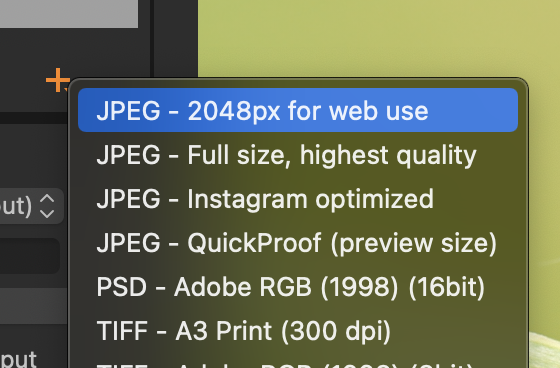
There is a tutorial on the new export tool here.
Ian
1


Post ist für Kommentare geschlossen.
Kommentare
2 Kommentare