Missing folders during migration from windows

Hi everyone.
I just bought my first macbook and now migrating my capture one catalog to it and I have issues with missing folders.
So I copied all my photos and capture one files to an external SSD, plug it into macbook and when I open my catalog file I see that some folders are missing.
But files from this folders still could be found in 'All Image', but without a thumbnail and with error message 'Selected image unavailable, unsupported format or corrupted.'.
But if I right click 'locate' and then synchronise 'unlinked' adjustment file from catalog with image file in external drive it restores file and applies adjustments. But it takes forever to sync all the files like that.
I tried to open different versions of backups of my catalog and had same issue, but other set of folders was missing. And I checked this catalog file on other windows machine and it worked fine.
Is there a way to fix it?
-
Spent two days to understand how to resolve this issue and locate this bug.
It turned out that when I open catalog file from win on macos some folders shown in wrong place - where they were never located actually (see macintosh HD folder with over 2 thousand files in 1st screenshot).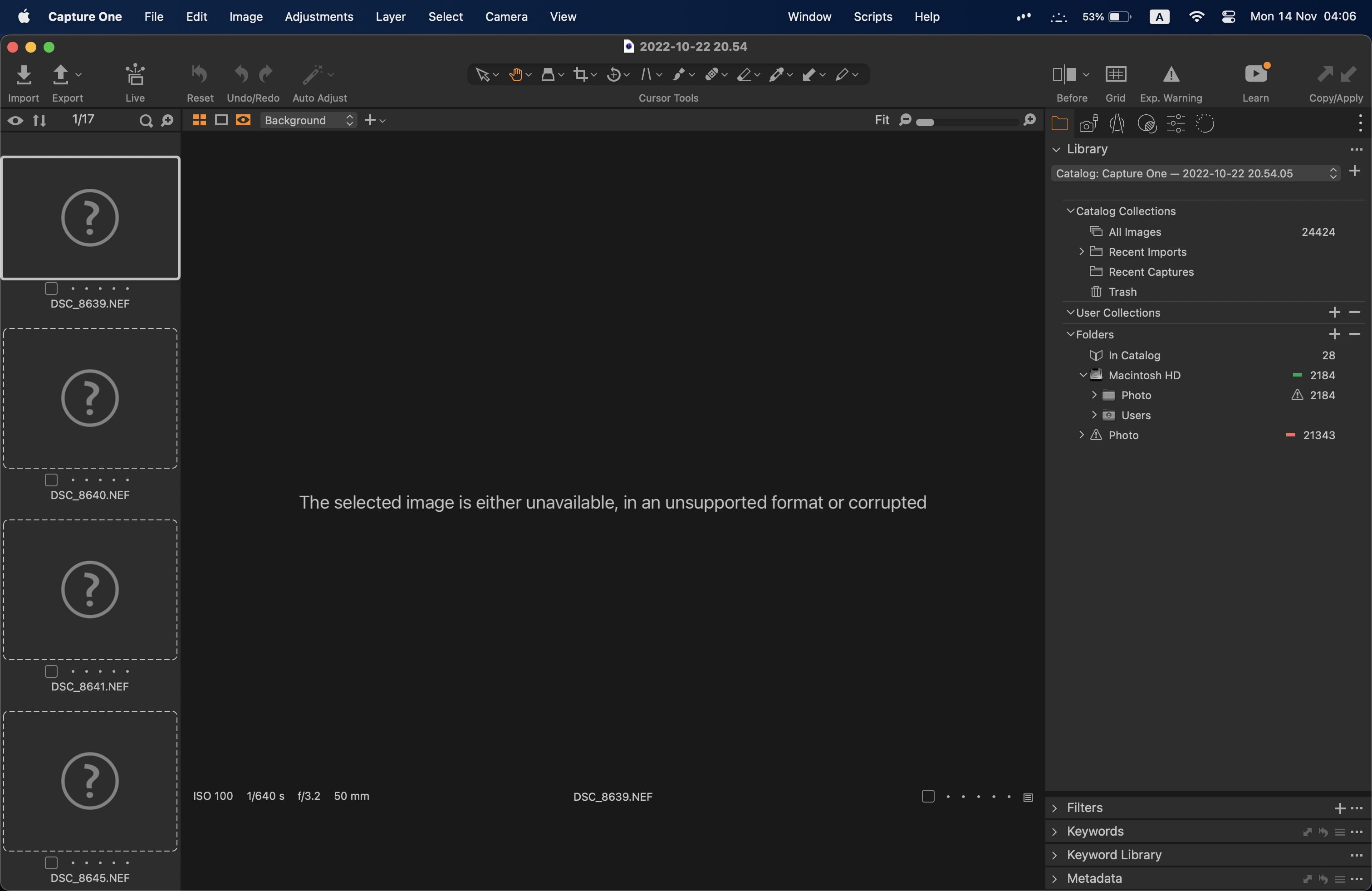
If I will not locate this files during first opening of this catalog, they will disappear when I will open it later (see 2nd screenshot - there are no more files in this location).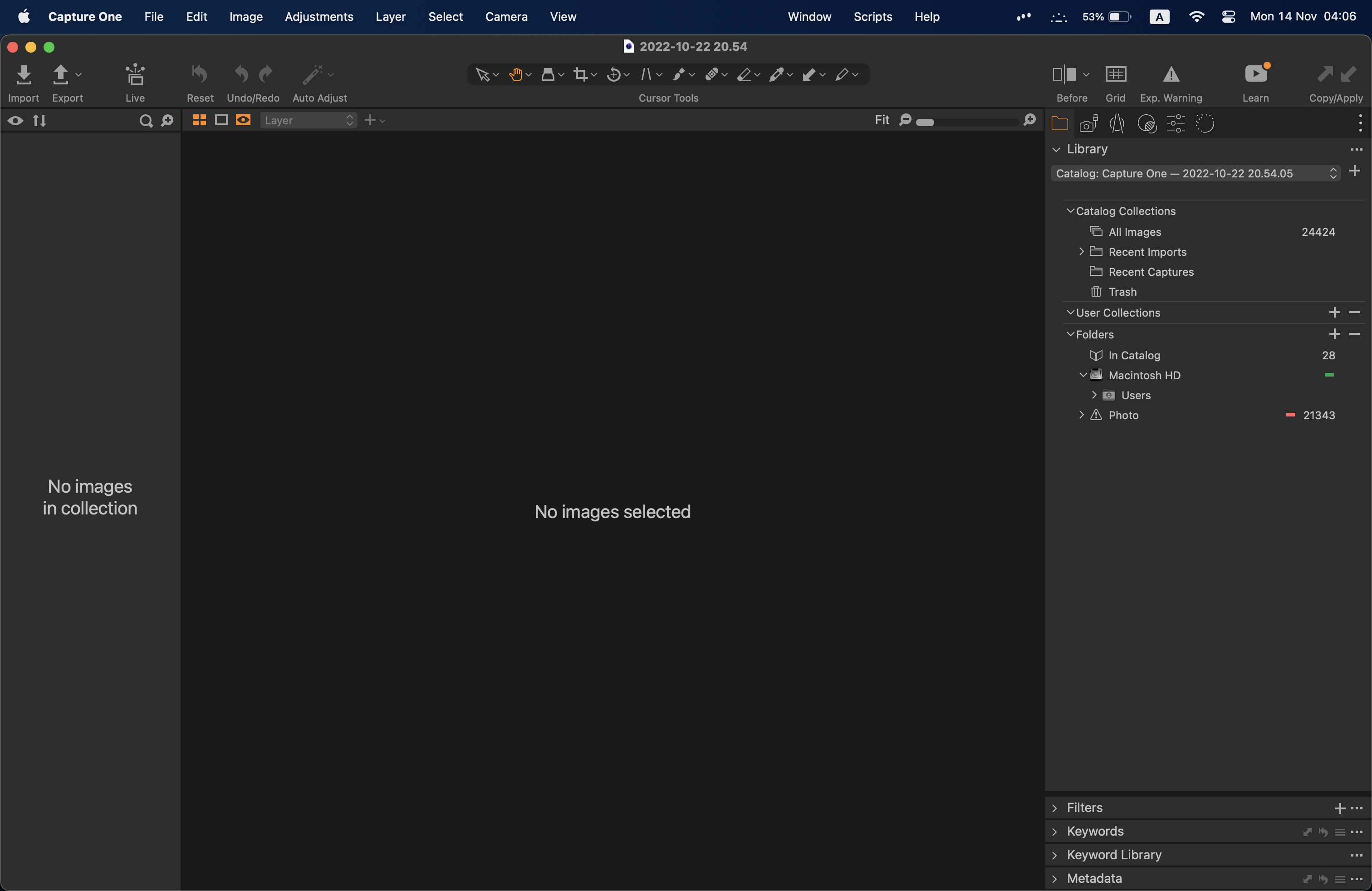
I didn't notice that macintosh HD have any files (obviously, because I never put those files there) during first start and noticed it later just accidentally.
So I hope it will be helpful to someone else. And I hope even more that this bug will be fixed.0 -

Both screen shots are showing the same number of images in your catalog, 24424 and both show a photos folder that is dis connected.
Can you right click on the photo folder and choose, locate and navigate to the proper folder on the HD.
They should rebuild the database and show your files.
0 -
Yes, I wrote that I have same number of files in 'All images'. But folders are missing as you can see if I will not locate them during first opening of the catalog.
I already fixed it, but still set of folders differs from 1st to later openings - it is not ok at all. Hope it will be fixed.0
Post ist für Kommentare geschlossen.
Kommentare
3 Kommentare