Integration with Topaz Photo AI

Just updated to Capture One 16.1.2.44 and Topaz Photo AI 1.2.9 and the option to "Process with Topaz Photo AI" in the Edit With sub-menu has disappeared..... anyone know how to get it back as it is such a massive time saver?
Edit with Topaz Photo AI is still on the menu, TPAI is launched in autopilot mode, it does its stuff and immediately sends the tif file back to Capture ONe before you have had a chance to review and or tweak any TPAI settings.
Thanks in advance
-

I also noticed the disappearance of the "Process with ..." option after installing v1.2.10 of TPAI. However, in my case the normal "Edit with > Topaz Photo AI" does allow me to adjust settings between autopilot and saving the result.
So far I've not found a change note or announcement of this change, but it seems to work just fine. The TPAI save button even says "Save to Capture One" when being run this way.
0 -

I am working with Capture One 16 0221 and Topaz AI 1.5.3 (latest versions) on Ventura 13.5.1. The integration has become non existent. Not only has the Edit With command gone, Topaz only sends back a non edited tif into Capture one. Very frustrating. Every form of help is highly appreciated!
0 -
Go to Edit Preferences > Plugins Tab and on the left hand side you should see Topaz Photo AI....but it is disabled. You need to enable it. Right click it (windows) and press the enable button - don't know what the Mac equivalent of right click is
0 -
Thx Julian. Mac is slightly different: but according to me, it is enabled ?..
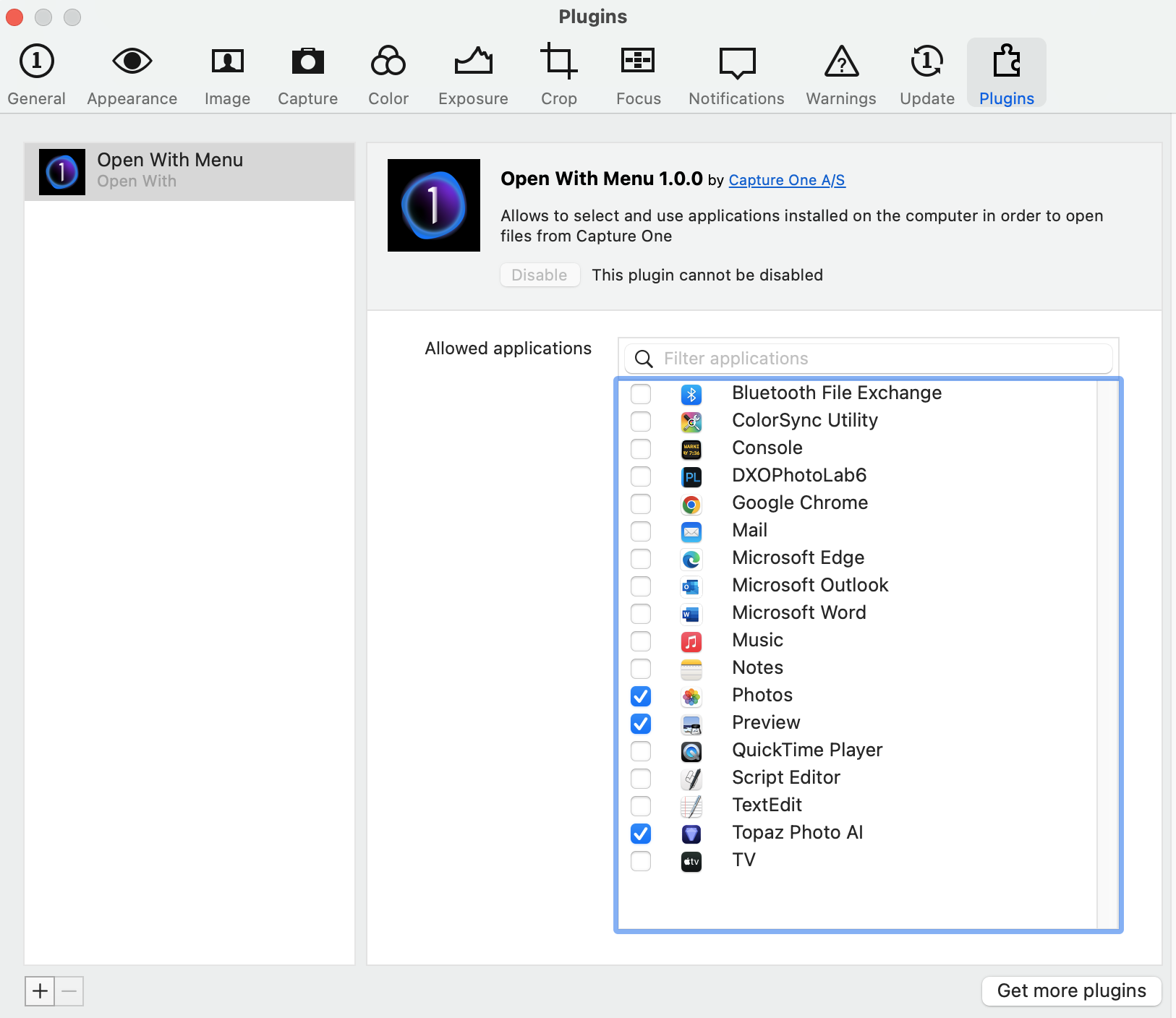 0
0 -
Yes it does look like its enabled :(
The windows view is

The key difference seems to be that Topaz Photo AI is listed on the RHS of the tab......don't know why there is that difference..
I guess pressing Get More pluggins and trying to re-add TPAI does not help? or disabling it and re-enabling it?
Good luck
Sorry
0
Post is closed for comments.
Comments
5 comments