A7RV tethering to C1Pro for Mac and iPad, jpgs only??

I only shoot raw with my newly-purchased A7RV, as well as my A7R3.
I CAN import Sony raw files to C1Pro 23, either by using a card reader OR, by setting my Sony USB settings to MASS STORAGE. No Problems, works well with either camera.
-Problem is, IF on the A7RV, I tether to my Mac or iPad Pro (Still set to raw), the A7RV will ONLY shoot and transfer a low resolution JPG to C1Pro 23. A7RV IS still set to RAW, and any of the various raw file options available in C1Pro settings. JPGS are NOT selected (NO Raw+Jpg).
-In Camera information under TETHERING in C1Pro 23, RAW is selected in ALL areas where I have an option to select different file formats.
-In the naming convention options window on C1Pro 23, the sample file name always appends to JPG, but raw is selected in C1Pro everywhere else!!
-My A7R3 has NONE of these issues tethering to the Mac or iPad Pro. I set raw, it tethers my raw file.
This is a huge, frustrating issue. I need to tether the A7RV to C1Pro 23.
-
I found the solution to my issue. It's not a C1Pro problem, more involving the convoluted menu system of the Sony cameras.
I trolled the Network settings on the A7RV. Upon my initial search, I found in Network
USB-LAN/Tethering then Tethering Connection. When I enabled this option, the camera says I need to connect my USB-C cable. When I did that, Capture One said no camera connected.
So, I started trolling other options in the Network family of options and found...
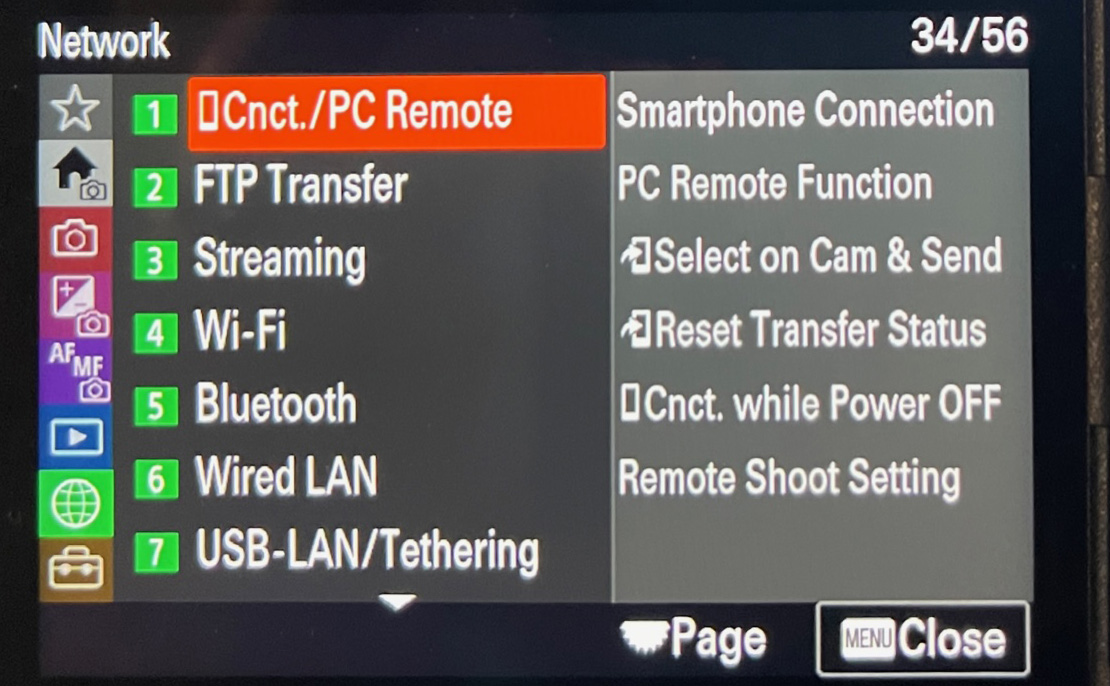
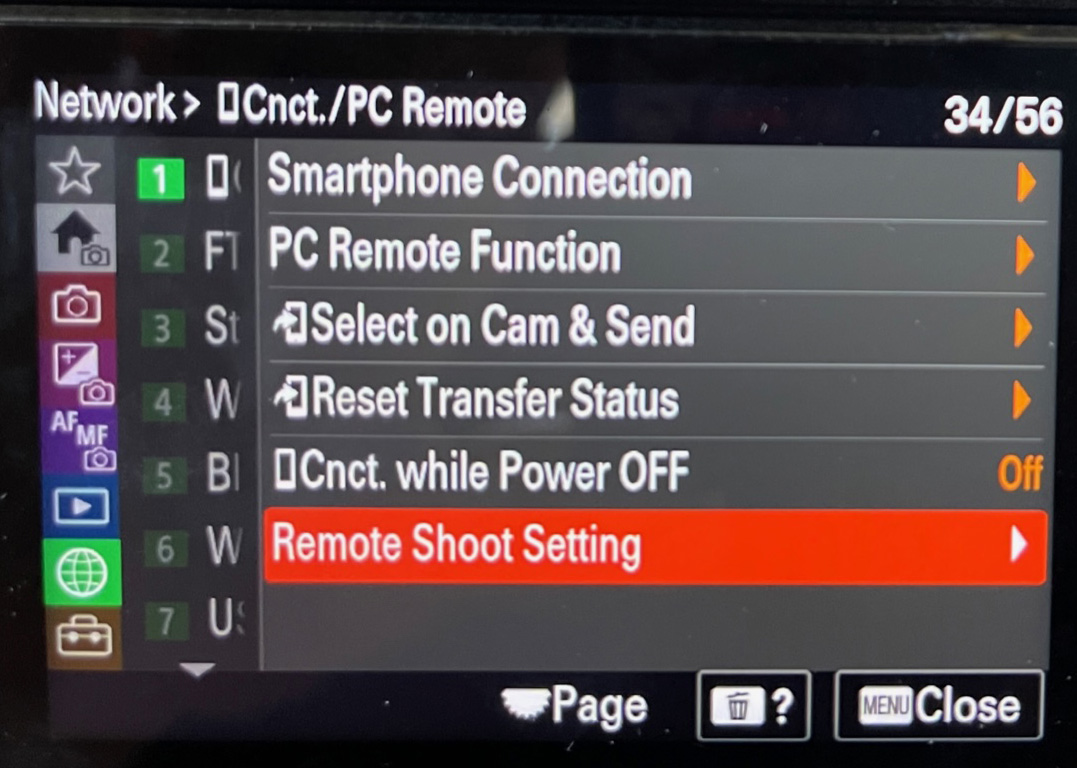
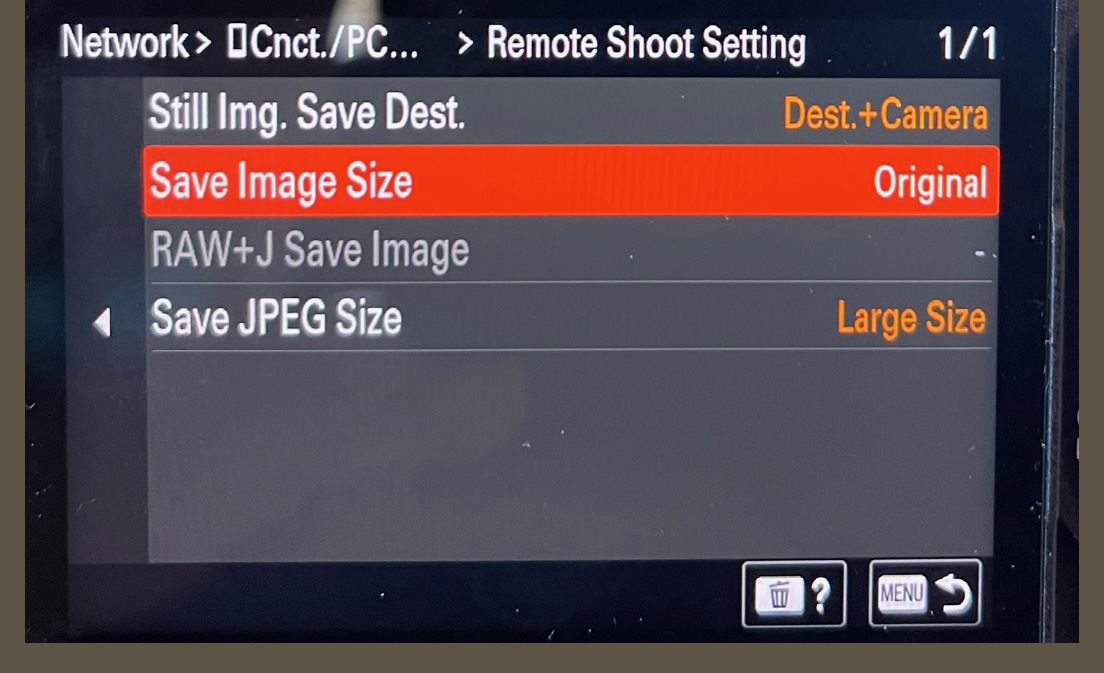
(3 screenshots) Network option #1 Cnct./PC Remote, Remote Shoot Setting, Save Image Size, ORIGINAL. When the camera was only tethering jpgs to capture one, instead of ORIGINAL, JPG was the selected option. Now all is well on iPad & MacBook Pro.
 0
0 -

omg you saved me alot of pain and heartache!
thank you, from Singapore0 -

Sadly I have the same issue. I followed all the steps and then each capture c1pro displays an error can't add image to c1p. I have been shooting thethered for years with canon and Sony A7III zero issues. Now I can't get my A7RV to work sadly
0 -
Found the solution to upgrade to a newer version of C1Pro. Seems to be working now with the A7RV
0 -

Thank you so much for finding the solution! You saved me on set today. -Julian
0
Post is closed for comments.
Comments
5 comments