Auto keystone not doing anything on 16.2.1

0
-
Tell us more? It seems to work for me, also on 16.2.1. Here is an example - the variant on the left has had no keystone correction applied, and the one on the right has, by just clicking the Auto button.
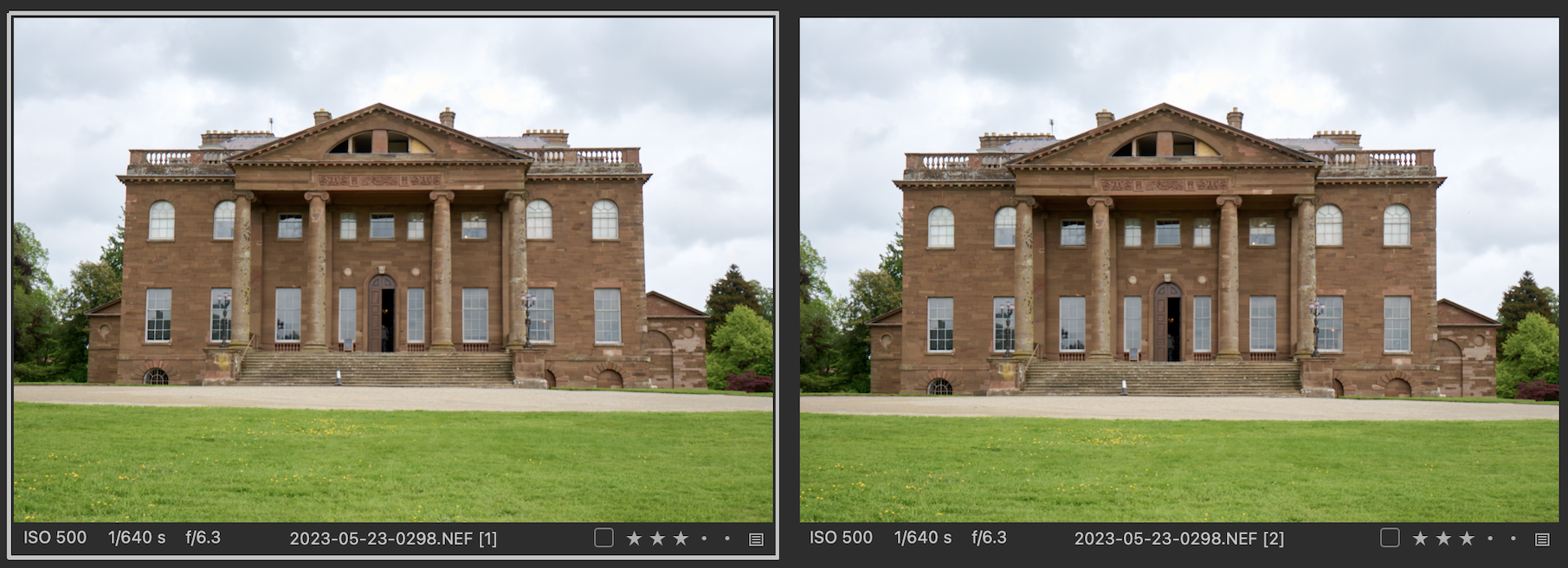
This is the amount of correction it applied - it both rotated it slightly and applied some vertical keystone correction.

But whether anything happens depends on what the image is like. If there are no obvious verticals for it to find, nothing happens.
Can you give an example of the kind of image you have tried it on?
Ian
0

Post is closed for comments.
Comments
1 comment