On screen image size

Hello
I think following an update of Capture One the size of my images on the standard screen - that is between the controls on the left and the list of images on the right - is smaller than the available space.
I am sure it used to stretch to the maximum size.
I know how to adjust the fit and to go to full screen. Is there a way to get the image to fill the available frame?
Thanks Steve
1
-
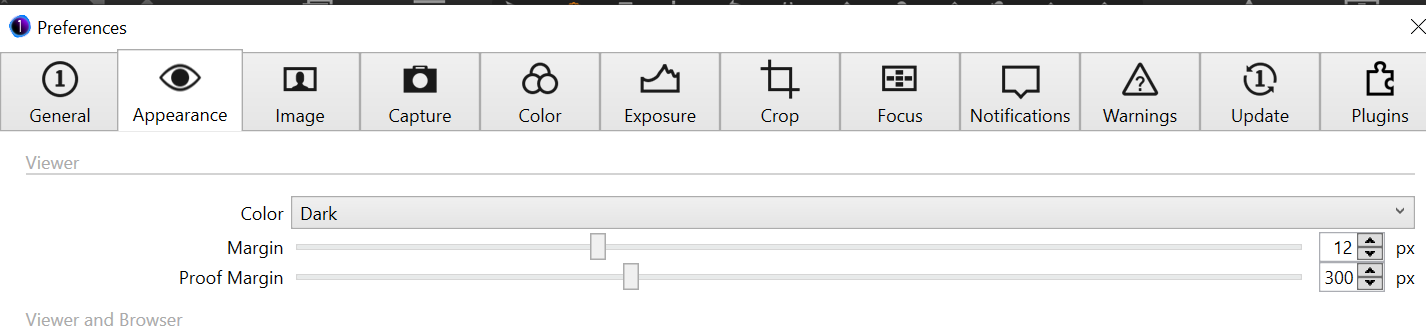
Maybe it's the margins:
 1
1 -
Thanks BeO
It is the Proof Margin. Sorted.
Steve
1

Post is closed for comments.
Comments
2 comments