16 bit TIFF Export

Does Capture One 23 allow for 16 bit TIFF exports (export recipes)? All I see is 8 bit. If the answer is yes, how do I configure it for 16 bit TIFF. I already went to settings and didn't see it there. Thank you for your time.
-

Inside the export module, don't you have the option to select between 8-bit and 16-bit tiff?
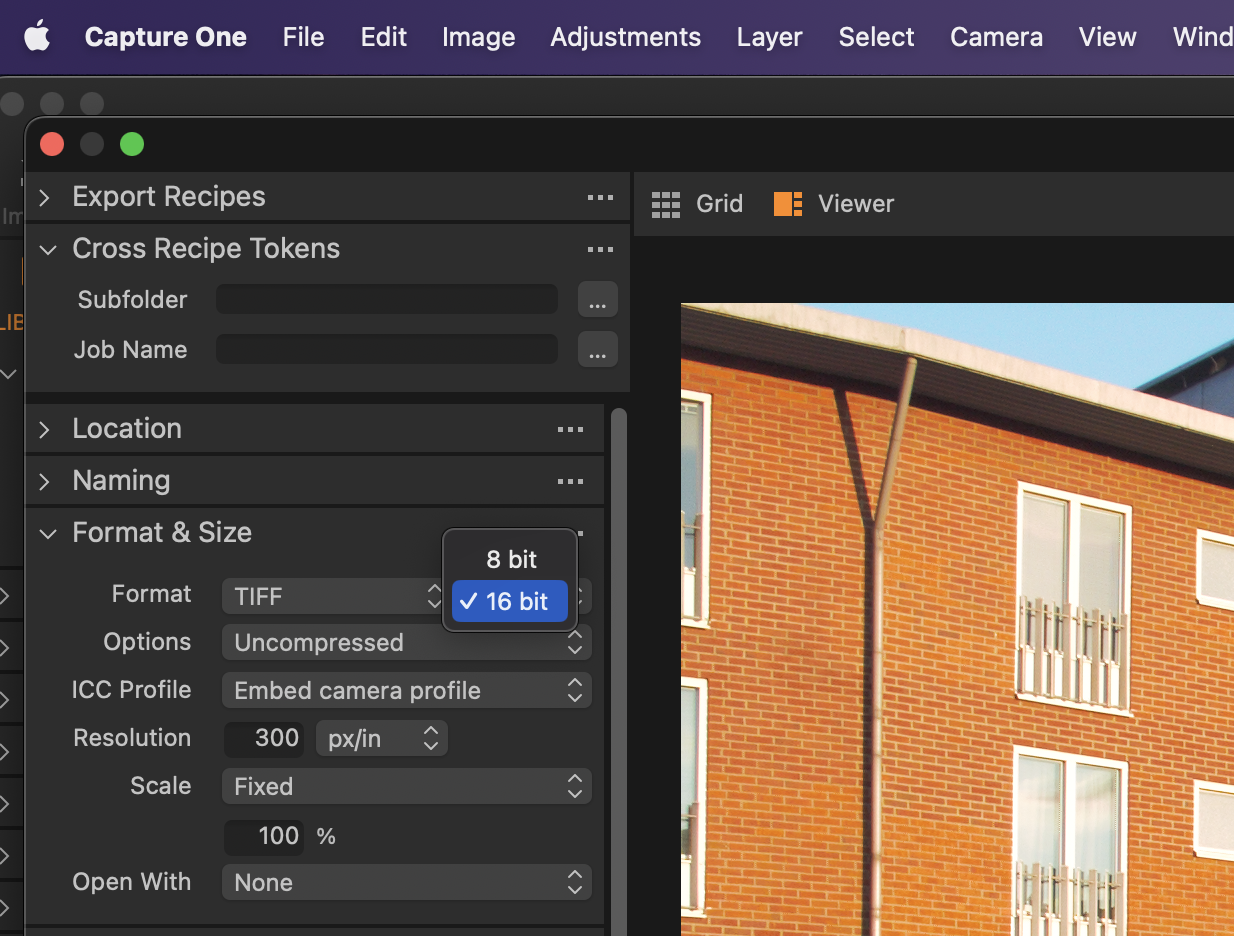 0
0 -
Thank you FirstName. Yes, I saw it and I enabled it. I thought I would see a change in the export recipe, like the addition of tiff a 16 bit check box. I didn't, so I figured it wasn't there for that purpose. Do I leave the 8 bit tiff box checked in the export recipe along with 16 bit tiff enabled in format and size? Forgive my ignorance. I have zero experience with Photoshop or Lightroom and began using Capture One 23, I believe, in December 2022.
0 -
If you want to be able to have both 8 bit and 16 bit exports, the easiest thing to do is to start with the 8-bit recipe, duplicate it, then change the setting to 16-bit. You can rename the duplicate recipe to include 16-bit in the name, then you will be easily able to see which is which.
Ian
0 -
Good morning Ian! Thank you for that. I'll do that. I was thinking about the possibility after t watching a tutorial: Capture One Livestream, Improving your efficiency - Exporting Images by David Grover. There's a segment where David Grover discusses creating export recipe presets. I completed the tutorial 3 minutes ago. I have a lot to learn, a lot.
0

Post is closed for comments.
Comments
4 comments