Warning message on LCC profile creation

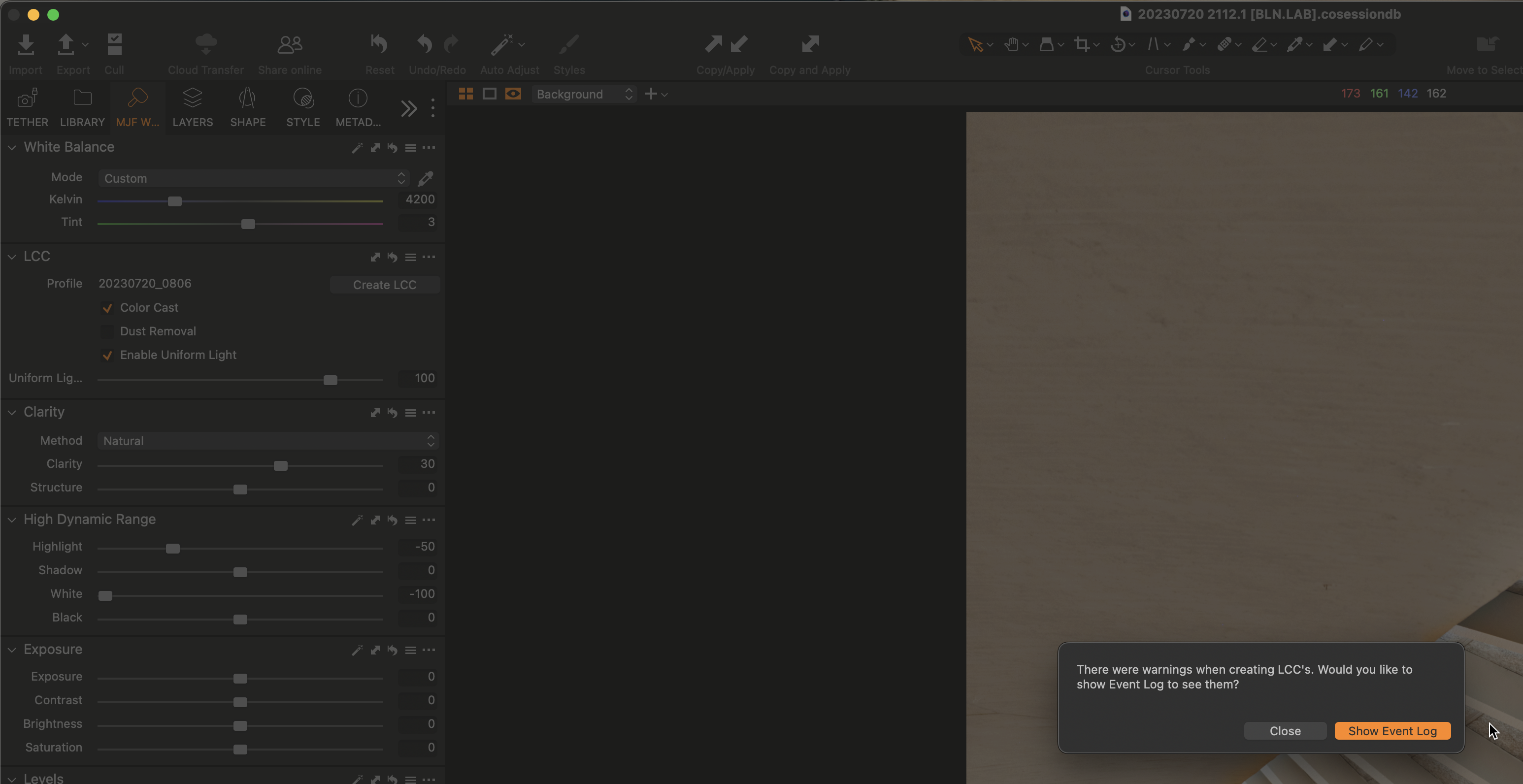
Does anybody know a way to avoid the warning message on LCC profile creation appearing at all times?
I use that tool frequently, and it is time-wasting to close it continuously.
I tried disabling all message warnings on Capture One Settings unsuccessfully.
Thank you for any help.
Marco
-

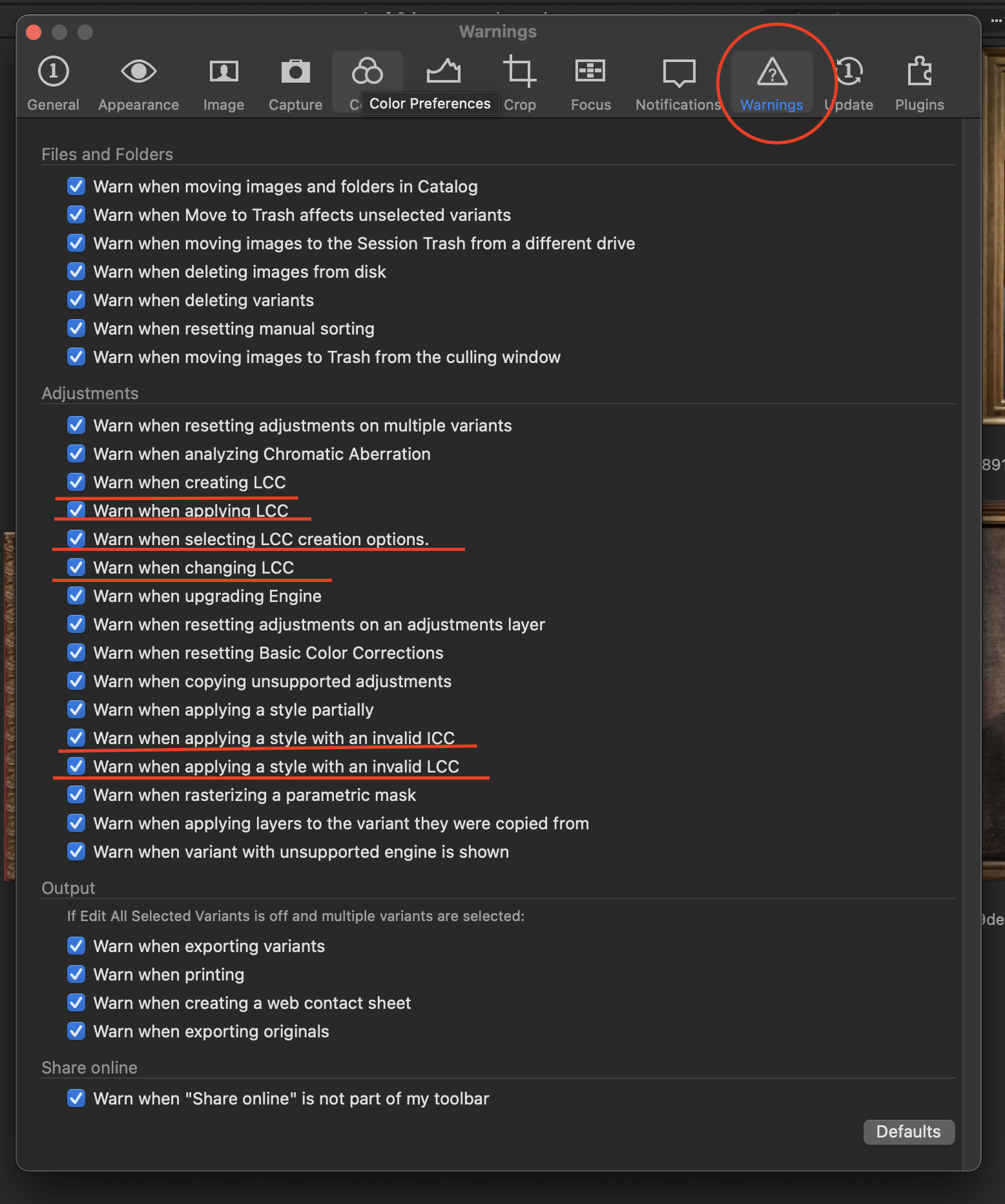
Might be one of this.
0 -
Thank you, Lukasz,
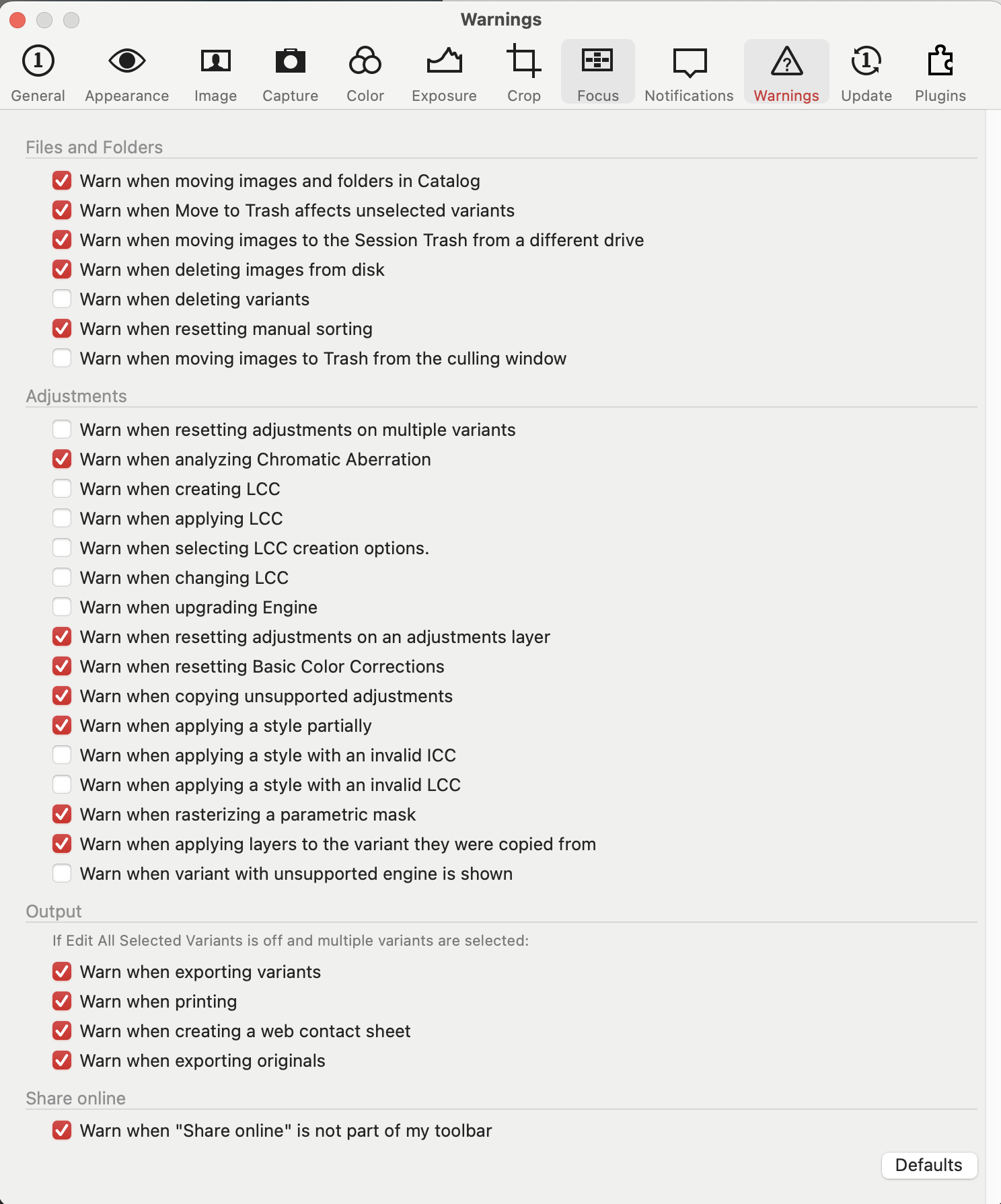
I have checked, and those warnings are all disabled on my side (see screenshot attached). Nonetheless, the annoying message persists...
 0
0 -

What about this?
0 -
Thank you for helping, Lucasz,
But no, it wasn't checked either...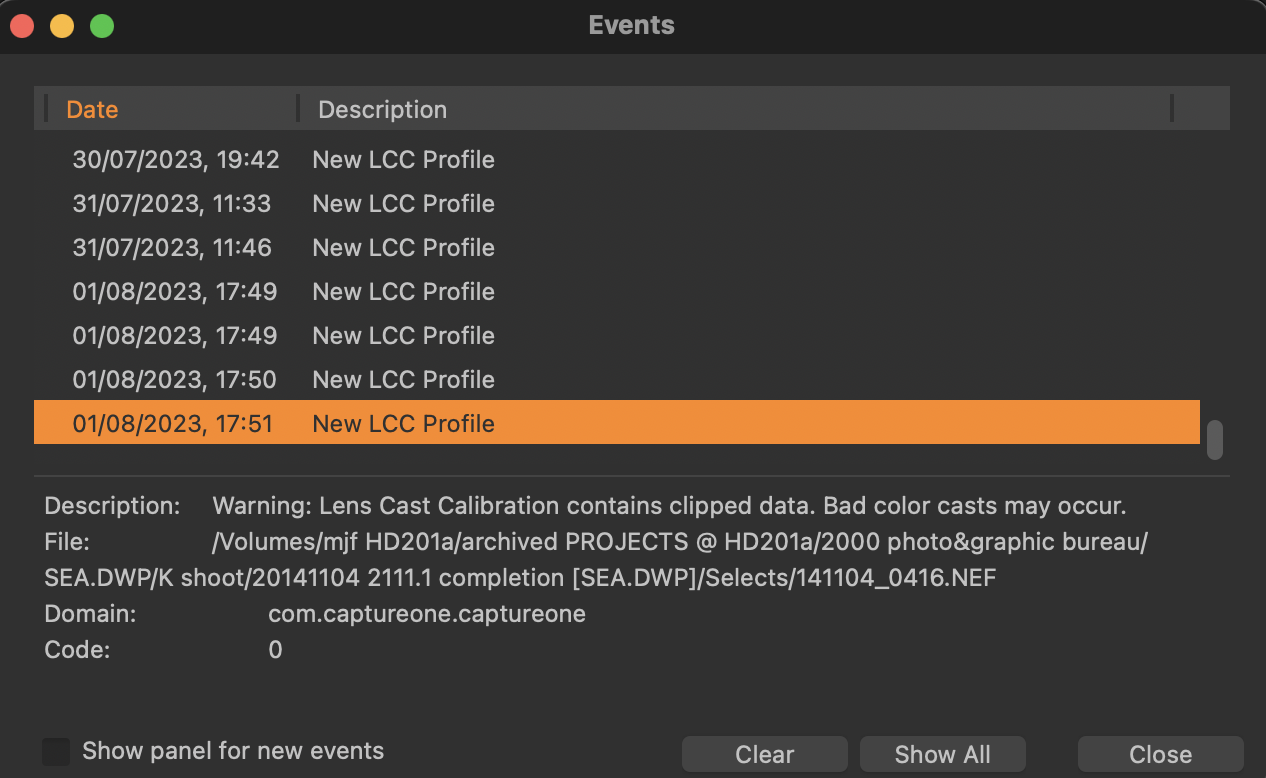 0
0 -
It appears that you have clipped data in your LCC profile. What is your workflow for creating LCC? I use LCC plate made from optical resin placed in front of the lens. When I use copy stand for reproduction I use slightly defocused gray card to include any lighting unevenness into correction profile.
0 -
It is also important to expose base image for LCC in a way that you get L 60-70 ( Lab readout) or 145-170 RGB. Or slightly above 0 EV(0.3-0.6) if you use camera internal metering.
0
Post is closed for comments.
Comments
6 comments