White Balance Tint

 HI
HI
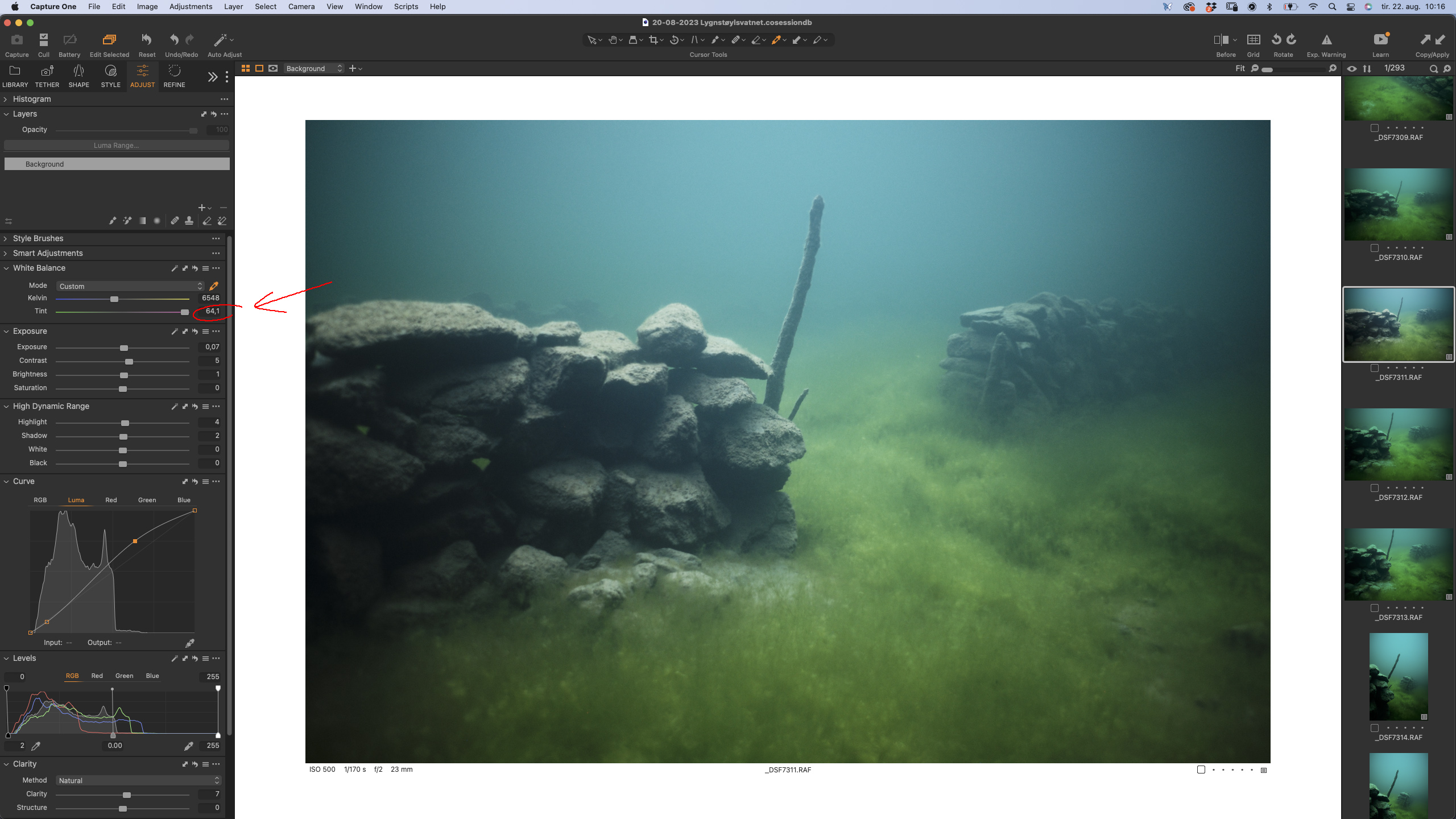
I'm editing som UW photos and without some kind of red filters I need tint values over 50 for magenta.
When using the pipette I can easily go over 50 but I can't fine tune it manually after that... It just jumps back to 50 when I touch it!
Is it possible to manually put in values over 50 in some way?
Kind Regards
Johan
-
That's a very nice scene and image. Is this in a lake?
To your question: I don't think you can fine tune it with the white balance tool, not even in a new layer as the tool only allows to set definite values, not to add values to underlying layers.
You could export and reimport the image as a TIF file and use the WB tool then, but I think I would rather use other tools in C1, on the original raw file, like the Color Balance tool or the curve, e.g.
Firstly the levels tool to stretch the tones and afterwards the green curve tool, trying to make the stones on top of the wall grey, but keeping enough green and blue elsewhwere so that it still looks like an underwater scene.
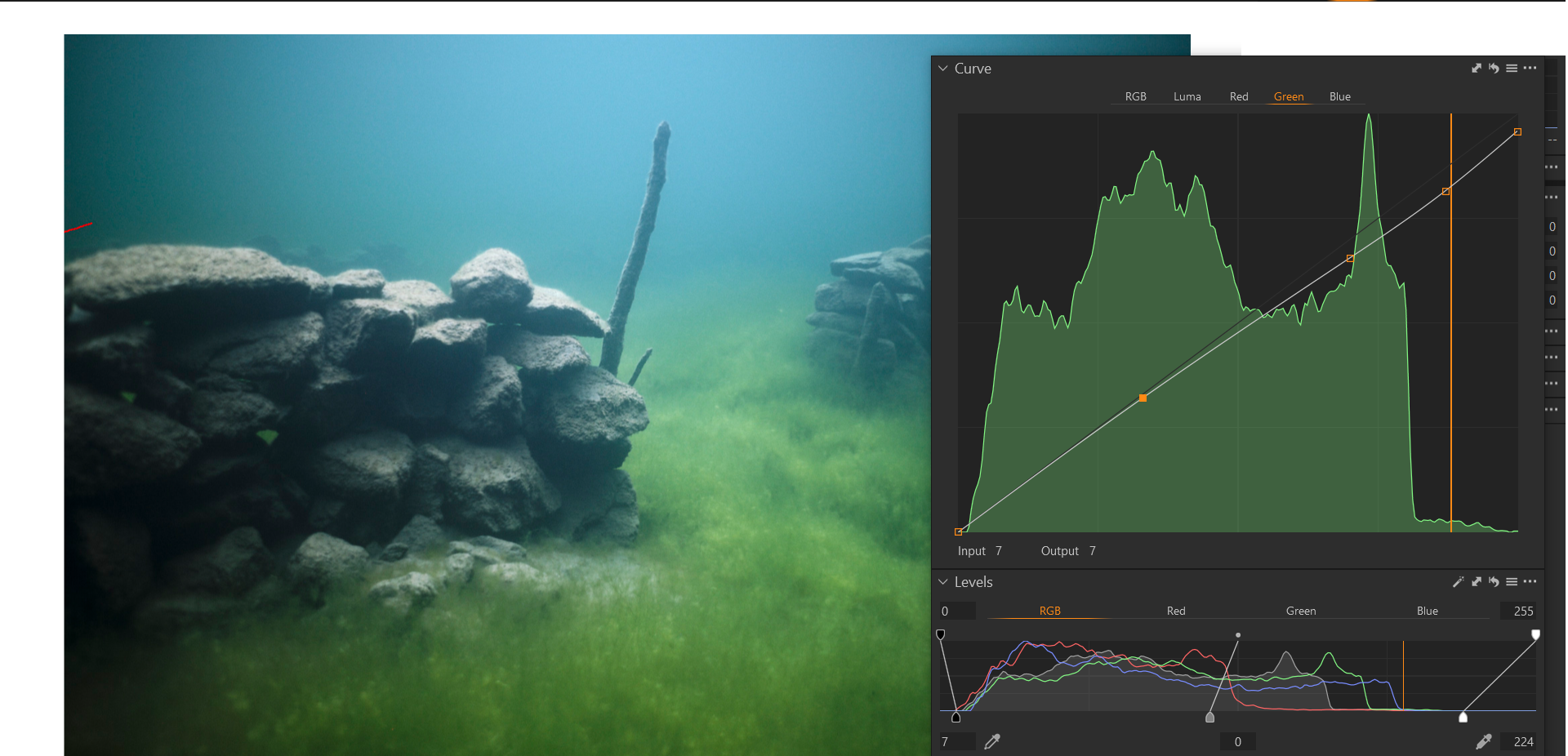
If you could get away with tint 50 I would prefer that because one never knows how a future C1 version would treat tint with higher values, if revisiting this image.
EDIT: Note, I used your screenshot so my curve might work differently on your raw file, the curve point near the vertical orange bar roughly represents the top of the stone wall, after auto level adjustment.
0 -
Thank you so much for taking time to help me! Yes it's a mountain lake in Norway. A huge rockslide filled the valley below a little summer settlement 110 years ago, making the small river into a lake now covering the the small houses, roads and as you see the stone walls.
I'll give it a try with the green curve, that could absolutely a solution!
Thanx!
0 -
That sounds like an interesting place to be and to photograph.
You're welcome.
0

Post is closed for comments.
Comments
3 comments