Capture One opens catalogue that wasn't open when last quit

Even though no catalogue was open when I last quit Capture One, it always opens the catalogue at the top of the Recents list when launched.
Is there any way to disable this behaviour? If no catalogue was open when last quit, I would prefer Capture One not to open a catalogue when launched.
-
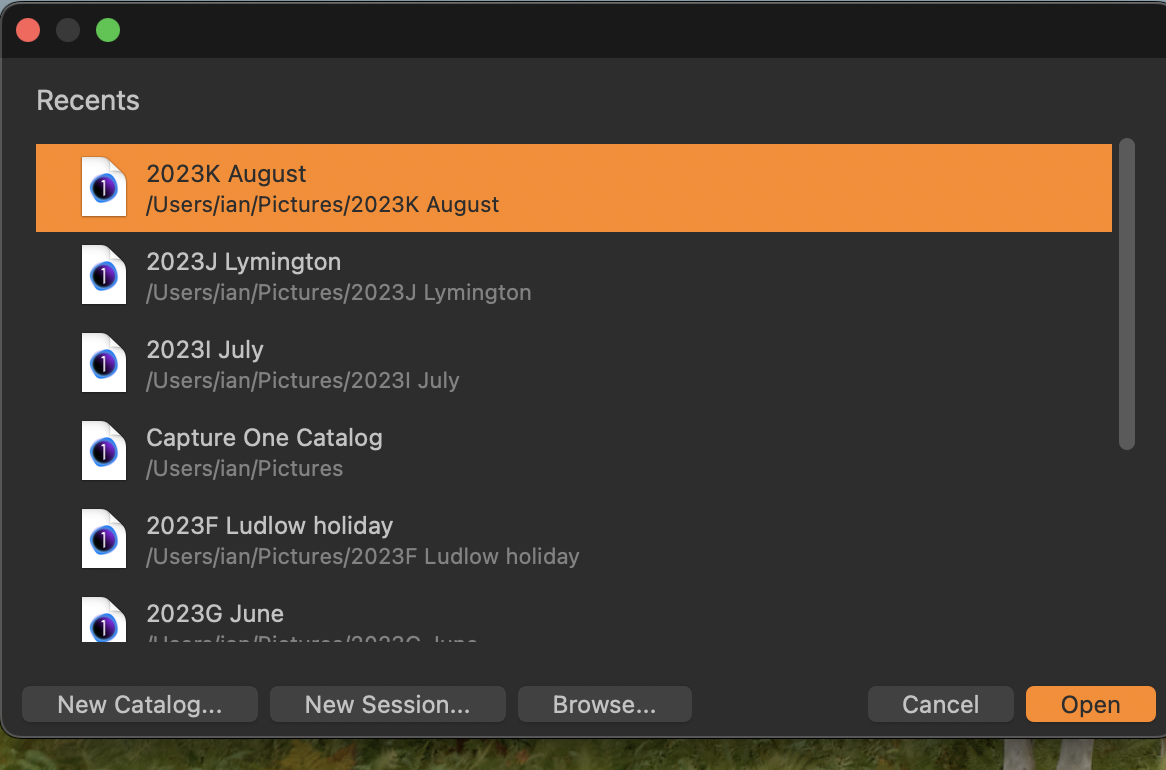
By default, Capture One will open with the last catalog (or session) you were using. If you would prefer it to open something else, hold down the Option key while the app starts. You should then get a dialog box something like this where you can either
- open some other recent catalog or session, or
- Browse to any other catalog or session that isn't on the recent list, or
- Create a new session or a new catalog.
 0
0 -
Thanks for your help, Ian.
So unless you hold down the Option key while opening Capture One, it will always open a catalogue automatically regardless of whether a catalogue was open when it was shut down?
It's a small thing, it just seems sort of contrary to the behaviour you should expect.
0 -
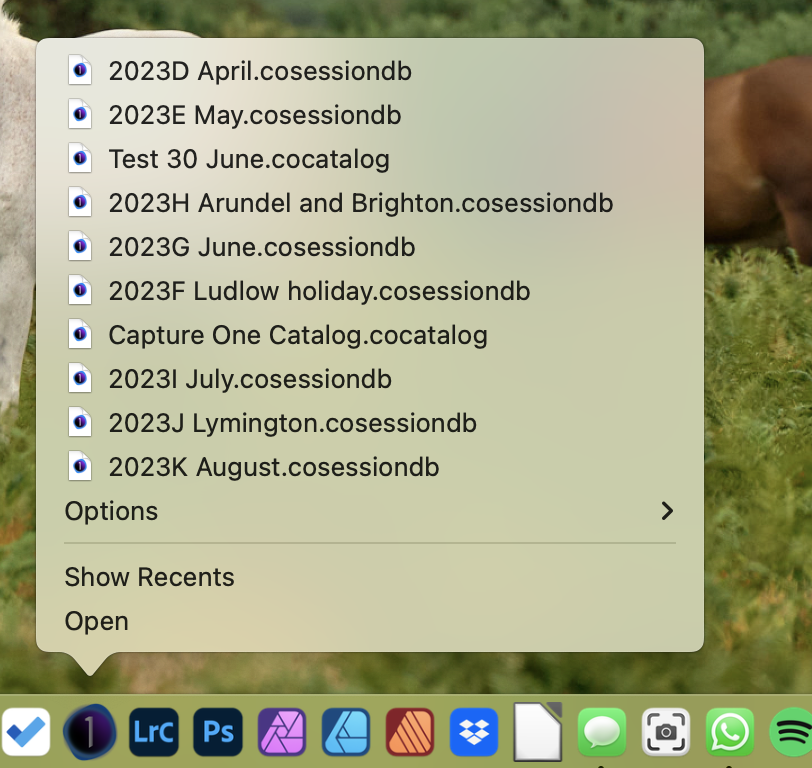
Alternatively, you can press and hold the Capture One icon in the dock (or right-click it) when you start the app, and get the choices like this.
 0
0 -
... but that doesn't offer the option of starting with the creation of a new session or catalog.
Ian
0 -
Thanks!
I'll make a request. It would be convenient if it didn't open anything if nothing was open when it was shut down.
0 -
That depends on how you work, I suppose. Many users will want to pick up where they left off - for instance if most of their work is in one large catalog, or if they want to continue in the session they were last using. For me that is what I want 90% of the time.
For those who want to work differently, I imagine it could become easy to get in the habit of holding down Alt while the app launches.
By all means make a request, but not all users may support it. Though you could request that there is an option is settings to control whether it works the way you prefer or the way I prefer.
Ian
0 -
Even though no catalogue was open when I last quit Capture One
How do you even achieve that no catalog or session is open? I cannot figure that out, running on Windows.
I agree with Ian.
0 -
How do you even achieve that no catalog or session is open? I cannot figure that out, running on Windows.
That's because Windows and Macs are different. On a Mac you can close all documents and still leave an app running. (And that's a general Mac thing, not specific to Capture One - the same would apply to apps like Excel, for example.)
Ian
0 -
@Ian
I too want to pick up where I left off – this is why I would expect Capture One to open in the same state as it was in when it was closed, and wouldn't expect it to open a catalogue that wasn't open when it was closed.
But you're probably right that very few users would care about a request such as this.
@BeO
I'm not sure how Capture One behaves on Windows, but on Mac you can close sessions/catalogues like you close a document in any other application.
0 -
On Windows you cannot close the document and leave the app running.
But if that is possible on MacOS, I think it should be possible to start C1 into the last state is has been, i.e. without any document open.
0 -
I've made a request: here.
0


Post is closed for comments.
Comments
11 comments