Turn off notifications / toasts over images

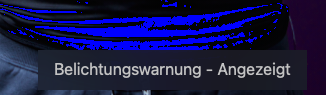
the latest version of COP has these Text Notifications for all kind of changes that are over the image. When I toggle the clipping warning, I get a short notification / toast over the image saying clipping warnings are now on / off. The same for proof and before / after.
Especially for before and after, where I usually toggle multiple times so that my eyes can grasp the subtle changes, these constant text are highly annoying or even blocking the part of the images where I want to inspect the changes.
How do I fully turn this off?
-

 0
0 -
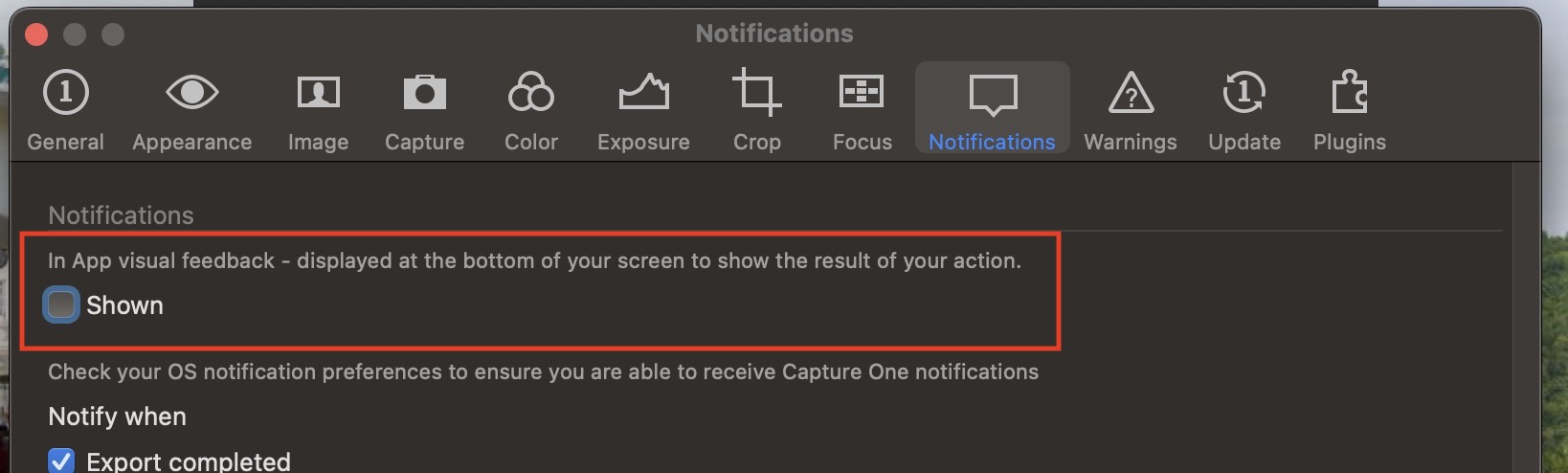
How do you get this tab in settings? It doesn't show for me.
German Mac Sonoma 14.1.1 on Macbook Pro M1 Pro with CaputreOne Pro (Subscription) 16.3.1
 0
0 -
should there be since version . Capture One Pro Build 16.3.1.23 (Oac6b7f)
and found at menu -> capture one-> Settings
0 -

Switch to the English variant. Toggle option. Switch back to German. It’s a bug in the German version.
2 -
Thanks for your feedback.
I just found this, it's only available in English at the moment.
After changing the language, it worked.
0
Post is closed for comments.
Comments
5 comments