I have a problem with pick white balance?

Hello everyone, I'm currently having this problem.
When using the pick balance tool to check the RGB color code, the tool receives information from the original image instead of the current image (I applied some adjustments). Because I work based on edited photos, I don't know clearly whether my editing has been effective or not?
Is there a way to set the option to receive post-edit information?
When exporting the file and checking with another software, the color code of that point is 0,0,0 (#fff)
Thank you everyone.
p/s: the image is an example, whether edited or not, the tool only receives information from the original image.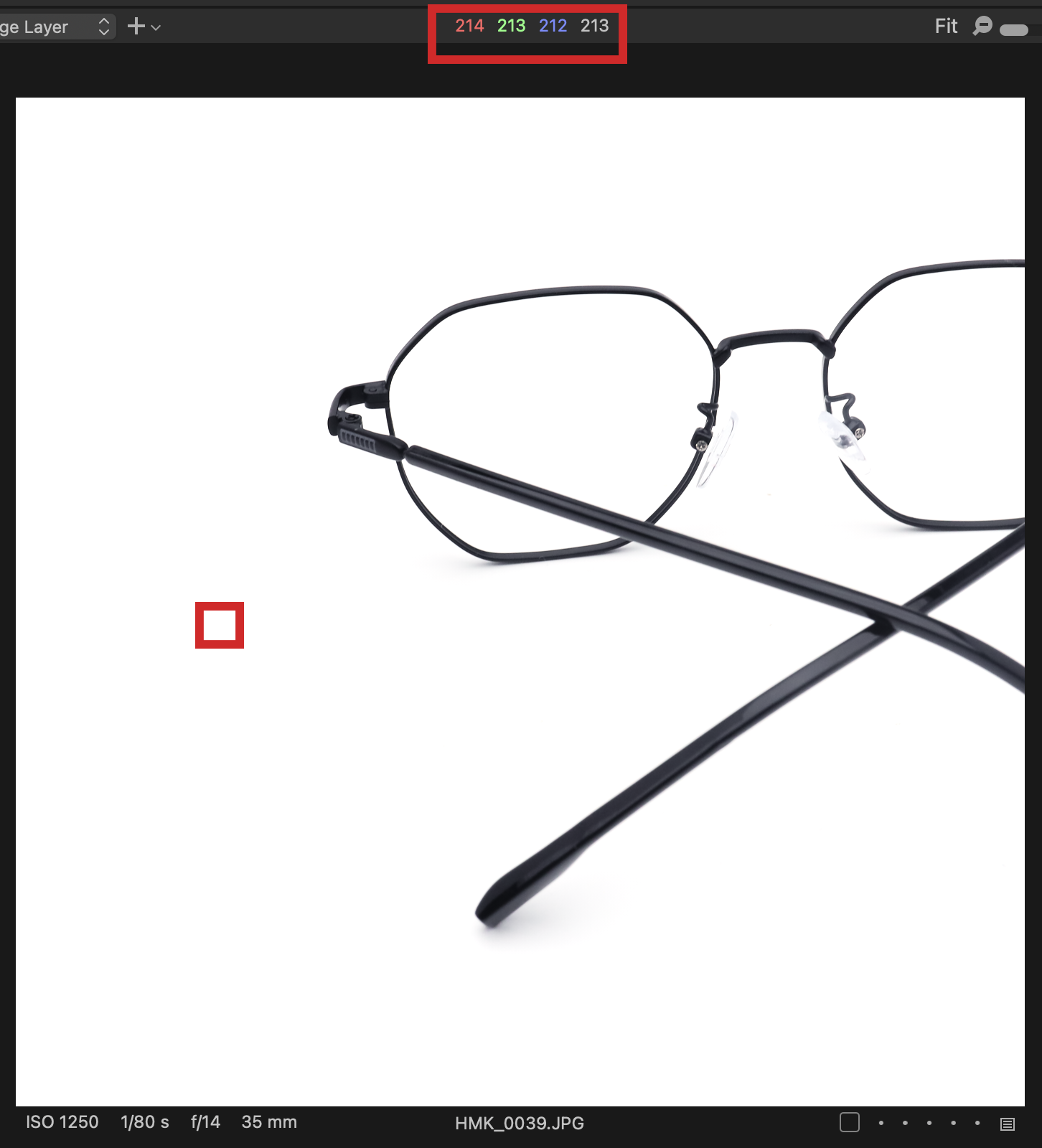
-
This is strange - in my experience, the colour readout does change to reflect adjustments made with the editing tools.
What version of Capture One are you using, and what version of MacOS or Windows?
Ian
1 -

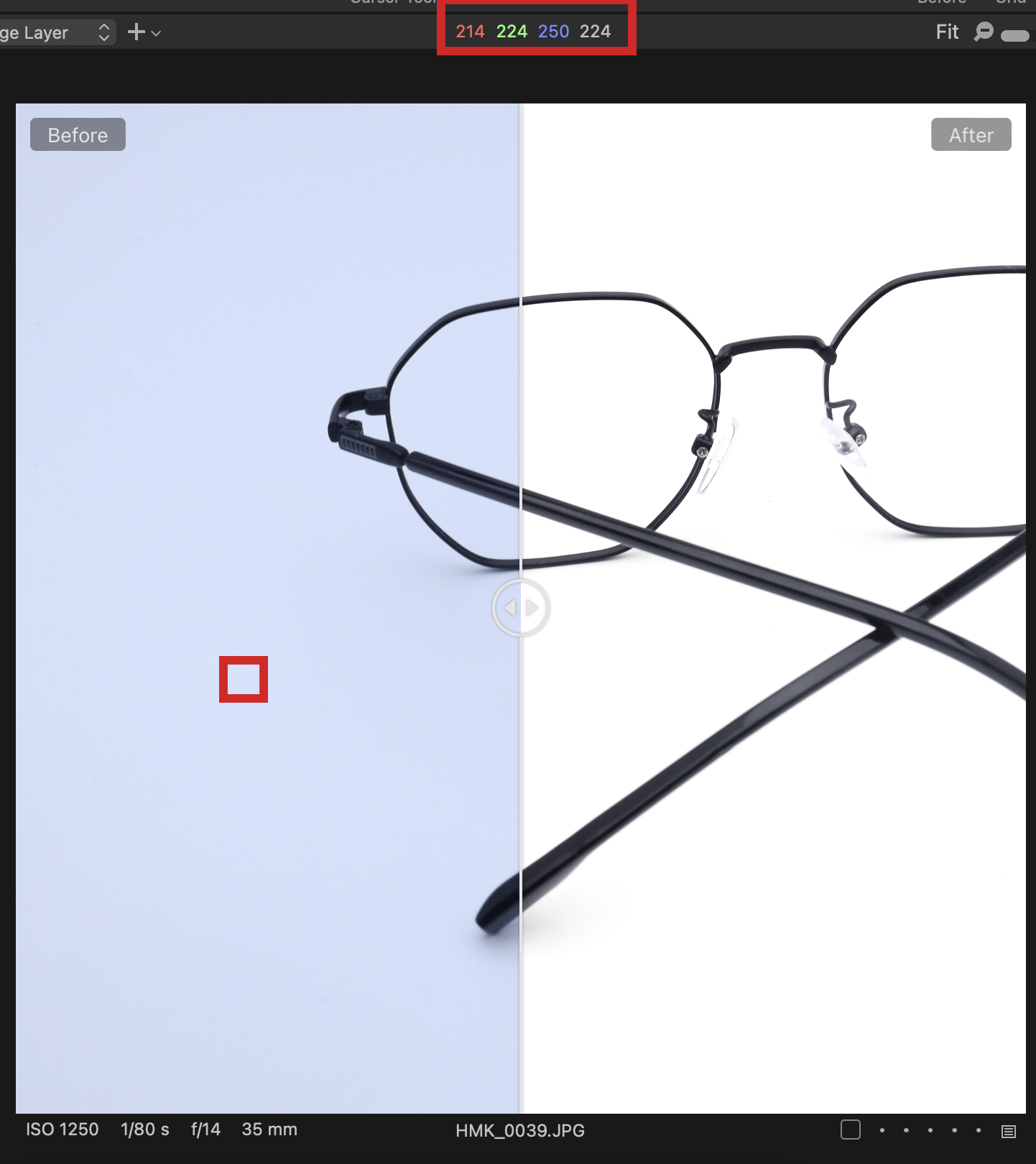
Hmm... I don't see the problem.
The before image was too green/blue which you corrected to close enough to neutral.
Using the split screen view the color readout will change as the before/after line crosses.
?1 -
. send to gb
No, as I understand it, absolute white has an rgb color code of 255,255,255 (#fff), when I checked that point, on capture one it was not absolutely white, but after the same file was exported and checked on photoshop, it was it's #ffffff
. send to Wilson
I use Capture one 16.4.4.24 and Mac os 14.4.1
0 -
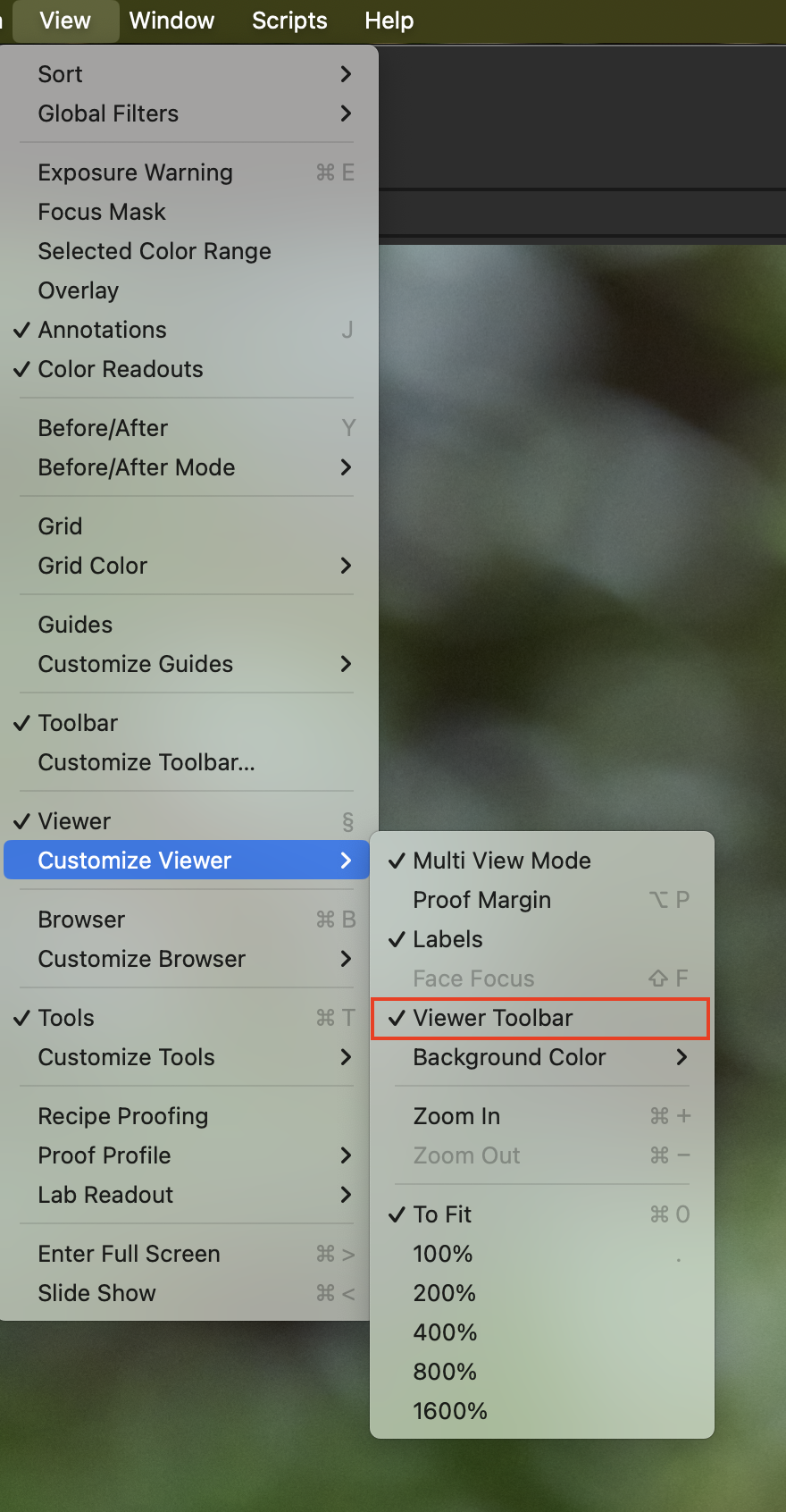
Well your version of Capture One and your version of MacOS should work ok together according to the release notes. I'm not sure what to suggest trying next. Those colour readouts are in the "Viewer toolbar". Have you tried hiding the viewer toolbar then re-showing it? (Maybe restart Capture One between those two steps?) See screenshot - uncheck the menu item to hide it, and check it again to show it.
gb - I think the OP's problem is that, as you suggest, the readout SHOULD change as you move the before/after slider, but in their case it doesn't - it still shows the before reading.
Ian
0

Post is closed for comments.
Comments
4 comments