separate user collection from folder list in library tab

I want to have a floating user collection list, separate from the folder listing in the library tab. This would allow me to quickly drag and drop images onto whatever collection I see fit. To do that currently isn't feasible (unless I'm missing something). See attached image. Is there a work around that anyone knows about?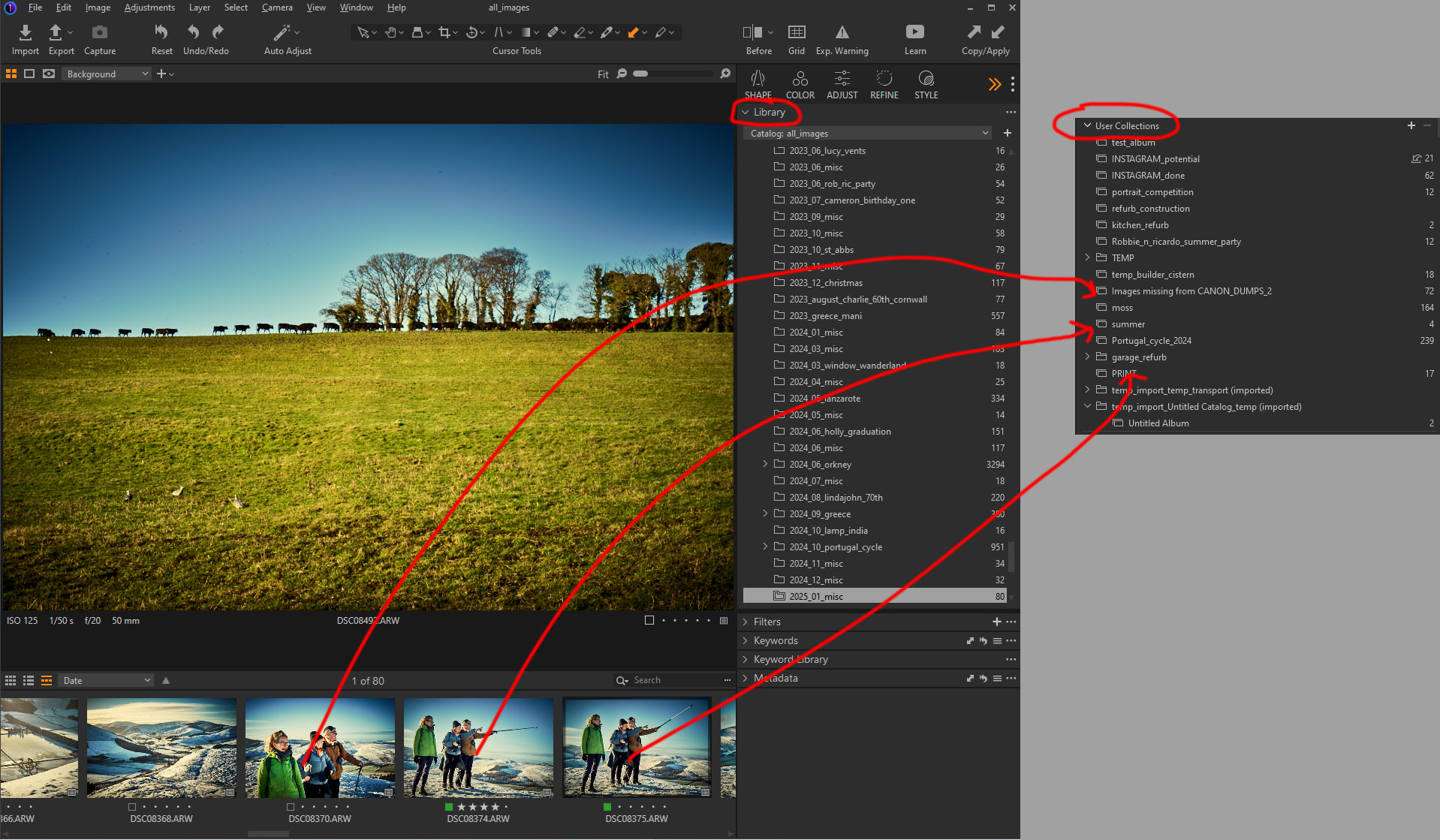
-
(1) I agree that it would be useful to be able to have different parts of the Library as separate tools - for instance you could then have a floating User Collections tool. You could consider making a feature request for that here.
https://captureone.ideas.aha.io/
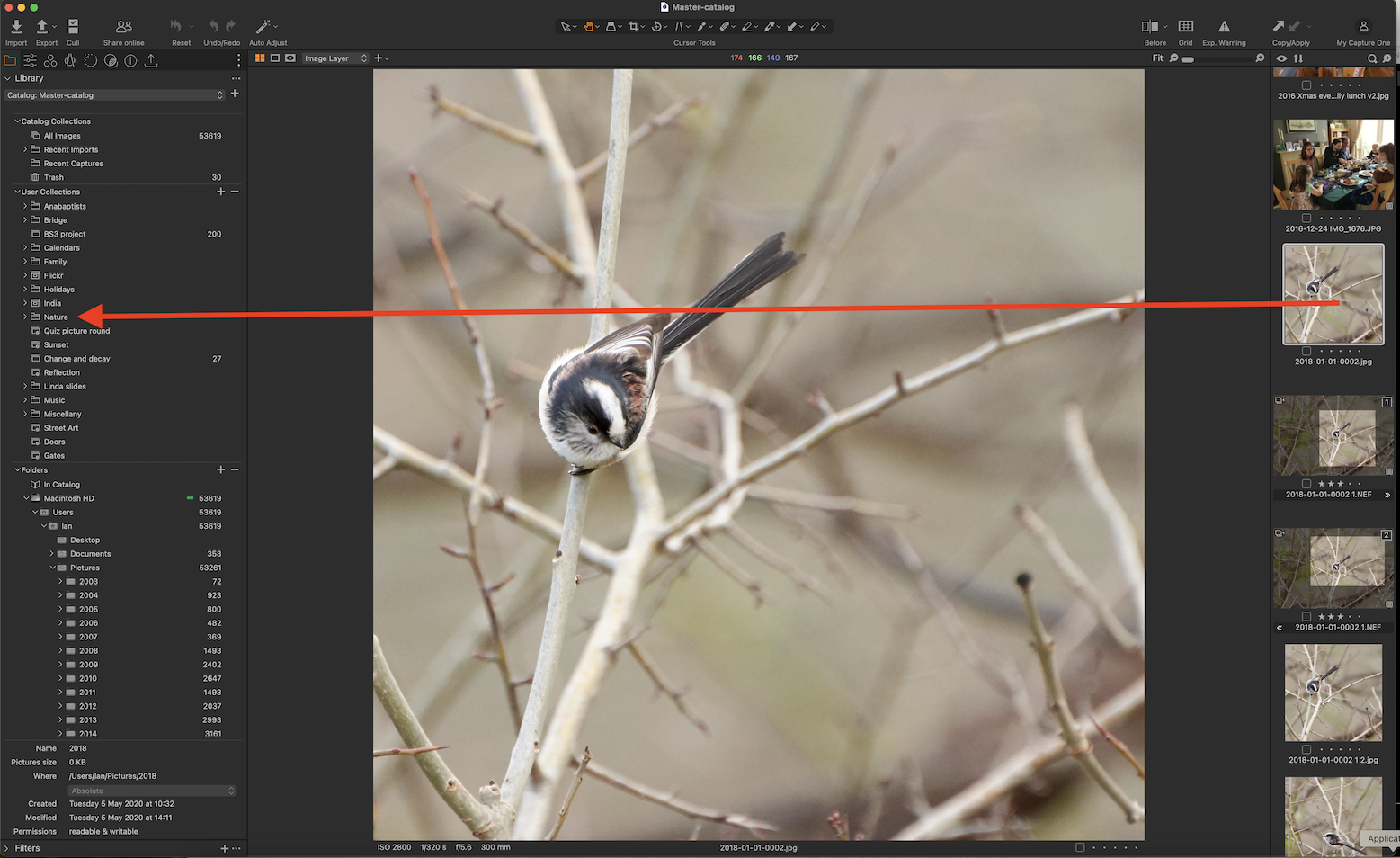
(2) In your example, you don't have to have the keep the 2025_01_misc folder visible in the library tool to move images the way you want to do. In my screenshot here, the image I want to move is in the 2018 folder which is off the bottom of the screen, but once I have selected that folder I can scroll until the collection I want to aim for is visible and drag images to it.
Ian
0 -
Thanks for the suggestion. That indeed helps a little although when you check out what is in one of your collections you immediately lose your place in the folder you were working in and have to scroll back down to where you thought you were (I have a LOT of folders). I will put it in as a suggestion. Thanks
0 -
What I would like as well would be a Back button, to return to the collection you were in before!
Ian
0 -
Good point and agreed. Or in my case a back button to the folder I was in.
0 -
Yes, I take folders to count as collections, too.
Ian
0 -
I've edited my feature request to include the back button.
0 -
When you switch to a collection it always takes you to the selected image in that collection, or to the beginning if no image is selected. Select an image before switching away from a collection so it remembers your place when you switch back to it. The same applies for albums, projects, and disk folders.
You also can have add the same tool to the tab multiple times. You could have two Library tools open where one is scrolled to the user collections section and the other is scrolled to the folders section.
0 -
Many thanks Walter for your suggestions.
I can see that selecting an image in a folder/collection before moving away will return you to that image when you select that folder/collection again. Thanks
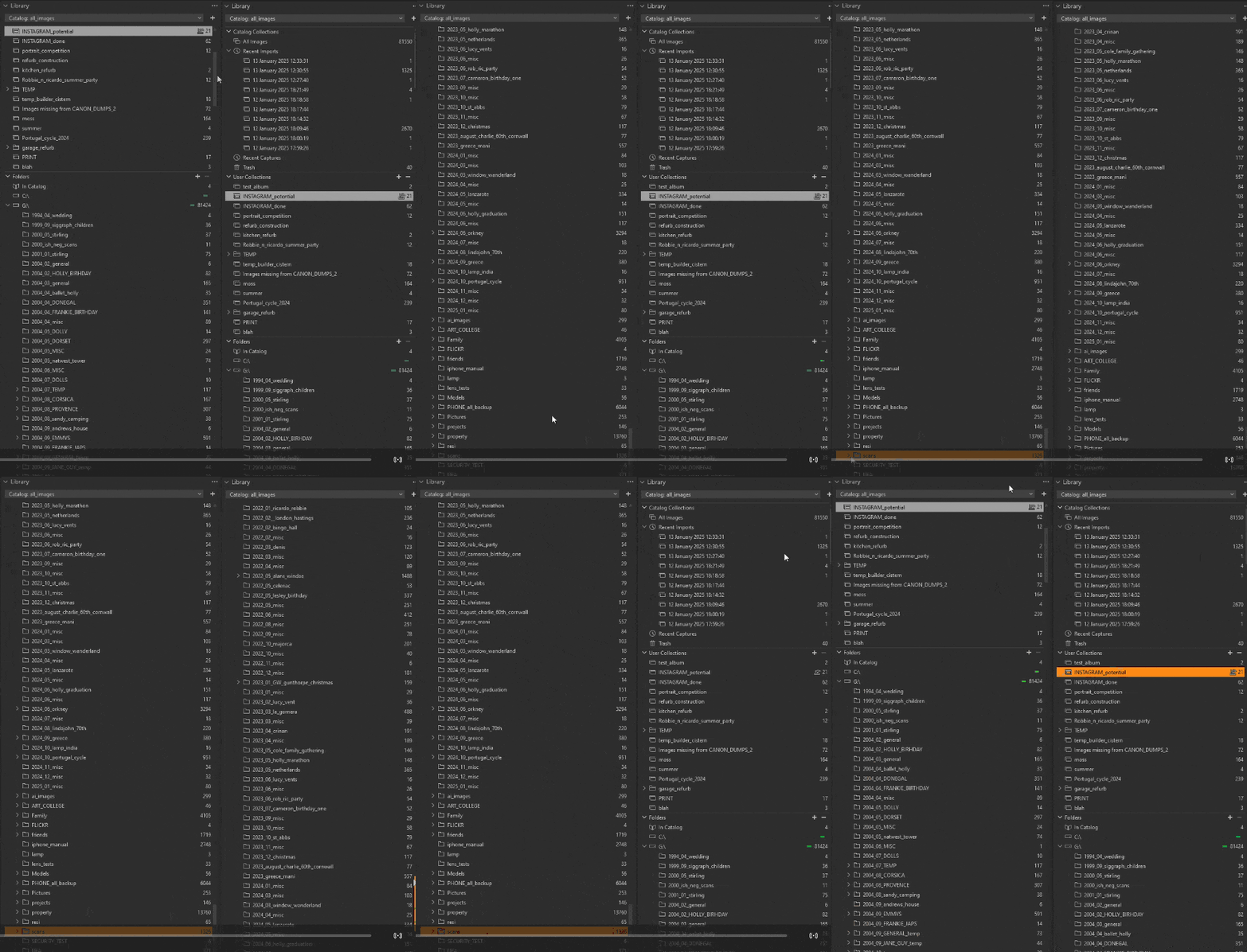
Unfortunately the other suggestion of two library tabs doesn't work (or at least not for me). Rightly or wrongly I have a long list of folders in my catalogue , many more than will fit in a page. You can, of course, have more than one library tab open but when you scroll to your collections on one library tab the other library tab follows suit and when you scroll and select the folder you were originally working on the other tab follows suit. There is no way to have one focussed on collections and the other focussed on folders (I had thought of that previously and had high hopes for it but alas it doesn't work like that.)
 0
0 -
Thanks for following up. Sorry that didn't work.
0


Post is closed for comments.
Comments
9 comments