Clean Full Screen Image View

Thanks,
D.
-

Try this: View menu, Slide Show
Or this: View menu, Viewer.
Next, remove toolbar (View, Toolbar), viewer toolbar (View, Customize Viewer, Viewer toolbar) and remove auto hide tools (View, Customize tools, auto hide tools off)1 -

Control + Command + F puts it into full screen mode, sometimes I get the arrows and sometimes I do not. If I cycle the tools or browser on then off (Cmd + T/B) the arrows seems to go away unless the mouse is on the side of the screen. The mouse always stays in view. 0 -
Thanks for the reply and info, I'll give it a go when I'm home. Cheers, D. 0 -

I am searching for a hotkey/shortcut that allows me to view my photos in full screen, as well. Is there really no option? I miss it a lot, since I used it in Lightroom a lot. In Lightroom I just had to hit F on my keyboard.
To my mind, it is to complicated to go via view menu to open the slide show. It takes to long and should be possible by just hitting a key.
@Support/Capture One-Team: Could this be added in a future version of Capture One? It's such a simple, but powerful option!
1 -

The F key works in Capture One 20.
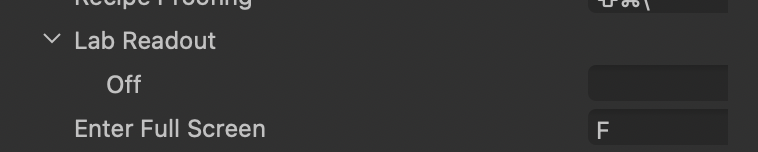
That's from Edit -> Edit Keyboard Shortcuts under the shortcuts for the View menu. I'm not using the default keyboard shortcuts, but made sure the F key worked in the custom set I use.
0 -
@marchyman: I already found this option, too, but it brings the whole program C1 into full screen mode. That's fine, but then I need to have also the option to view just an image in full screen. Do you understand what I mean? I hope I described it right.
1 -

I also want this functionality.
As mentioned the only way I have found to do it is via the slide show but then you have to stop the slide show manually to prevent it from displaying the next image. Would be great to have a key that displays the image using the entire screen, no distractions while you hold it and then goes back when you release it.
0 -

It would also be nice to have that option for dual monitor setups to have one monitor a fullscreen image, instead of a viewer window with toolbars
, and the other monitor running the standard program.
0 -

I thought for a while I was just not finding it but it appears now that it is simply not possible to see a picture full screen with a simple key stroke. I am shocked. This is such a basic concept that I would not even call it feature. Please urgently implement!
2 -
I dunno... the F key still works for me. Screen goes to dark with the image shown as large as it can without changing the aspect ratio. The cursor is not hidden, though. And if I move the cursor to an edge the tools or browser appear. When I move the cursor away the tools/browser disappear but a disclosure triangle shows up that wasn't there before I moved the cursor.
Ahh, it looks like the cursor doesn't appear until I move it.
Here is a screen capture of some work in progress (an unedited scan of a 40 year old image) after hitting the F key. I reduced the size of the screen capture and converted it to jpeg to meet posting requirements.
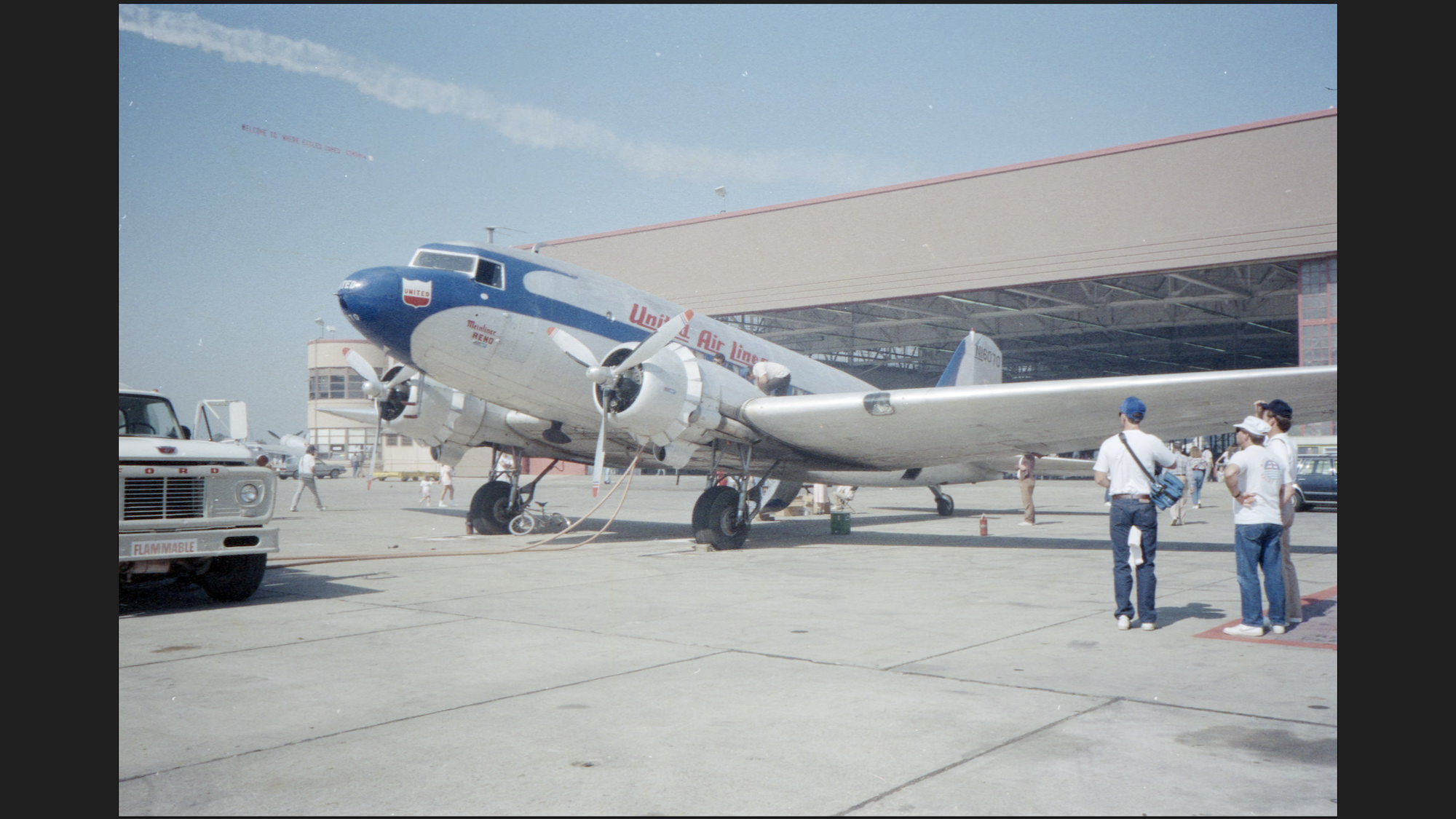
Is that not what people are looking for when they say "full screen"?
0 -
That is exactly what I am looking for. But for me I have the same shortcut set to F as well. But it just brings the entire application into full screen mode (Capture One 20.0.4 on Windows 10):
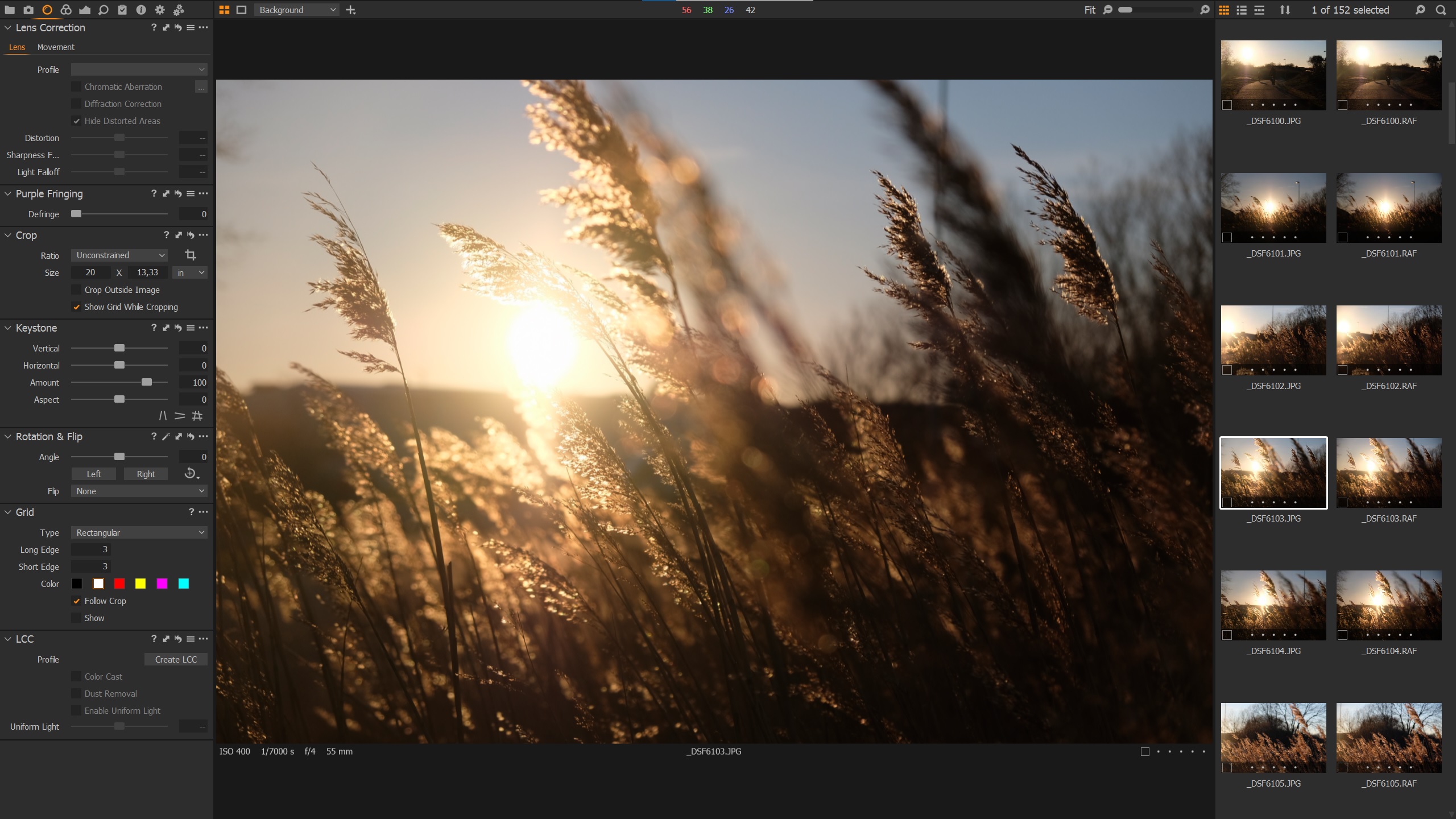 2
2 -
I just now realized that this forum is for Mac, I found the post originally from a google search, looks like this feature is maybe just missing on windows then.
0 -
On Windows go into full screen and then press CTRL+T and CTRL+B to hide the tools and browser, its pretty quick and gets close enough as work around. For whatever reason Mac's get a true full screen but Window's users do not.
1 -

I'm on Windows 10 also.. really weird that Capture One don't have a native Full screen feature like Lightroom has had for ages.. it's really useful.
1 -

Yes, this really should be added. I'm editing a concert shoot of 2000+ photos, and need to go back and forth between full screen to check critical focus. Now I'm going back to LR just for that feature.
0
Post is closed for comments.
Comments
15 comments