What went wrong with C1 20?

After 4 days I have to say I'm quite shocked! Somehow they made the new version worse than the old version was:
- There are bugs with hardware acceleration, leading to artifacts in the editor and corrupting files during export and finally crashes that require a system reboot to fix.
- The noise reduction tool is not very useful for modern cameras with a very high frequency noise, causing artifacts in the finale image unless you reduce the details by a lot.
- The dynamic range tool does not bring any actual improvements, simply working with levels and curves bring the exact same results and it's not even quicker.
- The new color editor tool is a gimmick and far too limited in reality and gives no advantage compared to the previous version. It looks nice in the videos but it's super clunky and tedious, imprecise and is very limited in its range and results...
I'm glad I didn't upgrade and the way it looks v12 is not going to be replaced any time soon.
And now that they totally dismantled the support system for Capture One users vs PhaseOne shooters I don't see any reason to continue purchasing anything from PhaseOne any more. This has been very frustrating and disappointing and I can't help but feel very empathetic to anyone who spent their hard earned money on the "upgrade" - even when it was -30% cheaper.
-

corrupting files during export
I've experienced this too; the same in version 12. The corruption affects the the first one or few photos in an export batch.0 -

Franz1 wrote:
This is a bad implementation of the interface because you always need to tweak two sliders.
I can't think of a single serious Raw converter that doesn't need the user to juggle with more than one slider in order to get an optimal balance between noise reduction and detail retention.
Lightroom's Luminance LR panel has three sliders; PictureCode's PhotoNinja - in addition to two sliders - gives you a choice of three different NR engines! It also actively works alongside the Sharpening dialogue, intelligently altering the NR taking into account sharpening choices.Also noise reduction is doing something (set to 50) even if there is no noise to remove!
And again, pretty much all Raw converters apply a "baseline" of NR by default, some (like Capture One) apply some NR even with the slider at "0".
It's hard to fault the results of that implementation.
But "50" applied to a 100 ISO image is much different to "50" applied to a 6400 ISO image: Capture One's NR is adaptive and ISO-specific.Also details are on 50 and it seems to sharpen picture a bit (which I usually do not expect from the noise reduction settings.
The noise tool should not have any impact on RAW conversion aside of noise reduction
Why? They're inextricably-linked parts of the same process - that's precisely why there's a Details slider in the NR tool panel, which (to quote the Help file):produces fine detail with improved edge definition
It adds sharpening (depending on the setting), in other words.
There's no "rule" here which Capture One is breaking - you're objecting to something which works really well for the most part, but which doesn't happen to accord with your arbitrary personal expectations of what "The RIght Way" should look like.Especially with new Z lenses I do not want that basically an additional sharpening happens on already super sharp images.
So save the tool panel to a new camera-specific default, with "Detail" set to zero. Problem solved0 -

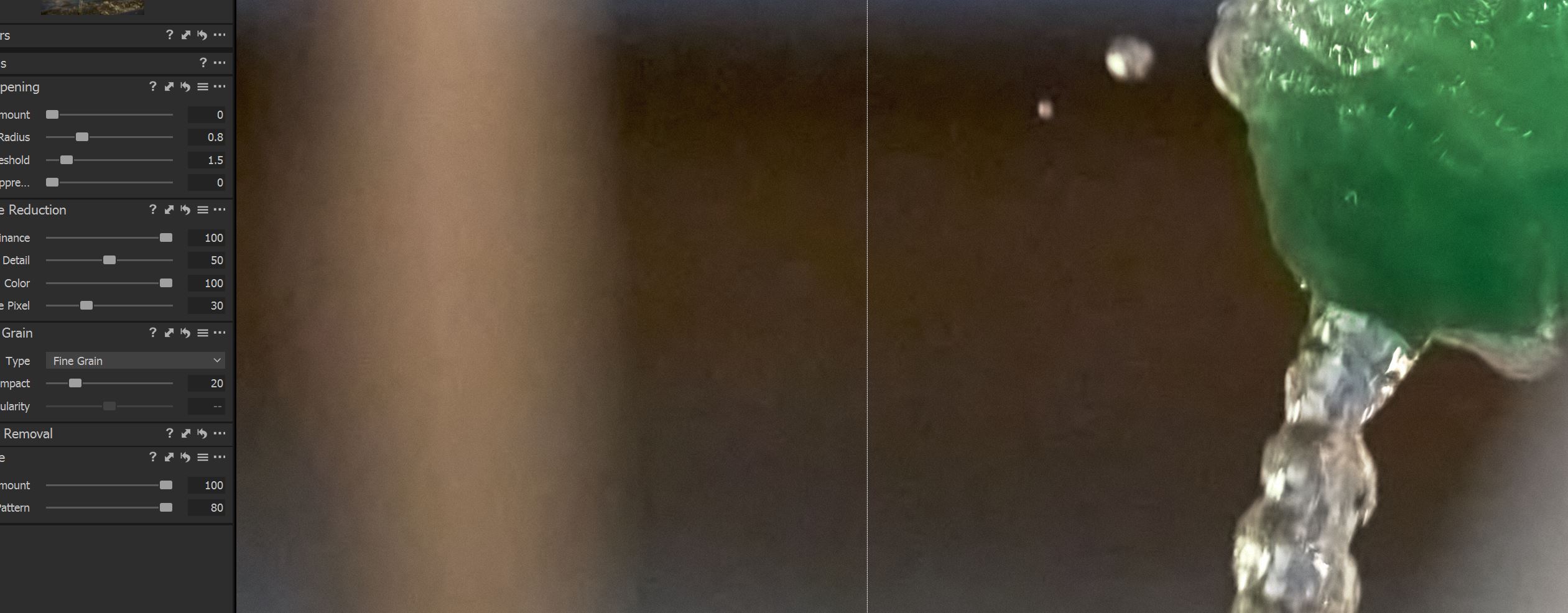
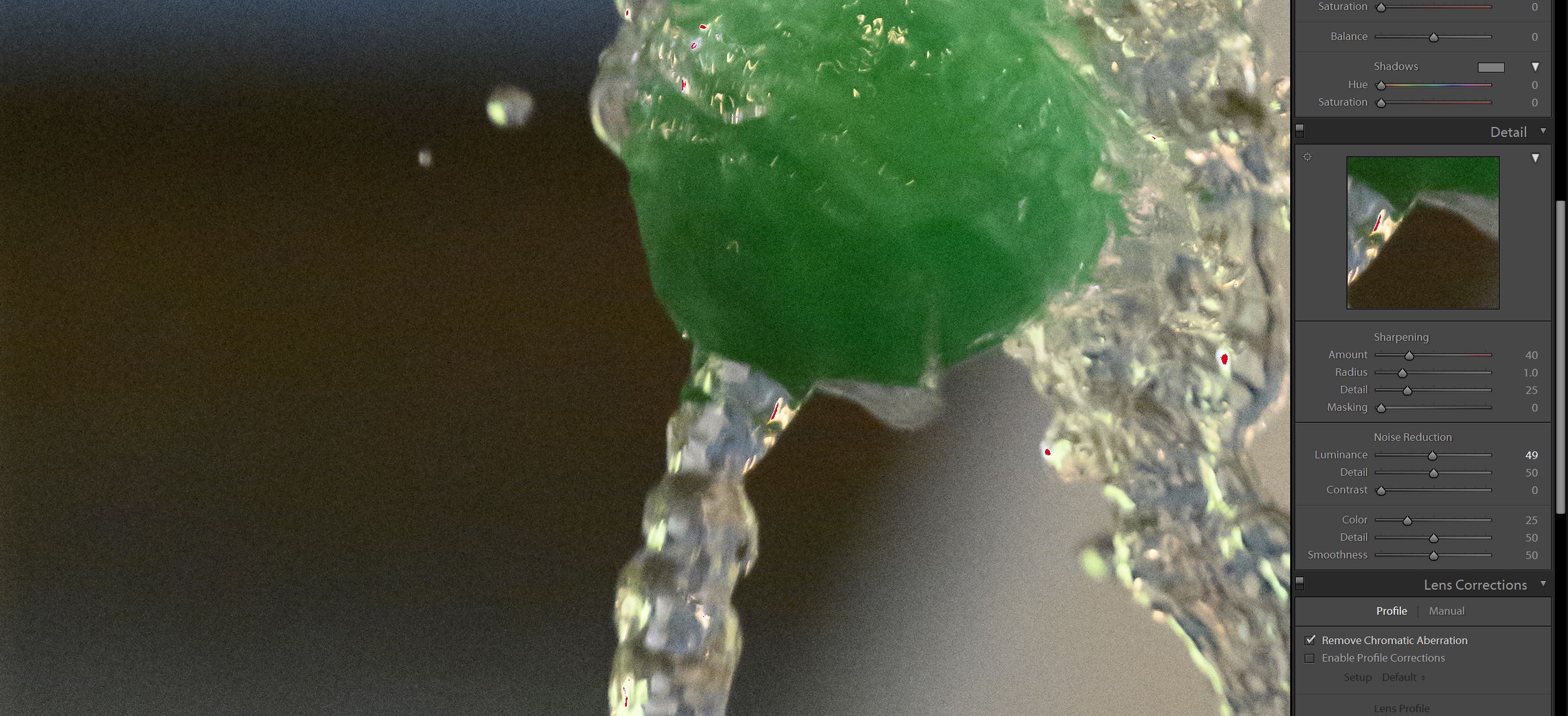
I'm using a Z7. I've been really happy with C1 until recently. I had to shoot in dim lighting at stop action shutter speeds. Which resulted in high ISOs between 12000 and 16000.. There's definitely artifacts that don't show up or show up as bad when processing in Lightroom. And the noise reduction couldn't touch what I could do in Lightroom when it came to reducing the artifacts. To get C1 close to Lightroom's results. I had to push clarity all the way to the left.
 -1
-1 -

@ Terry.
No wonder, you did push Luminance and Color to 100%
And in LR is also sharpening active in C1 not.
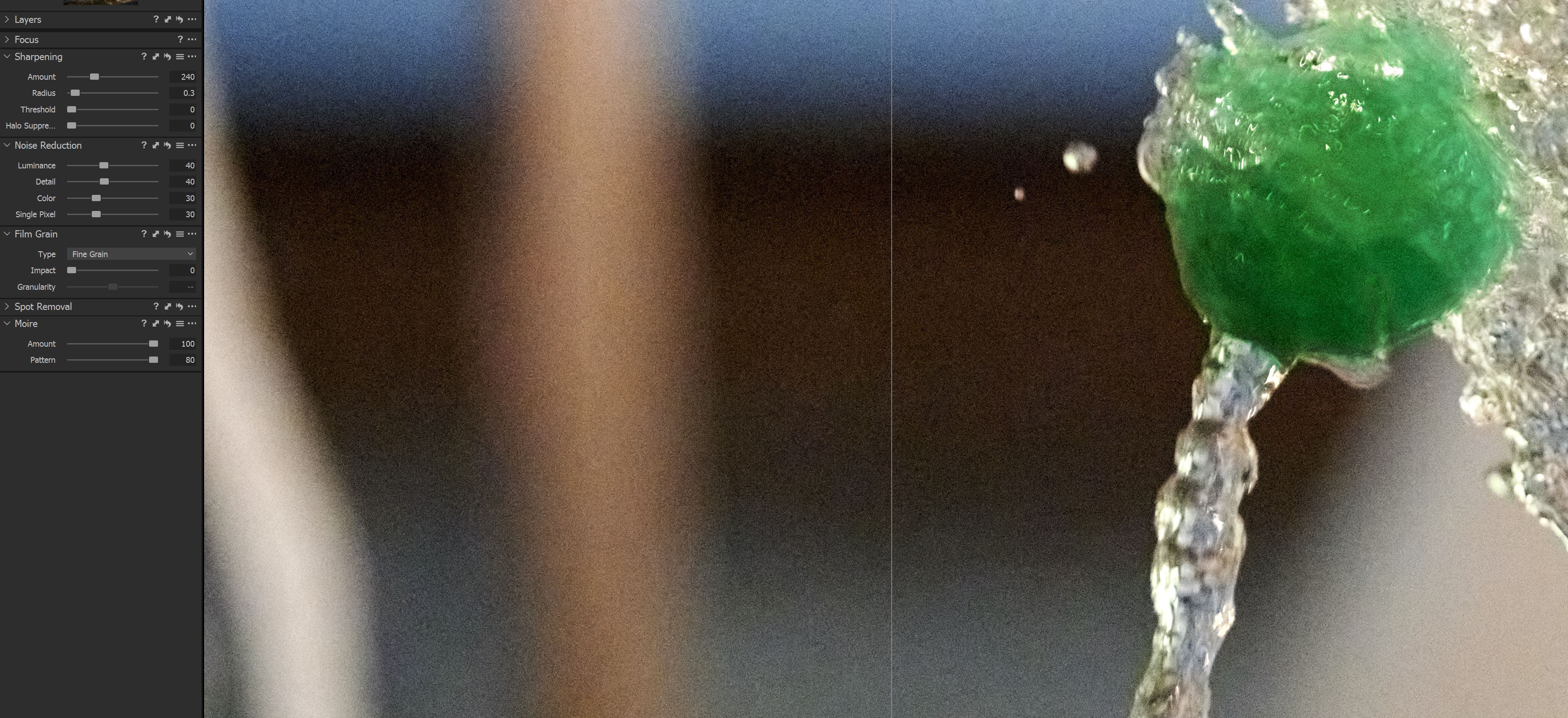
Sharpen 240 / 0,3 / 0 / 0
Noise 40/40/30/30 and you're fine.
0 -
@Thomas Demmelmaier
In C1, I had to push Luminosity and color noise reduction to 100%, and reduce sharpening. Otherwise, it looked worse. I did what you suggested and it's not looking any better. If not careful, a halo area will pop up around the water.
When it comes to noise below 8000, C1 is the best for processing. But I've come to the conclusion that any real high iso levels, Light Room does a better job. In lightroom, color noise reduction has a smoothing control that adds additional control not found in C1.
 0
0
Post is closed for comments.
Comments
35 comments