Visualize spots option
Implemented
A 'visualize spots' option like in Lightroom (though not necessarily similar) would be very useful.
In LR it looks like this (it has a sensitivity slider at the bottom):
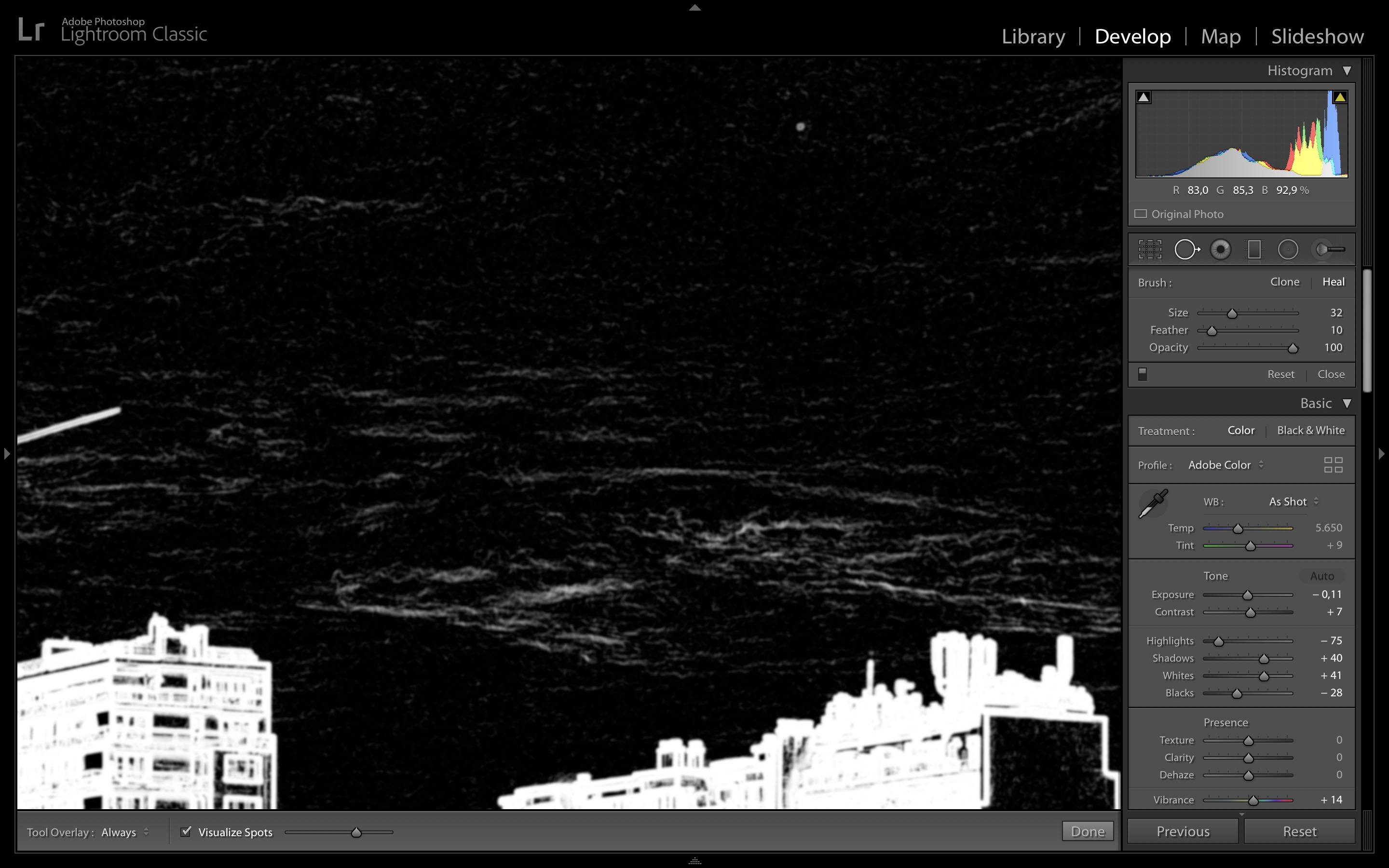
-

If you need something like this today without waiting for an enhancement try this.
Add a layer. Luma Range. Set the Grey Scale Mask.
Tweak the range settings to best show potential spots (somewhere around default seems to work well on my test images but that may not always be the case. Invert if the subject matter needs inversion for optimum visibility.
Now deploy the Spot tool. (assuming that is what you expect to use).
It only works on the background layer but you can see which spots you have "fixed".
Grey scale does not fix itself so you can still see both the blemish and the correction spot. However, if you toggle the layer OFF you will see the corrected image.
De-active the layer (or delete it) when done.
If occurs to me that if what this offers visually is something you can live with a tool that combines these existing features into the equivalent of the LR tool that you suggested might be the answer to the requirement.
Personally I would like to a see a "Spot the Spots" tool but that may be a system overhead too far.
HTH
Grant
0 -
Thanks, Grant. I'll try that.
0 -
This looks like a useful feature.
vote+
0 -

Thank you for your feedback on Capture One.
Your comments and suggestions were forwarded to the Product Management team from Request #19124.
0 -

vote+
1 -

vote+
1 -
Still hoping Capture One will consider introducing an option like this. Workarounds are too time consuming.
0 -
Here's a workaround – not a very efficient one, but it's better than nothing.
0

Post is closed for comments.
Comments
8 comments