"No Keywords" Filter not working

Hello there
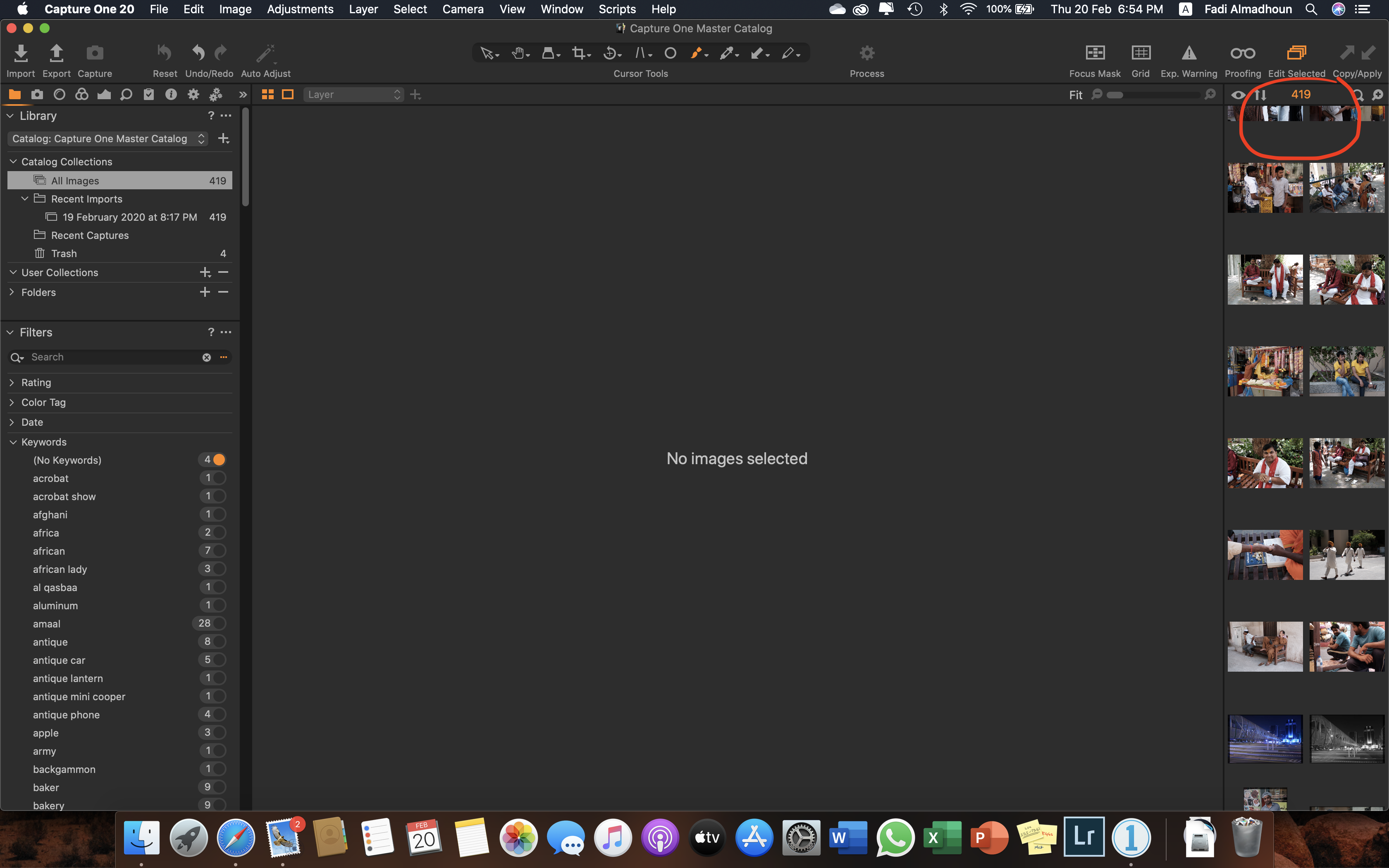
I have C1 Pro v20 and just finished adding keywords to my images except for some images. The "No Keywords" Filter indicates that there are 4 images with no keywords. However, when enabling the "No Keywords" Filter, it does nothing and still showing all the images on the catalog, whereas other keyword filters work fine.
Any one experienced the same issue?
Thanks for help
-

Do you have any other filters or selections active at the same time?
0 -

Also check if any global filters are active...
I had a similar situation like yours ins the past, and it drove me mad until I figured it out
0 -
@SFA
@Herry25
Not at all. I select the default catalog "All Images" and have NO user catalogs created. All filter (including global ones) are disabled as well, but only the "No Keywords" filter.
 0
0 -
Based on the information on the screen in your screenshot I would guess that that the 4 images with no keywords may be the 4 images already in the Trash folder?
Grant
0 -
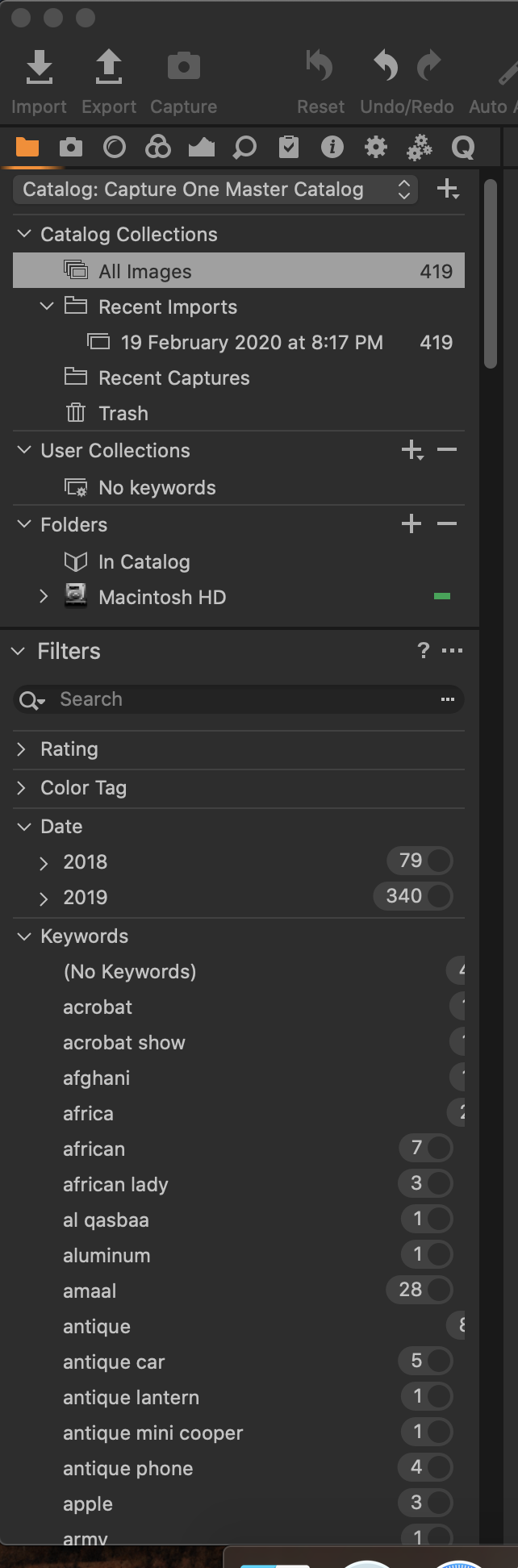
Not really... I emptied the trash already, and could manually locate the 4 images in the catalog, but it seems to be a bug with the filter itself. Sometimes it crashes for unknown reason as in the screenshot.
 0
0 -
Have you re-loaded the catalog?
If not, as an experiment, try that to see if the 4 changes to zero.
Did you empty the system trash or just the catalog trash?
Grant
0 -

fmadhoun, Did you figure this out? I'm having the same issue. Trash is empty and no global filters are on.
Pam
0 -
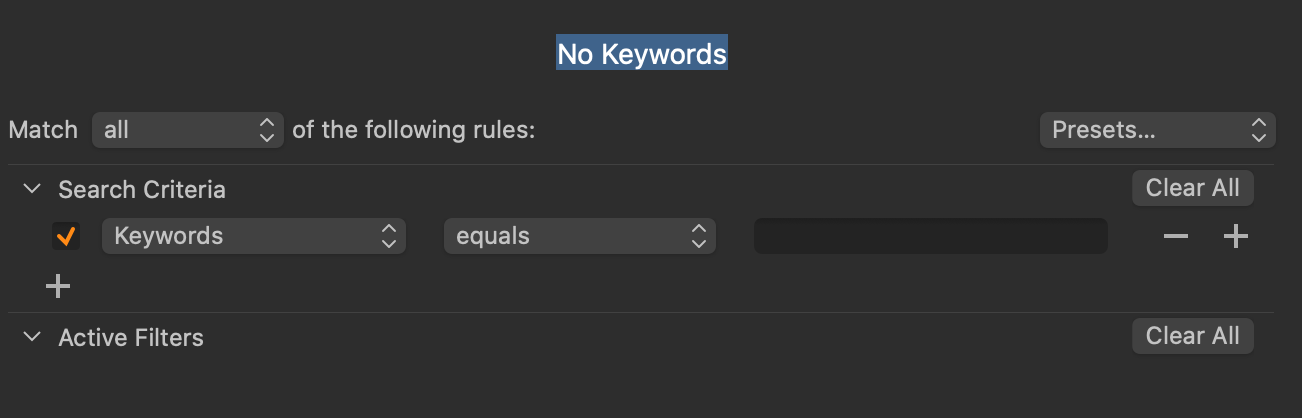
@Pamlinge, Unfortunately no... But as a workaround I created a smart filter.
 0
0 -

For a given collection all of my filters work except the (No Keywords) filter. I wish we could get an answer to this because it is a very useful feature. What I am needing it for today is to locate all photos I have not assigned keywords to so that I can add them. fmadhoun's workaround works but it is not as efficient since I have to recreate the search each time I change collections. Thanks for the help.
0 -
Steven,
Funny you should mention this now because just last night I figured out a way to incorporate the above work-around that functions across projects and collections.
First, it seems the default "No keyword" filter is incorrectly programmed. Maybe we should let Capture One know?
- Default filter: Keywords "contains" (blank)... does NOT work
- Work-around: Keywords "equals" (blank) DOES work
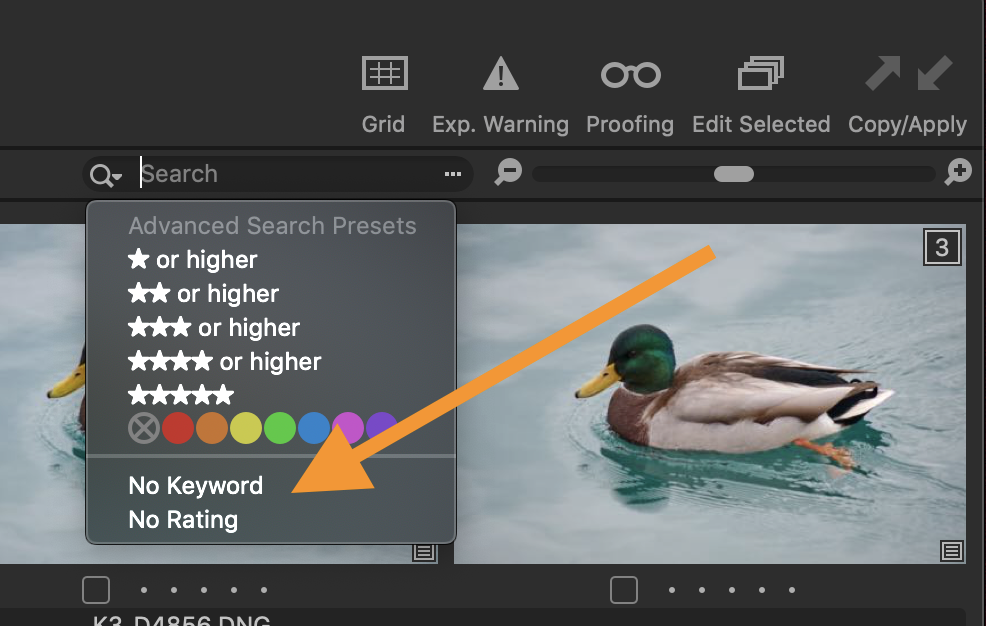
I simply choose the work-around solution exactly as above image, click the "Presets" drop-down box at top right and saved it as a preset called "No Keywords" and I am able to access it in any project or collection easily from the drop-down advanced search menu at top right when in browser mode. I tested in 3 collections and the preset was there. I made a similar preset for "No ratings". Hope this helps!
Pam
 0
0
Post is closed for comments.
Comments
10 comments