Soft Preview on second monitor

I’ve used C1 Pro for Sony for several years, and am using a Trial of C1 20 to see if an old issue gets magically resolved. Alas the Preview image is still blurry. I use dual monitors, a 2017 iMac 5K Retina and a NEC PA272W. The NEC is the photo editing monitor. The Preview at other than 100% on the NEC is blurry (when compared to the same file, same monitor, same magnification in Photoshop). Others have previously found this. Changing the Preview Image Size (px) in C1 Prefs does not fix the issue. I’ve tried a workaround (Thomas Fitzgerald) using a Recipe that applies extra sharpening, but I find it awkward when changing mag. If I don’t use the NEC, and keep Previews on the Retina display, everything looks sharp. But I don’t want to use the Retina 5K to edit. Has anyone who has had this issue found a way to resolve it? Last time I asked this of Support, I was basically advised that C1 does it right- not particularly helpful. Thanks all.
-
You have a process recipe selected. What is the file type, jpg, tiff.? If you use this exact recipe to output a file and open the out-processed file in PS, it is not as blurry? Can you double check with another viewer app?
can you post screenshots?
0 -
Process recipe is full size 16 bit TIFF. When viewed 25% in PS, the output using this recipe is sharper compared to 25% Preview in C1. Top screenshot is PS. Lower is C1.
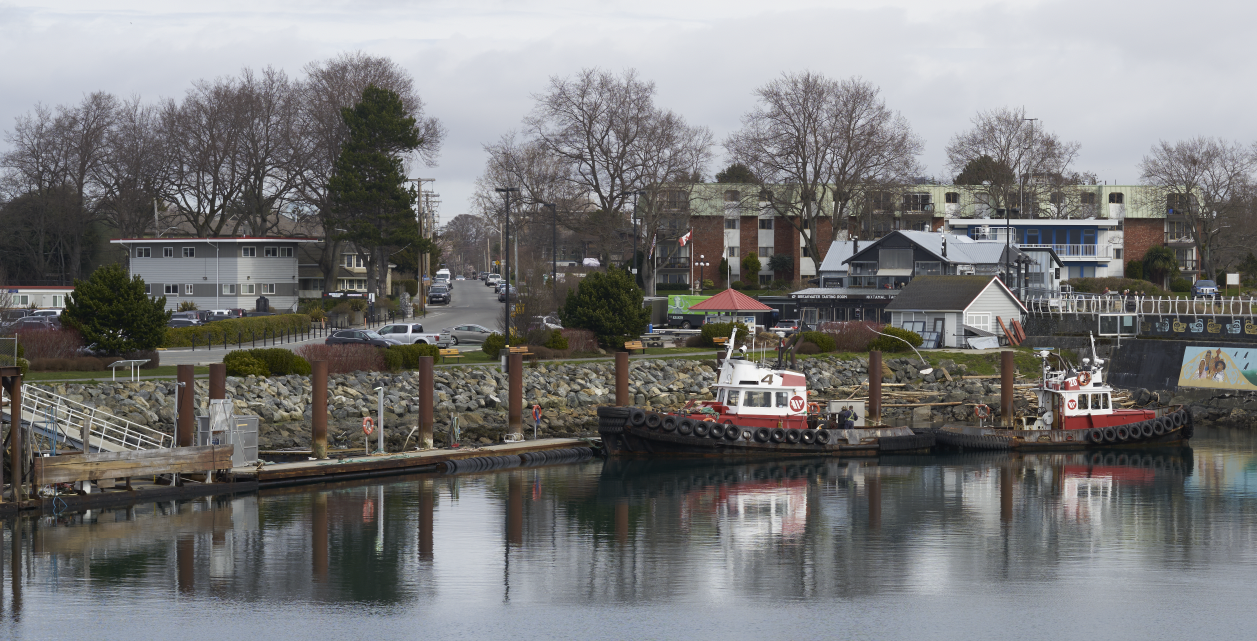
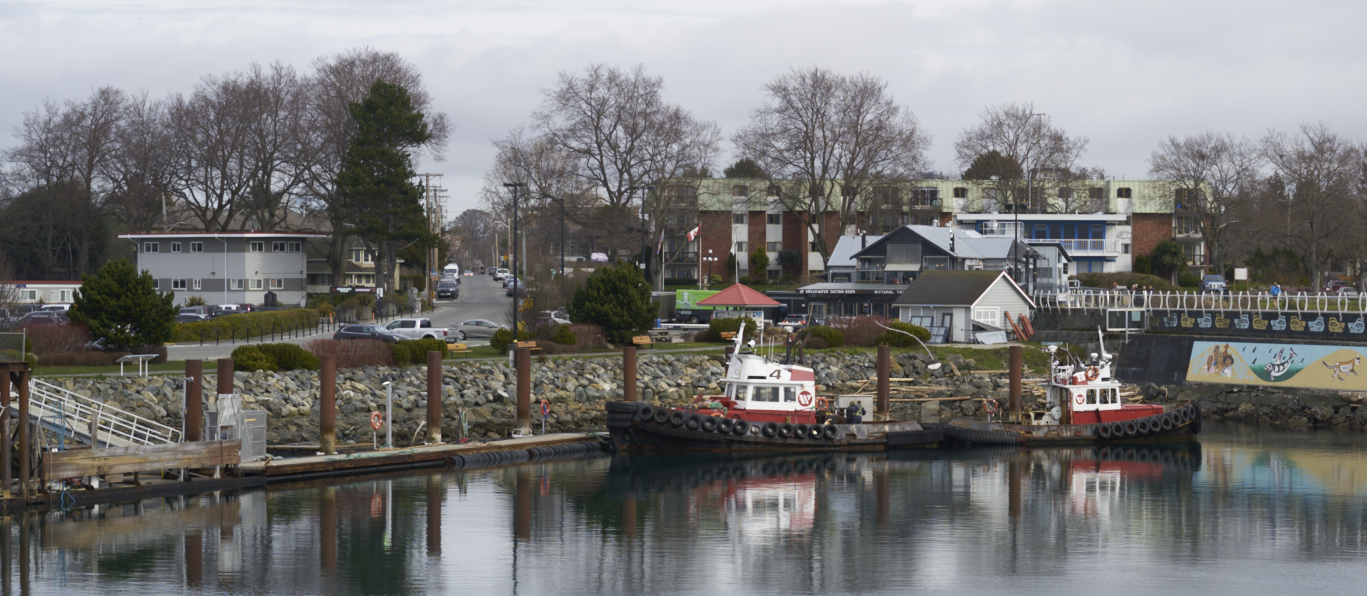 0
0 -
Hard to see a difference in the screenshots, PS screenshot is bigger too.
When you say soft proofing, you enabled the glasses symbol, and the term "Proofing" is shown, right?:
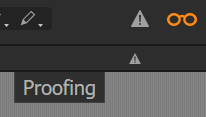
Only then the output recipe sharpening is applied, if you have one set:
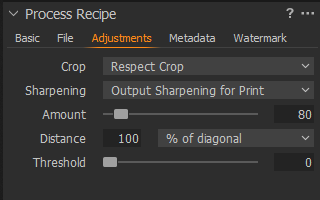
I don't think PS is adding sharpening by itself. Do you have the same issue with jpgs? then you could also double check using another viewer app.
Other than that I have no idea.
regards
0 -
Mag is the same on both screen shots. If you download them and view at 100% in any viewer, then the difference can be seen. Recipe has no output sharpening. Thanks for your input.
Wayne
0 -

Hi Wayne,
The previews in C1 are used for general editing only, thus in smaller sizes (px) than your original picture. I am not sure Photoshop uses previews, as it works on rasterised images. In that case, it could be normal that sharpening looks worse with C1 as the definition of the preview is lower.
What is the size of your previews ? Is it the same when using your NEC and your iMac 5k ?
Robert
0 -
Thanks Robert. I use both C1 and PS for editing at many different image sizes. Like everyone else, sometimes the Previews show all the image (fit to window), sometimes a small region (eg 50% or 75%). 100% views in either app I use just about only for sharpening. Naturally the Previews are smaller than the original RAW files (which are Sony AR2, about 44 MB). A typical 'fit to window'.
Preview on the NEC (2560 x 1440 px) would be about 2200 px landscape. Previews look sharp on the iMac 5K, but that's expected due to the tiny px. My issue is that a C1 Preview image on the NEC is soft compared to the same image on the same monitor in PS. Thank you.
Wayne
0 -
Wayne,
Do you use the proofing as in my screenshot? This is the closest you can get. From my experience I know that that not all adjustments are rendered in smaller zoom levels, e.g. the noise reduction which only kicks in at 50% in my setup at least. Might be similar wth sharpening.
0 -
Hi BeO
No I typically do not use Soft Proofing (eyeglasses icon), and I was looking for a solution without having to use it. The Soft Proofing technique you mention was the workaround suggested first (I think) by Thomas Fitzgerald. I have used it previously to get at the blurry preview issue. Perhaps you are correct and its the closest I can get- but it doesn't allow many zoom levels like using the "non-soft proof" previews.
I still can't figure why PS can show crisp images at all zoom levels but C1 seems unable to do so at least in my hardware configuration. Appreciate your input.
Wayne
0 -

At what size are you saving the preview files in C1?
I'm not sure this question has so far been asked and answered. It might have have been but coming new to the thread I am not sure.
C1 Preferences > Image Tab.
0 -
SFA, Previews are currently 2560 px. I have tried all the way to 5120 and to 1440, but still the Preview image is not sharp. Thank you
0 -
Wayne,
The native definition of your camera is about 8000x5,500. The previews are significantly smaller, and it doesn't look strange to me that the sharpness is worse on previews than on native definition images (as presumably used in PS).
A good test would be to compare the sharpness when using 5120 and 1440. It should be better in C1 when using 5120, even if not as sharp as in Photoshop.
Robert
0 -
Hello Robert,
What is a 'native definition image (as presumably used in PS)"? All I am saying is that the preview image viewed, say at 25%, in C1 is softer than the same image (file) viewed at the same size (25%) on the same monitor in PS. Certainly I agree that the previews are much smaller than 1:1 - that's why they're previews :)
Using 5120 vs 1440 in C1 prefs. doesn't noticeably change the softness of the C1 previews to my eye. Neither are as sharp as PS. I suspect C1 decided this is how we do previews, and other than screen/soft proofing with added sharpness, users must tolerate it. I have no issue with the actual files (100% view)- the fact that C1 tiff exports look great in PS and print perfectly means all is ultimately well. A sharper preview to edit would be nice though!
Thanks
Wayne
0 -
Noise reduction has no effect on lower zoom levels, maybe you have set a lower vslue than the standard (just guessing now).
Anyway, maybe sharpening adjustments is also not applied, you could file a feature request with C1 to enable all tool adjustments even with lower zoom levels, in preferences. Does not help now but maybe in the future...
0 -
I'm experiencing a similar issue with soft previews on C1 but pin sharp previews on PhotoMechanic (all latest versions). The issue appears to have become worse following the latest C1 upgrade, which has stopped supporting hardware acceleration on my mid 2015 MacBook Pro 13" retina. Sometimes the previews "pop" into focus; sometimes not.
0 -
Thomas, I did receive a direct reply from Denis Huk (Capture One Support):
"Hello,
In Capture One you don't have fixed pixels, you have raw data that we scale and apply adjustments to after the scaling takes place.
The way Capture One works is we render directly from the raw file to the final output size, so the pixels don't exist until you generate an output file - this affects what details are present.
When you view at 100%, we are rendering the image as it will process at 100%. The same goes at 50% view and 33% view. At those smaller zoom levels, we are rendering that size file, not processing to 100% and scaling down. This allows you to see accurately what smaller files will look like.
When you are zoomed out we are displaying a fixed size preview. This fixed size previews has the details present when processing directly to that size.
You can choose the preview size in Capture One Preferences.
We recommend setting the preview size which is a bit lower than your screen resolution (as the Viewer doesn't cover 100% of your screen area).
This is done largely for performance. If we were to render the preview by processing to 100% and scaling down, performance would suffer dramatically.Denis,
Capture One Support."It explained the situation- but didn't offer a solution.
0 -
Wayne, Thank you for sharing the reply from Denis, much appreciated.
0

Post is closed for comments.
Comments
16 comments