They should change the color editor for basic.

After C1P 20 released, the basic color editor changed quite a lot. But I think it is not that better than previous version such as changing the color range, smoothness, and view selected color.
Because you have to click to show those options while previous version shows everything without doing that action. I think the basic color editor should also look like the advanced color editor.
Any thoughts?
-
One of the reasons why they changed it was that the old version tool up a lot of screen space, which is difficult especially on a smallish laptop screen. The functionality is still there if you need it by clicking the ... to see more. If you want to do all those things, you know enough to use the Advanced version, which in the end has more capability anyway.
So my thought is that I think it is a change for the better, though others may have a different view.
Ian
0 -
The screen space can be solved with a scrollable area. C1P 20 does not have options to see all of those at once and I'm using a desktop. Advanced editor is just a different tool which is not comparable.
I think they should give us options to show more options to instead of hiding with one button.
0 -
I think the new basic color editor is somewhat a tribute to LR users, especially the click/drag feature, which is nice, though it is more powerful in C1 I believe, and to keep things simple in the user interface. If they showed more options right away it might possibly discourage some users from using it, giving food to some ..." c1 is too complex to use... bla...". So, we now have an up'ed basic tool, a more powerful advanced and a specialiced skin color editor. I like it.
But I can understang that if you like the click drag function and actually want to use these additional options then having it right at your hand is more convenient.
0 -
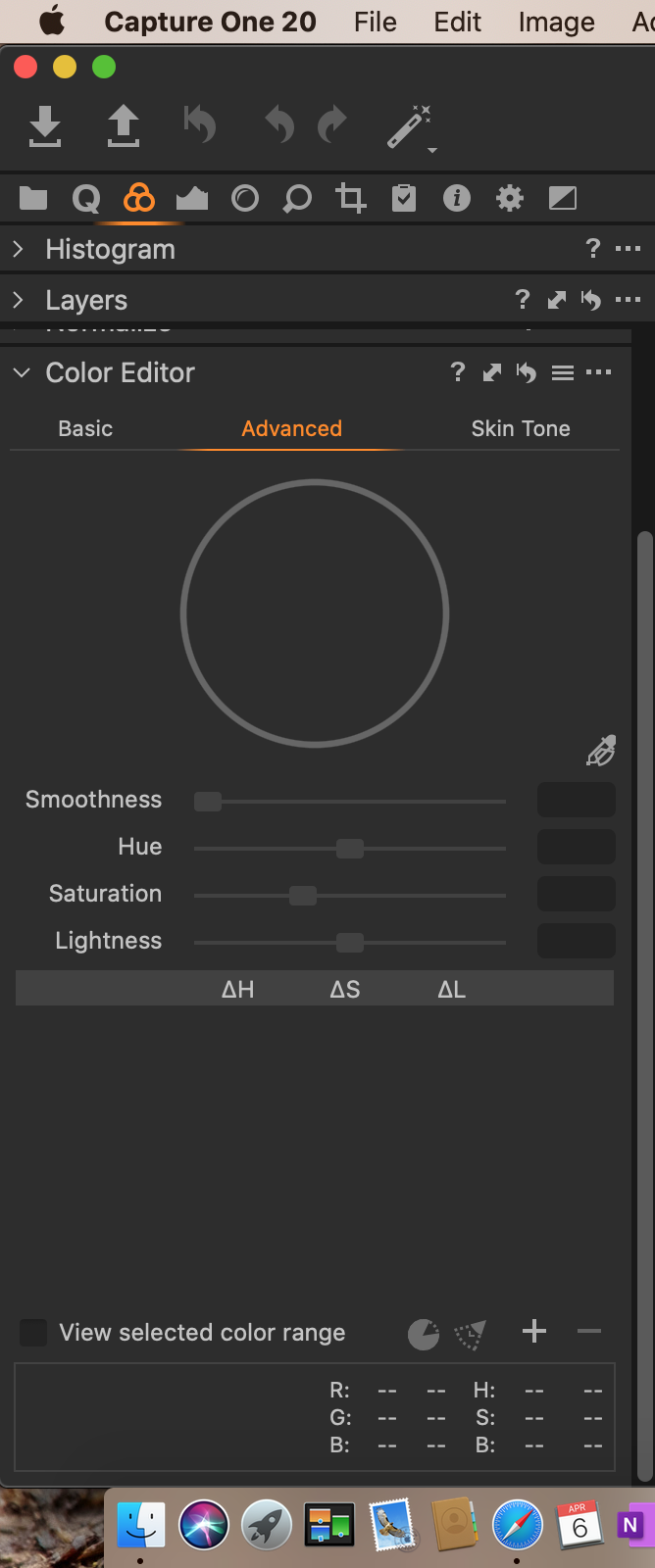
It can just about be solved with a scrollable area. In this screen shot, on a 13" MacBook Pro at default resolution, the Advanced colour editor takes up nearly all the available vertical space. So to me the new design of basic colour editor is helpful. I can always use the ... when I really need to, though usually I use the Advanced colour editor anyway, and I don't run the display at the default resolution.
Ian
 0
0 -
Good point. However, the Advanced editor wastes of lot if space if you only edit one or two colors.
0


Post is closed for comments.
Comments
5 comments