Several problems occurs while importing/selecting images into a catalog from former session and/or former catalog

Bonjour,
The problems I get trying to import images from former catalog/session is a bit complex to explain, therfore I will separate in several parties.
1) When performing the import of one image from a former session into a brand new catalog, the filtering is not working properly if based on color tag (for example selecting a color tag = Purple results in no images selected when I have several into the directory I am importing from).
Remark: It could be nice to see color tag, as we can see note, into the importation windows
2) When importing an image, let say I have been successful at selecting the one I want, I do have, depending if I am importing from a Catalog or a Session 2 different behavior :
a) From session : I can perform the importation and I will find my image imported within the catalog and like I had selected the thick-box for "Include Existing Adjustments" I do refind all my adjustments, and everything seems fine (I also have my note and my color tag correctly imported).
b) from a catalog : I do the same operation as per the Session (as described here above) but the result is bit strange. First I have my image imported, but none of my previous adjustments are copied, second color tag has been changed from "purple" (aka 7) to "yellow" (aka 3), strange behavior ... By the way the note is not copied nor the adjustments .
Note 1 : On 2 b) the behavior can vary a bit, sometimes the color tag is not changed and/or the note is copied but adjustments are NEVER copied.
Note 2 : On 1) when trying to make the selection of images, I can find the images which finally result in changing color tag, if I do apply a filter with such color tag selection. To make it clearer, if I select the "Yellow" color tag I will be able to see, in the selection windows, the images which will be then imported with a color tag "yellow", problem is that the color tag of these images is purple when you look at them into the original catalog they belong to....
Enjoy the reading, any comments/suggestions are welcome here ...
Phil
-
Well,
Sorry not to have any input form you guys ...
But, I bring you hereunder some complementary informations that wortjh to know.
- The databases (Sessions and Catalogs) I am trying to address have been made with V9 of C1
- When trying to load (reload in fact) the metadata, I do have the following message :
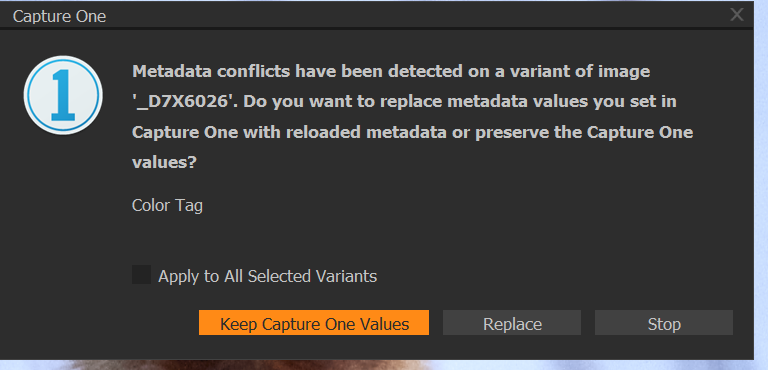
Ok, then I expect to have a solution there .. But in fact no. Whatever I choose, "Keep Capture One Values" or "Replace", I still have the strange behavior I described into the first message of this post.
Any idea for getting rid of this mix up at the level of metadata ? Thanks !
Phil
0 -

Hi Phil,
Now the forum is accessible again I can add a thought to the the suggestion that Walter made.
Do you have any Synchronisation settings for Metadata defined in the Preferences?
If so you may want to review what they are trying to do.
Grant
0 -

There is an error in your workflow regarding importing images from an older catalog (point 2b in your original post).
The adjustments in a catalog are stored in the catalog database, not with the images, as with the session. As a result, you won't get the adjustments with the import of the catalog images.
The error is that you should not import images from a catalog into another catalog this way. You can either import the entire old catalog into the new one, or you export a selection of images from the old catalog as a) a catalog or b) a folder with images with adjustments. I prefer a) as this does not duplicate images.
Regarding your color tag issue and the metadata question in your second post: I suspect you have another program that you use for metadata en I also suspect that you embed metadata into the raw file with that tool, instead of using XMP files. These assumptions are based on my experience with Photo Mechanic and Capture One.
0 -
Hello Walter, Hello Paul,
I did put answer to the previous comment of Paul, but I made a mistake doing so via e-mail (message from C1 with the same structure when coming from comment posted here or when getting answer for an opened ticket via support) .
So hereunder the answer given :
Hello Paul,
Thank you for the answers. These ones rise several points :
- There is a check-box into the importation windows that say you can get the adjustments if there are existing, and if you check this check-box then you get the adjustments kept while doing the importation into the catalog (I keep the images where they are located). It's working perfectly well, what is true is the fact that if I am doing any further adjustments they will be kept and visible using the catalog to access such images, which is fine and perfectly understandable. Please not that I get the color tag and the note, if any, correctly registered into the catalog.
For information, and maybe this is what created the confusion, I had the problem of color tag with an old catalog as I was trying to import some images from this catalog to another one. Hereunder I am talking about images imported from a session.
My workflow is that one :- For each works all the images are organised within a session, images files are kept into folders located under the Capture directory of the session. Everything is fine there.
- At one moment I need to have a specific access to a selection of images which are splitted over several sessions,(because they are of the same thematic but realized over time, thus stored in different session.
- Normally, from the test I perform and describe here above I can import these specific images into a catlog with no problem , getting the adjustments, color tag, notes and so on ... The problem is the fact the filtering operation at the level of the importation is not working as it should, it is reading from the RAW file instead of reading from the .cos file or .xmp if there is.For the color tag issue, you are right, these images have been tagged a long time ago using CNX2 (Nikon development tool) and thus the color tag is stored somewhere into the .NEF. By the way, CNX2 never did use .xmp files, therefore this was not a choice here.
But, if you associated a little bit the 2 things, you then can see the confirmation of what I am saying : The filter function used while doing the importation into a catalog or session (I performed the same test using a session) is not working the way it should.
To say all, within the directory from where I am importing the images there is no .xmp files on the side of them.Hope it could help to have a better understanding of what the situation is. thanks again for your assistance.
Regards.
Philippe.Hope all this is finally understandable.
Walter,
Thanks for your comment. Agree with you, it is also true from a session. But for my purpose I only need to get the adjustments, rating and color tag from the original session / catalog, since the import will be done I will then manage these images using the catalog (master one).
What I really need is the ability to filter at the moment of the importation, from test (as I say into my answer to Paul), the importation of adjustments, rating and color works fine from a catalog or a session, no problem.
Reagrds
Philippe.
0 -
Hi Philippe,
If I understand you correctly, the filter (or search) option in the top right corner of the Import window does not work for color tags.
I can not reproduce this. On my Windows computer, with CO 20.0.4, the filter options work correctly. Note that I set the color tags with Capture One, so they are in the adjustments files, as sessions do.
Maybe the issue is that Capture One can not read the embedded color tags that CNX2 made in the past in the Import window.
Did you set color tags from within Capture One as well on the images you attempt to import?
0 -
Hi Paul,
I made some progress since my last post (delayed her for the reasons I exposed). I will try to summarize for everyone can understand as I have to say is not clear from thereading, this mainly due to the overlapping of 2 separate problems.
- I had images from 2009 which have been developed originally using Capture NX2 (a proprietary development tools made by Nikon), of course when I did perform the development I have tagged my images using rating and color tag.
- When I switch to C1 with the V8 (in 2014), I import these images to a session, with no trouble, I can see that color tags had changed, but it was easy to correct them, I did so, then pass to something else
- Now I am trying to consolidated some of my images using a "super" Catalog where I wish to import only a category of images (all with the same color tags) from several session including this former session.
- Unfortunately, I did start by this session, and thus observe a strange behavior where the filter from the importation windows was not correctly working (Now I know why). I had the feeling the filter was reading a wrong color tag, thus my first question beginning of this post.
- First for you to know, I have no .xml files along the images for this session, it has its importance.
- So, when trying to import with no .xml files these images , the filter is reading the embedded information at the level of the .NEF itself (RAW file from Nikon), thus reading information with no relationship to the actual as I can see them using C1 session (rating and color tag are stored into the .cos file).
From the last message you sent this morning, I perform a new test. I create the .xml files for the images (I have now one .xml file for each corresponding .NEF file into the directory). Doing so, I have embedded into the .xml file the color tag and the rating as it is set into the C1 session. Then, when I perform a new test trying to import the images to my newly created catalog, this time the filter of the importation windows did work perfectly.
Conclusion :
Things have been complex because of the overlapping of 2 problems (previous color tagging embedded into .NEF and hte .xml missing).
But, I can say now that the filter from the importation windows, looks first for information into .xml file, then the embedded information into the .NEF . It maybe good to have a look at the information stored into the .cos file before to look at the one into the .NEF file (suggestion from my side).
At the same time (suggestion), it also can be a good idea to visualize the color tag while using the import windows, one can see the rating on the images, but not the color tag as far as I can see (I did not find a way to modify this behavior). see screen capture below :
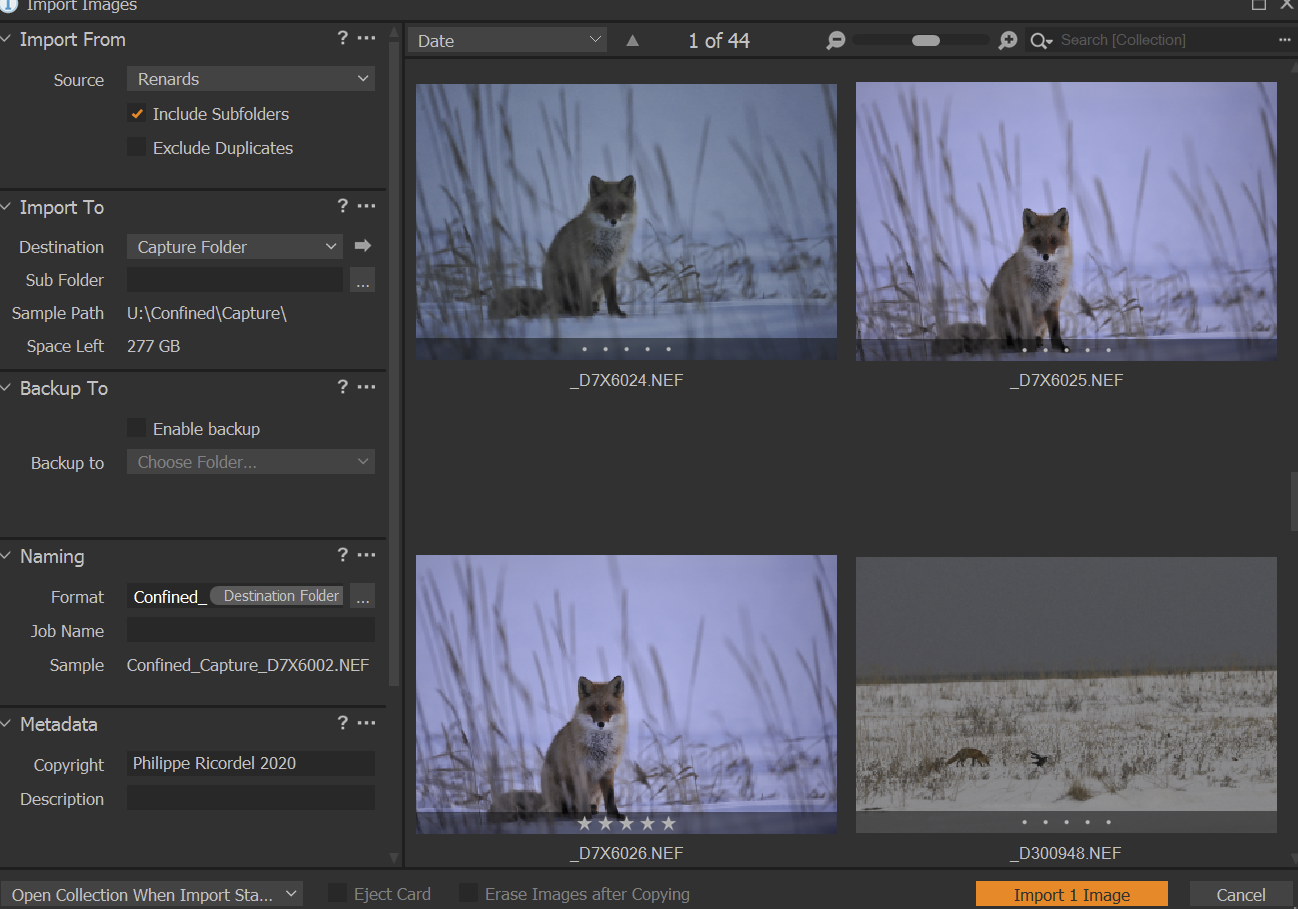
the image with the 5 stars shall be showing a "purple" color tag ...
Anyway, I do hope this post could help some people who may encounter some difficulties with importation process and other color tags/ratings. Key point were the lack of .xml files there.
Paul, Walter, Please feel free to add up if you feel there is some need for complementary information here.
Regards;
Philippe
0 -
I Walter,
Just using import (Files / Import Images), then I have the screen of my previous post opening up ...
Regards;
Philippe
0
Post is closed for comments.
Comments
7 comments