differences in the histograms

Hello everyone,
I'm having trouble to understand why the histogram in the histogram tab looks different than the histogram in the levels or curve tools. Look at the screen captured, the blue channel is out of range, or clipped, both sides of the histogram, and the exposure warning is indicating the areas clipped, but the histogram in the level and curves tool look different and there is nothing clipped there.
Can anyone help?
Thank you.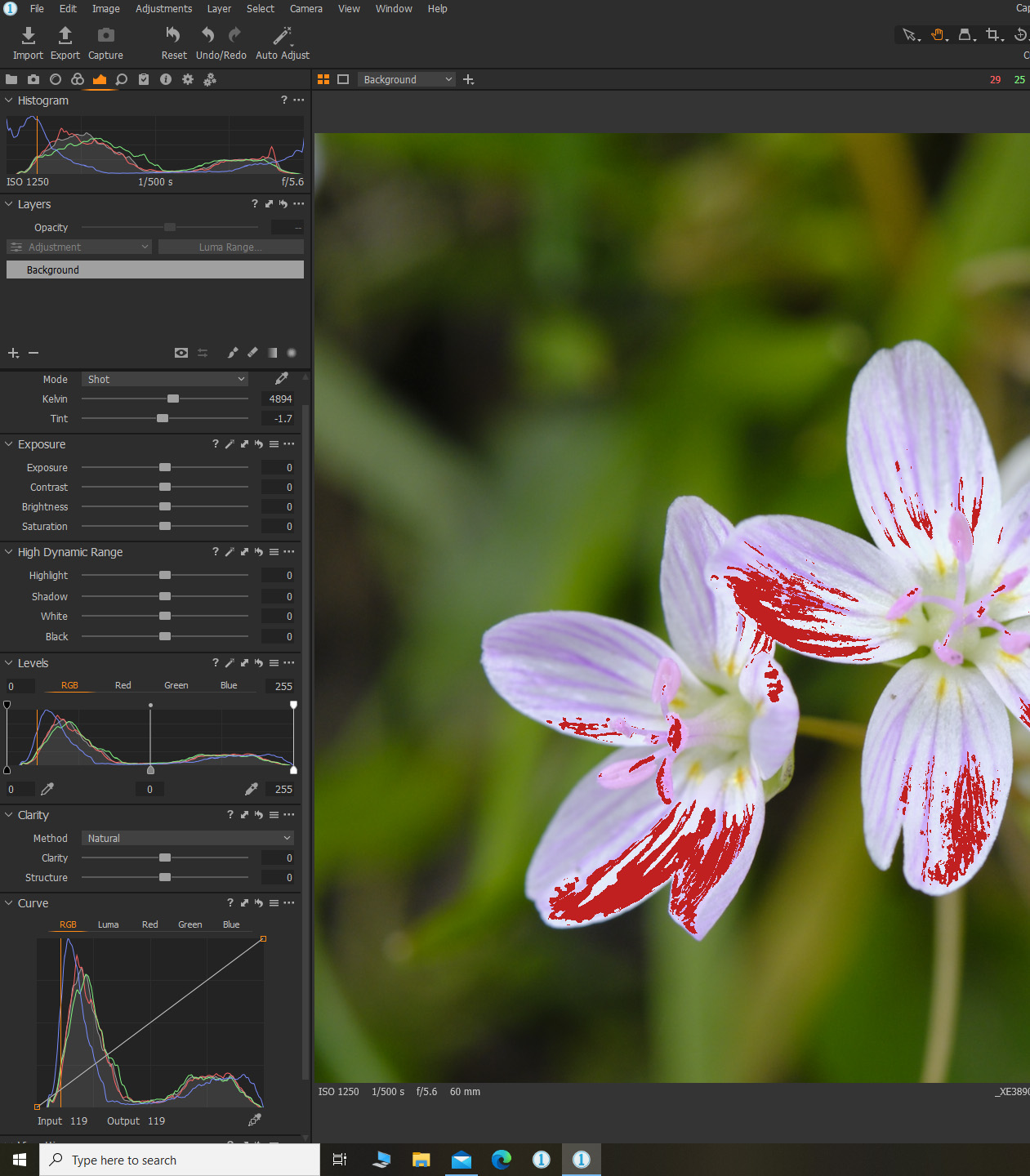
-
Is it like that for every image? Is there a crop on the image? (I ask because there was a bug a few releases back which meant that the histogram didn't change when the crop was changed. For instance you might crop out a blown-out highlight and yet the histogram still went off the edge of the scale.)
But I would expect the graphs on the histogram tool, the levels tool and the curves tool to cover the same range of tones (until you started adjusting the levels or curve.
But I can create an effect like you are showing if I pull the highlights up or the shadows down on the Colour Balance tool, like this.
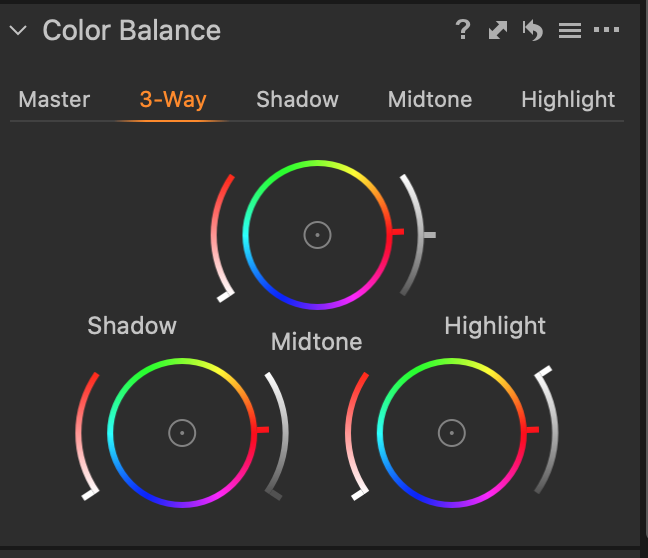
In that case, the graph in the histogram tool seems to be affected, but the graphs in the Levels and Curve tools are not.
Ian
0 -

There are actually four histograms in Capture One, and they change from top to down in the order of attached screenshot. - - -
-> changing exposure modifies histogram in "Levels", "Curve" and "Histogram"
-> changing Levels modifies histogram in "Curve" and "Histogram"
-> Changing Curve modifies histogram in "Histogram"
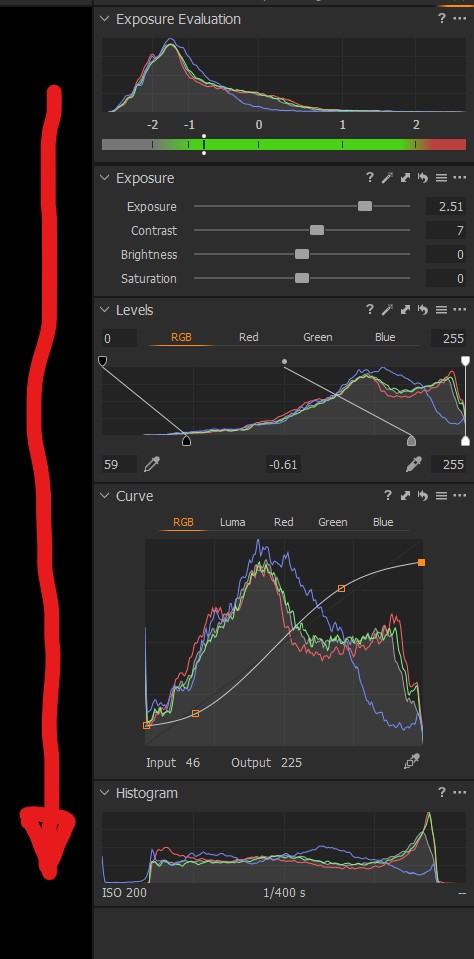
So, they are hardly ever the same, especially since C1 always applies various default-adjustments (you never start with true "zero-adjustment-values"
0

Post is closed for comments.
Comments
2 comments