Capture Pilot port 80

I would like to share my Capture One Session with a client. I want to send them a link to view via their web browser. I can't use port 80 because it's already being used for our server. When I change the port number in Capture One to 81 or any other number it reverts back to port 80 once the server starts. Is this a bug or is there another reason I can't change it.
-
Am I the only one with this problem? I've been getting more requests for remote shooting from clients. It would be great if the port number could be changed in the software.
1 -

I can not replicate the issue. I change port number to 81 on the Web tab of Capture Pilot tool, next I start the server.
Are you on 20.0.4?
0 -
I am on 20.0.4 (13.0.4). Do you think I have a corrupt preference or some thing? If it works for you, I'm not sure what would be stopping mine for working. I changed the port to 81, but once I start the server it reverts to port 80.
0 -
Yes, I would delete the preference file.
0 -
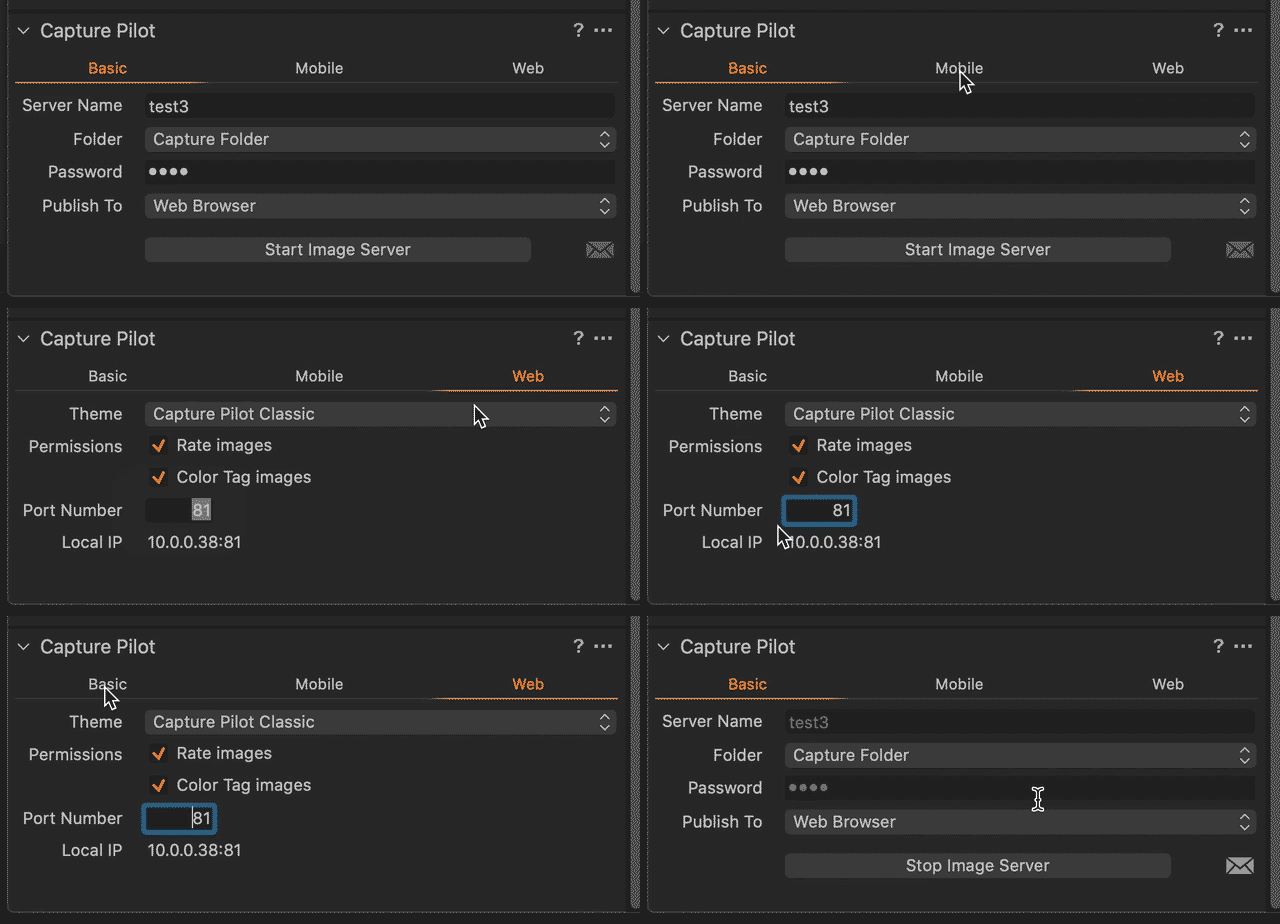
I deleted the preference files and the application support files and it didn't fix anything. I also checked on another computer and it has the same problem. I've attached a gif file that shows what happens.
 0
0 -
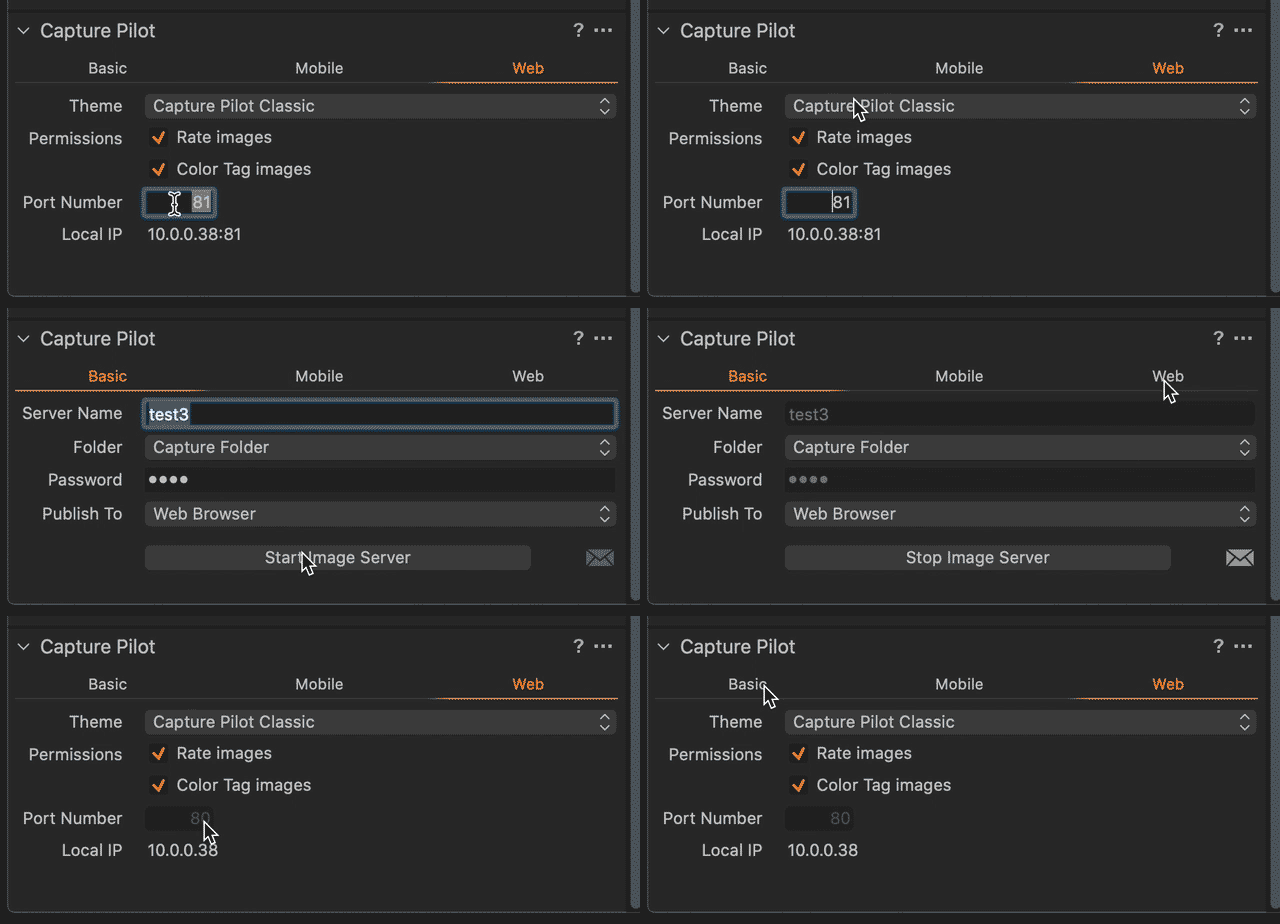
I'll upload a new gif file, looks like that one stops right before you see that the port went back to 80.
0 -
Here is a better gif.
 0
0 -
Did you use the defaults delete com.phaseone.captureone13 (for Capture One 20) command to delete the preferences? macOS may cache the preference file.
0 -
I didn't, I just dragged them to the trash. How do you do that?
0 -
run the command from the Terminal app.
0 -
Okay I used the Terminal app to run defaults delete com.phaseone.captureone13 . I assume it worked because the T&C come up when I started Capture One. Unfortunately the problem is still there.
0 -

After a little investigating I am able to use a custom port on a system running CO v12.1 OS 10.12.6 using port number 9999. I get a dialog warning me that the system is using that port but I can choose to use it instead.
On another system running CO v12.1.5 OC 10.14.6 I cant use port 9999 it just defaults back to 80.
0 -

I have experienced the same issue, I had it working with High Sierra, and once updated to Catalina, it started setting the web port to 80 when pressing the start button.
The mobile port number entry still works, just experiencing issues with the web browser.
Happens in C1 12 and 20 (13.0.4.10)
0 -
It's a bug. I downloaded the beta version of Capture One and it works fine.
0 -
Copy that, just tested and works fine. Thank you!
0
Post is closed for comments.
Comments
15 comments