Dialog on wrong place on screen

IF I select a few photo's and click on the metadata-double arrow then a dialogbox "Adjustments Clipboard" appears with a choice "Metadata" collapsed. If I click on the arrow all choices are listed but the dialogbox is too long to fit on the screen. So the bottompart goes off the screen and the buttons "Copy", "Apply" and "Cancel" are not visible. Everytime I have to move the dialogbox. Can it be shown higher on the screen? My resolution is 2560 * 1440.
Thanks in advance,
Rien
-
Hi Walter,
No, my windows is configured to the resolution of my 2 monitors: 2560 * 1440 (1440P or WQHD) (in Dutch: aanbevolen means recommended):
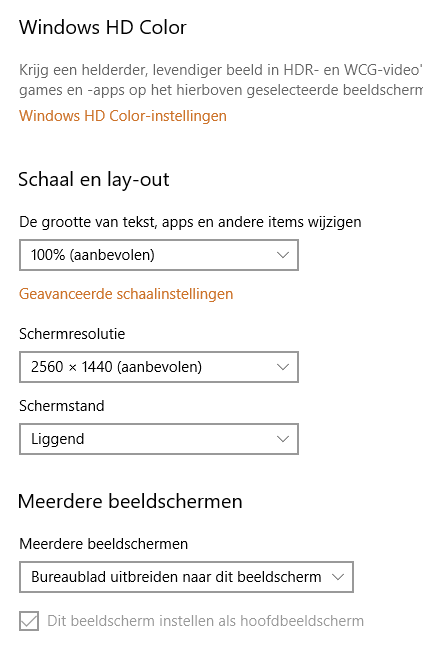 0
0 -
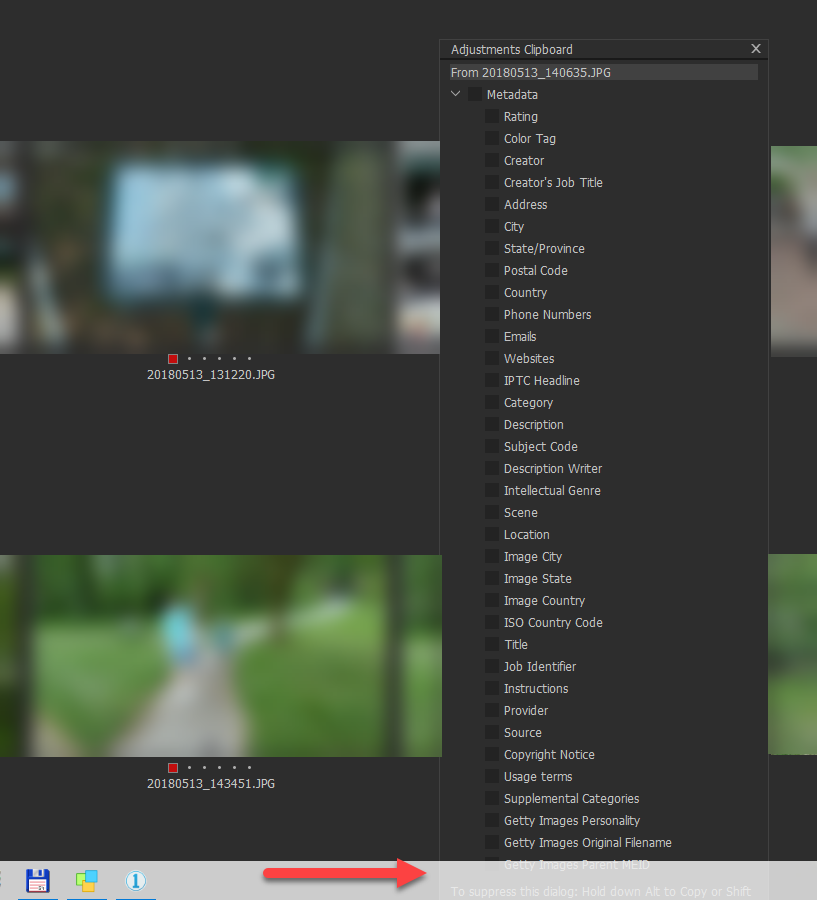 0
0 -

It seems Capture One is confused about the actual size of the screen. It should make the list smaller on your screen and offer a scrollbar in the tool, as it does on my system. Play with the scale option. Or open a support case.
0 -
Hi Paul,
I played with the scale option but nothing works. I will open a support case.
Thanks!
0 -

Hi Rien,
Are you running the screen TEXT at 100% or something larger?
Grant
0 -
HI Grant:
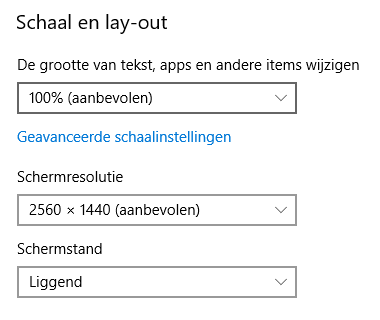 0
0 -
Ah, OK, spotted it now.
If you move the display window up a line and eliminate the Windows menu bar at the bottom of the screen does that display the entire window and the command buttons at the bottom or is there still a problem?
For what it's worth my 1920x1080 screen works as Paul described above. (Windows 7). It nowhere near fills the screen vertically and would probably display everything even without the introduction of the vertical scroll bar.
There may be something specific related to scaling for the native screen dimensions and that particular tool at is current size. Odd since the ratio is the same.
Grant
0 -
Hi Grant,
A mirriacle happened: I turned C1P to fullscreen (F) and back and now the windows is placed on the correct place!
Thank you!
0
Post is closed for comments.
Comments
8 comments