Awful clipping/compression with exporting from Sony RAW files

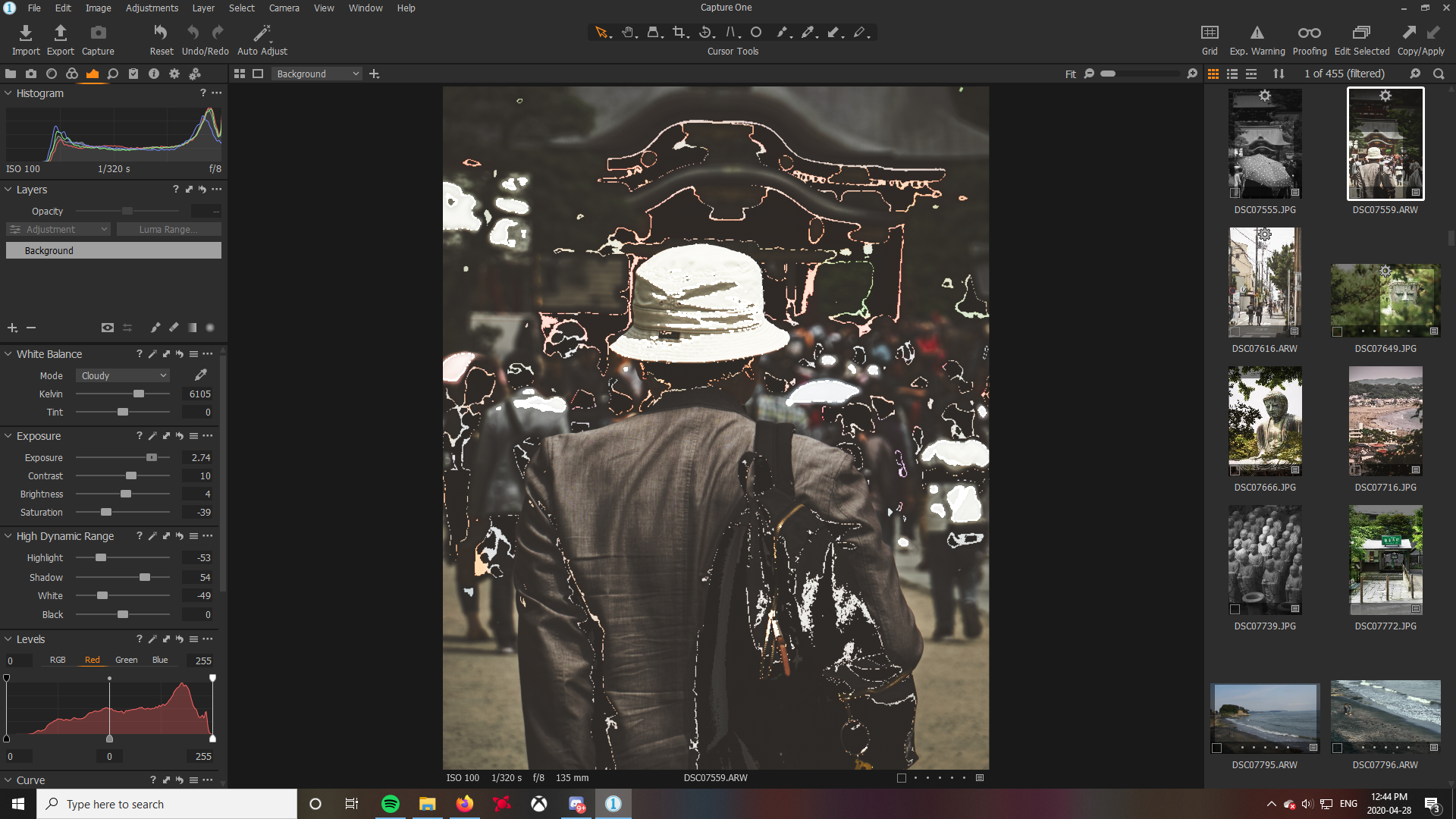
Hi all, I've been using CaptureOne 20 (FOR SONY) for a while now, but since upgrading my PC to AMD Ryzen 5 3600 and RX 5700 Graphics Card, the edits I make for my Sony raw files do not appear at all in the final image. Instead, the final export to jpg looks terrible, almost like corrupted files. Indeed, the raw files look normal when viewed during editing, except when I do any adjustments, where strange artifacts appear on the picture momentarily before applying the adjustments that I wanted.
This is what pictures look like when moving sliders:
What it's supposed to look like after adjustments: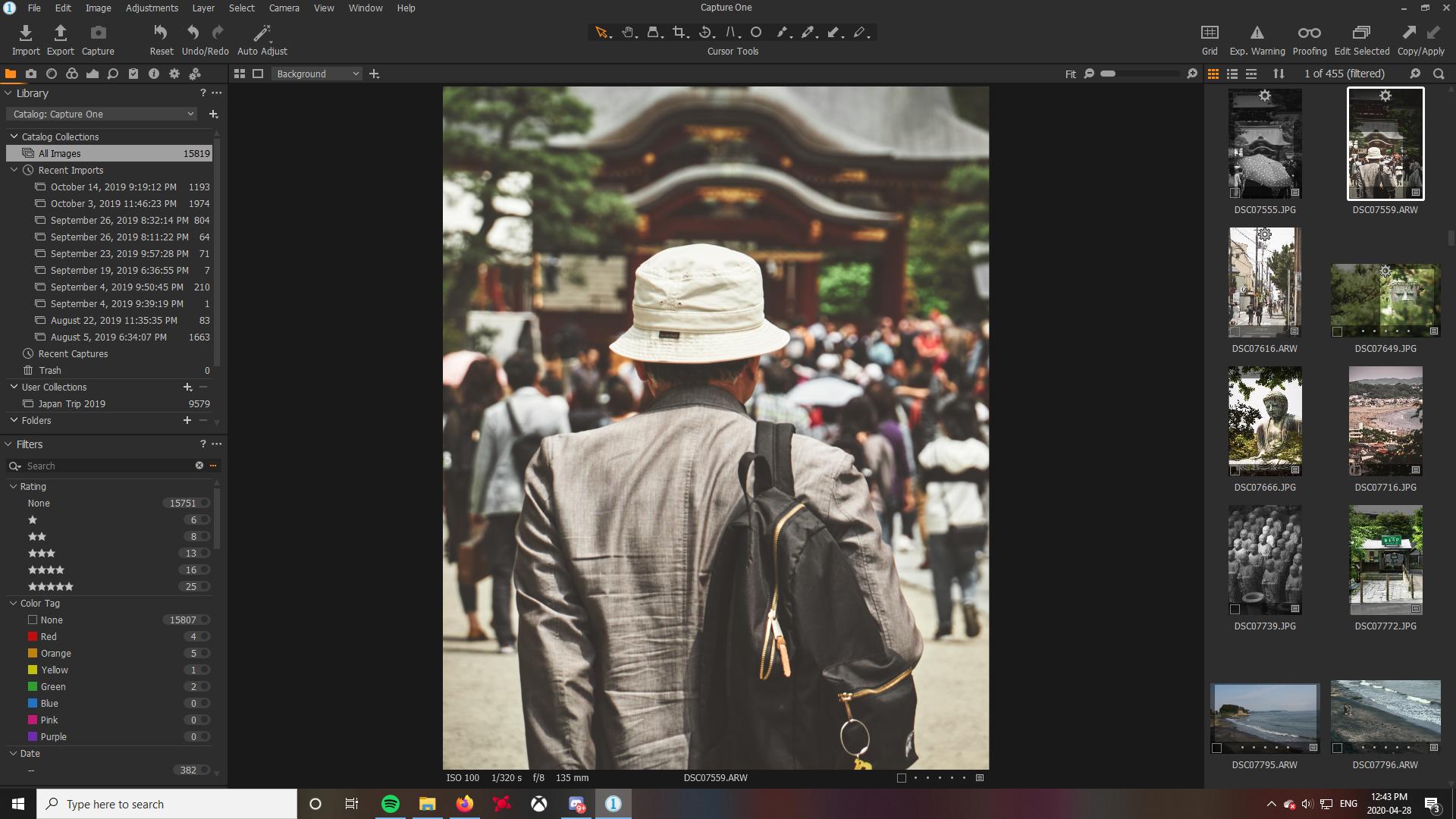
What the final export jpg looks like:
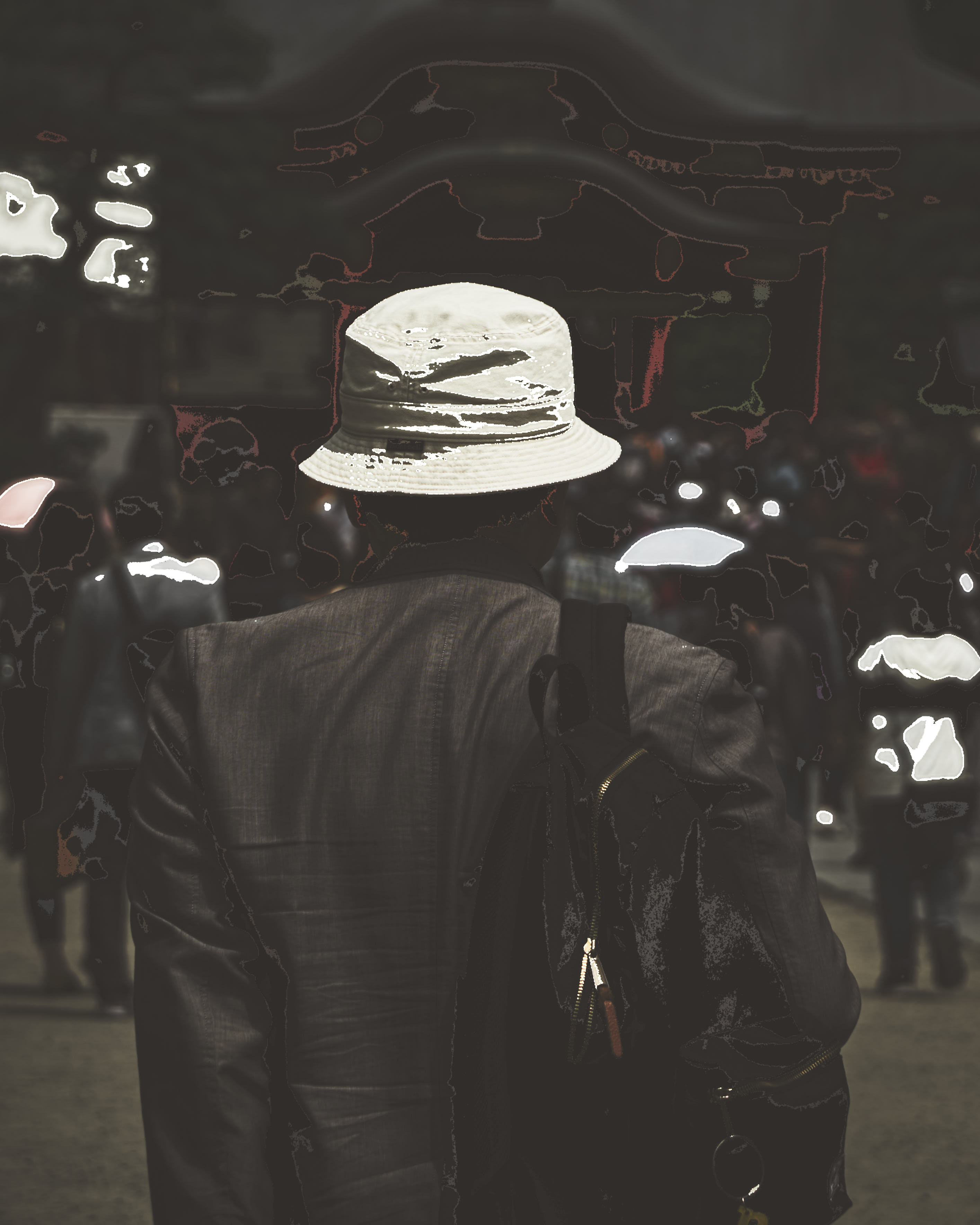
This problem doesn't appear when I edit from jpegs, but copying the adjustments from the raw version to the jpeg version just doesn't produce the same results.
-

try without hardware acceleration; switch it off in the Preferences, General tab
2 -
That really fixed the problem, thank you!
0
Post is closed for comments.
Comments
2 comments