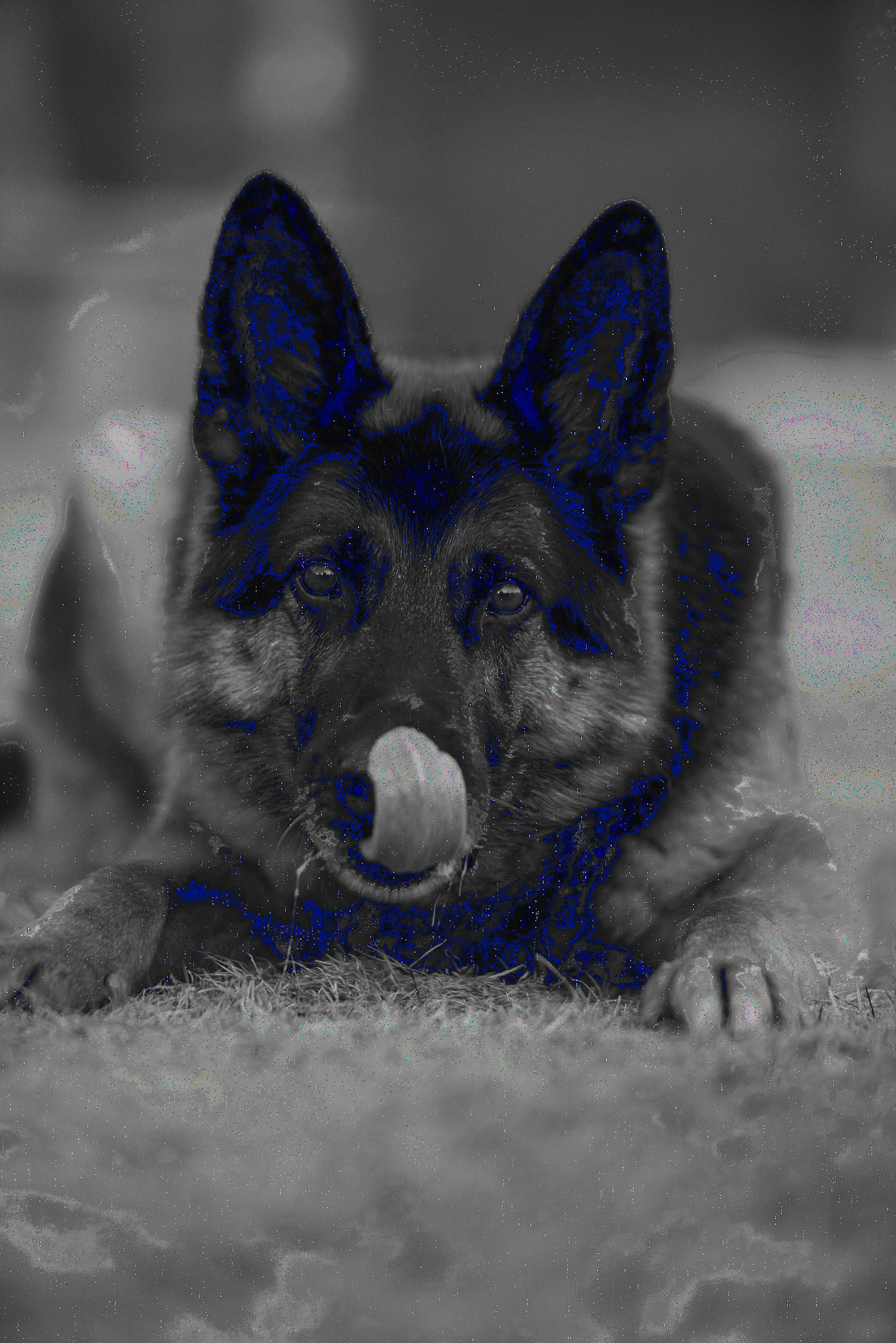
Processed to jpg getting blue tone

Hi,
When I process the black and white picture the RAW file is looking fine in CaptureOne but the jpg is getting blue tone in the picture (see below). Do you have any tips how to generate av jpg picture with no blue tone in?
Best Regards
Karl Gustafsson
-

Guess: Change hardware acceleration in the General tab of preferences from Auto to Never. That action often fixes processing issues such as yours.
0 -
Hi Karl,
An other hint : it could be that dark tones are off the sRGB colour space. In that case, try to change the exposure warnings in the Preferences.
Robert
0 -

Try turning off the Exposure warning. What you bare showing looks like the low exposure warning/highlighting.
0 -
Karl said it is the jpg, I assume the exported/processed file. If you zoom in you also see color pixels which are definitely not an exposure warning, so disabling the hardware acceleration would also be my best guess.
regards
0

Post is closed for comments.
Comments
4 comments