Multiple image zoom window size

For the past several years and up until a few weeks ago, if I had two or more images selected in C1 and I zoomed in on them, the edges of the images touched. This was useful for comparing color grading, to be sure the images matched. Now, there is a margin between images that is very irritating for two reasons. The first is that I cannot see colors side by side, the other is that it reduces the number of image-related pixels on screen, thus forcing me to pan more than was necessary in the past. Is there a way to turn off these margins? They are really annoying!
Best regards,
AP
-

Maybe you mean the Proof Margin? Here's the switch:
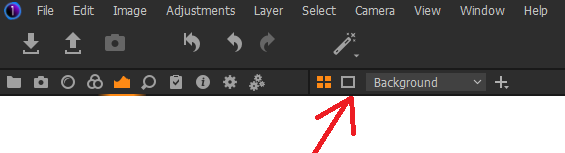
You can change the colored edge of the primary variant in preferences (this sometimes disturbs me too).
0 -
That did the trick! Thanks!
0
Post is closed for comments.
Comments
2 comments