Metadata conflicts have been detected on a variant

Hi, I got the message "metadata conflicts have been detected on a variant" while doing some internal testing. I selected all images in a capture folder, went to Image>Load Metadata and got the conflict message. Not sure what it's referring to, but can't seem to find an explanation. Based on the rest of the comment, "Do you want to replace metadata values you set in Capture One with reloaded metadata or preserve the Capture One values?" i'm guessing it's any exif data from the camera and transferred in xmp sidecar? Not sure. Please clarify. I selected Replace for one image, and selected Retain Capture One values in another instance but I saw no difference. Which confused me even more. Any help would be greatly appreciated.
Capture One 12.0.3 -
MacOS 10.14.4
-
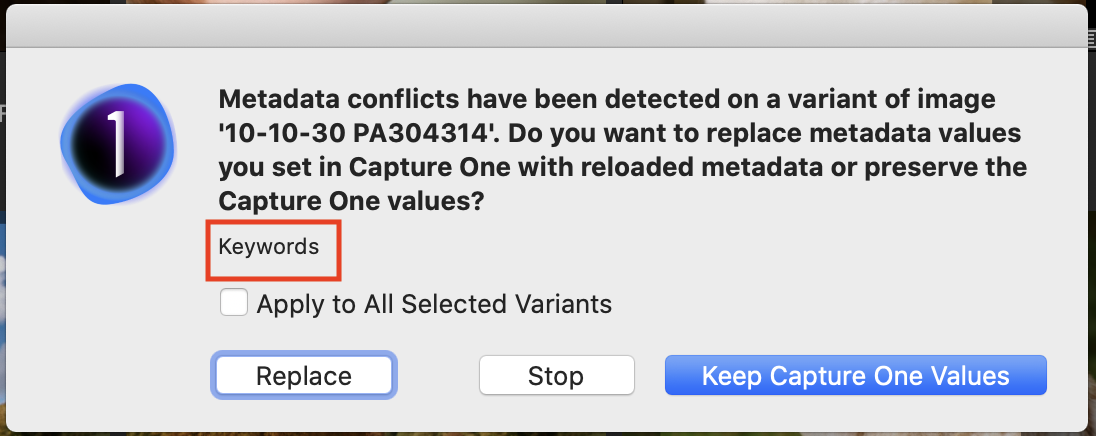
Usually when it says that it also shows what metadata the conflict refers to, such as Rating, or Colour tag. It happens for instance when an image had a rating of 2* but in C1 it has been given a rating of 3*, so it is asking you whether you want to retain the 3* it had been given in C1 or reload the 2* it had before import. Unless it is showing that the metadata in question is something much more important than that, I usually just go for the C1 value without much thought, on the grounds that my later thoughts in C1 were probably what I want to follow, and in any case whether it is 2* or 3* won't matter much to my workflow.
Here's an example where it shows that the keywords are different. (I deliberately changed the keywords for this image to generate the message to show you.)
Ian
 1
1 -

Hi, I got the same pop-up message and don't know what to choose. All my color tags were lost when I worked on images that I had filtered for green tag and jpg in any field. This pop-up message appeared for a picture other than the one I had selected. I want to find out if Image - Load Metadata restores the lost green color tags for my jpg files, but I want to try that on a single file first. I have raw files for many of the pictures, and the color tags were preserved. I would really appreciate any help, as this problem has occured repeatedly already cost me hours of searching for a solution and to re-rate images.
0

Post is closed for comments.
Comments
2 comments