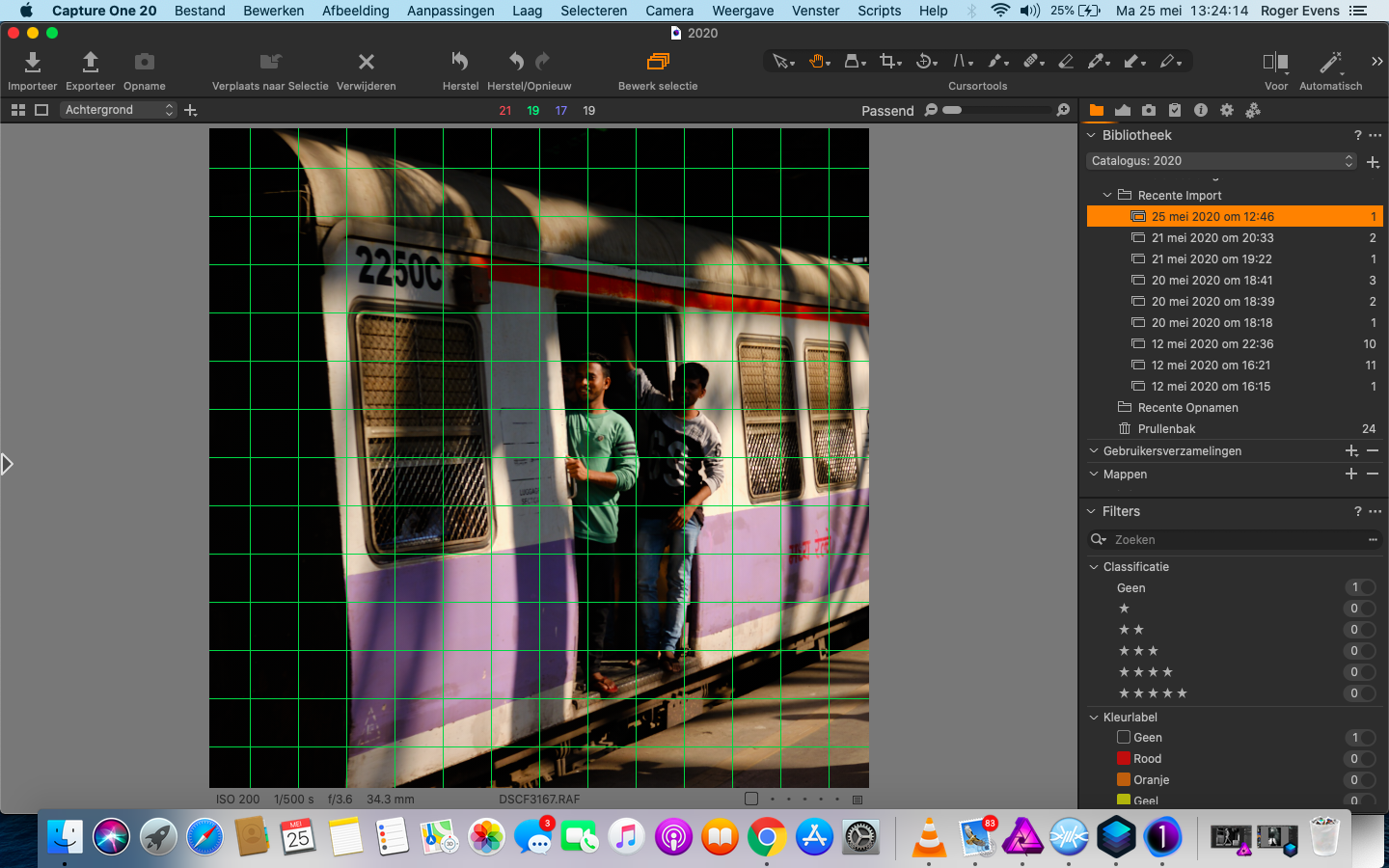
Green lines/grid

Hello,
When I import photos and i want to edit them there is a grid of green lines. How can I get rid of them ?
-

Hi Roger,
This is probably because the grid tool is active. Press cmd + G to disable it.
You will have more information by reading this :
https://support.captureone.com/hc/en-us/search?utf8=✓&query=grid
Robert
0 -
Thx Robert,
The problem is these green squares. Can't find the solution..
 0
0 -

That grid should only appear when rotating an image. It will appear if you 'click and hold' the 'Angle' slider in the Rotation and Flip Panel, though unsure why you are seeing it permanently.
0 -

Try making sure the Grid and Guides icon in the tool bar is not highlighted/on. Alternatively, try View>Hide Grid and Guides.
0 -
The green lines are neither Grids or Guides, this is the grid you see when rotating an image. Gridlines by default are white lines that split the screen into thirds horizontally and vertically using white lines and guides are red lines (though the colour can be changed) and by default are not regular as per the green lines in the OPs screengrab.
You can recreate the same green grid pattern simply by clicking on the 'Angle' slider in the Rotation and Flip Panel, I'm just not sure why the OP is seeing these on automatically if he's not attempting to rotate the image.
0 -
I had the same problem after Capture One crashed (which is happening again several times a day).
(1) C1 crashes
(2) I reopen it (and send crash report)
(3) All photos have this green rotation grid overlaid on them (annoying)
(4) Based on suggestions above, I selected the rotation tool, set to manual rotate, rotate an image
(5) deselect the rotation tool -- GREEN GRID DISAPPEARS
(6) reset the rotation on the image I manually rotated.
This is definitely a bug. (Not to mention whatever bug is causing the crashing)
0 -

Steve,
Probably some local variable or active setting file corruption cause the crashes. Unlikely to be something that will be reported specifically by the generic Crash reporter.
If you want personal help form the C1 Support Team use the "Submit a Request" option on these pages or the links form the application's menu and create a support case.
My guess would be a dodgy setting somewhere - perhaps in the C1 plist (userconfig file in Windows) which may have some bad value or file corruption somewhere. The two problems you mention may or may not be related to such a situation or may have separate causes. Either way the generic Crash reports are intended for broad problem analysis and trends rather than specific personalised help requests.
I'll leave a Mac user to offer advise about dealing with plists. That said a search or two may well turn up quite a lot of useful suggestions.
Hope this helps in some way.
0
Post is closed for comments.
Comments
7 comments