How to achieve the same look as in Lightroom

I want to fully switch from LR to CO. The problem is, that I can't reproduce the same filmy, moody look as I was used to in Lightroom. I'm adding a fade both to whites and blacks in the curve, lower my contrast, highlights, shadows, and bringing up the blacks. Simple adjustments, but I got a completely different look in CO. Can someone explain why this is happening and how can I achieve the same look in CO?
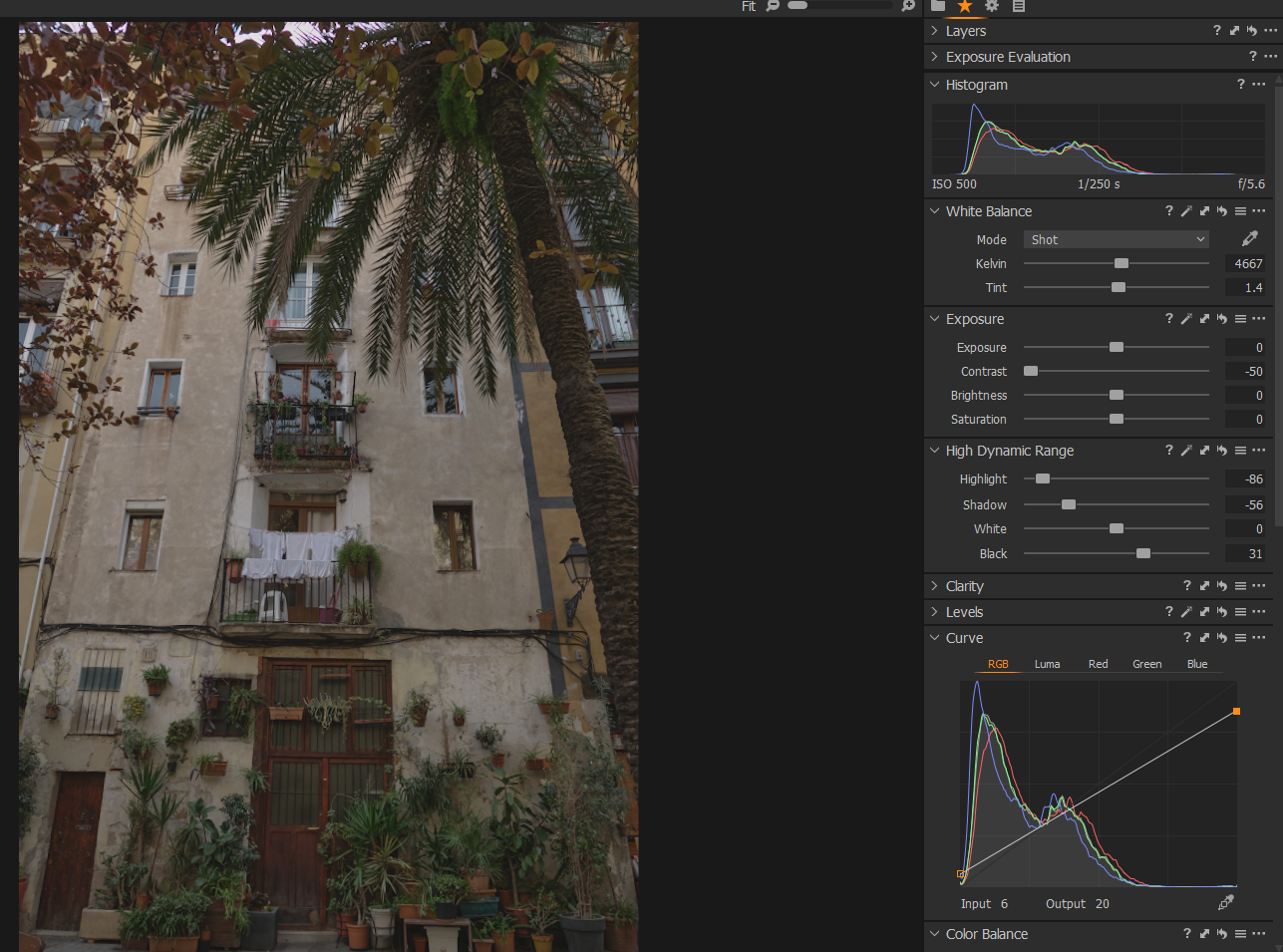
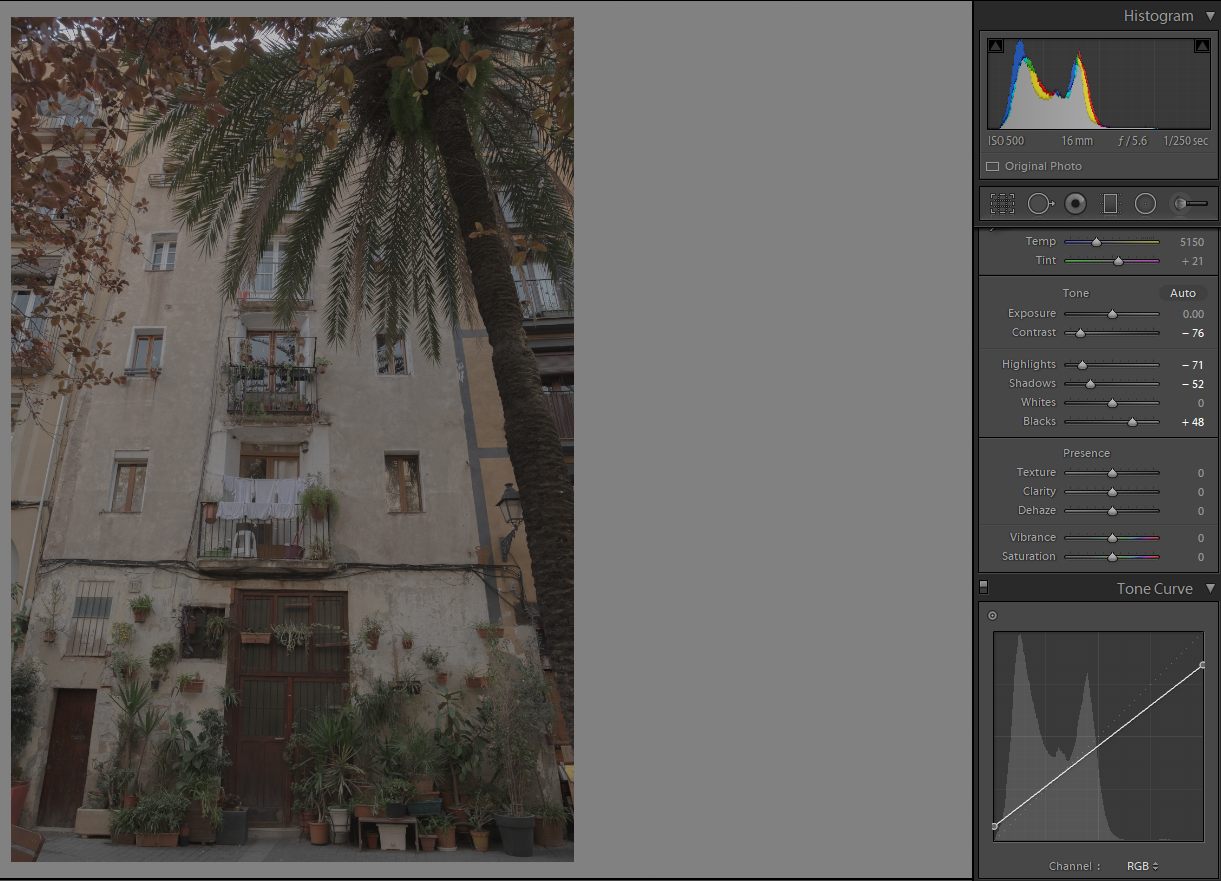
-
A completely different look in C1 is often the reason to switch from somewhere else to C1.
No, more seriously, the starting point is different, so I think it is fair to assume that similar adjustments will not give you the same end result. Also, the tools work somewhat different.
Looking at the style you want to achieve I reckon that the Linear response curve in the base characteristics tool might be a better starting point. But the tools you probably have to use in C1 to get to your desired result might be different, so playing around might be neccessary, but isn't this the fun part of it? And is a good training. I would probably try to use the levels and curve tools if the slider tools don't do it.
If you finaaly found a similar or preferred new look you might be able to save some adjustments as a style.
regards
1 -

My personal preference, I like the C1 version better. But the Lightroom version has less contrast than the C1 version. Try reducing the contrast in C1.
0 -
I agree with Terry. Capture One and Lightroom both give you a starting point (and their starting points are different). I think that in general Capture One has a bit more Contrast, Saturation and Clarity as a starting point, so in addition to Terry's suggestion of reducing contrast, you could try reducing Clarity and Saturation by small amounts too. I also think the colour in the Capture One version looks a little warmer, so you could try cooling it a little.
Edited to add: I see that you have already reduced the contrast slider as far as it will go in the Capture One version. You could reduce contrast still further, though, with a tweak to the curves, perhaps.
Also I see that you have reduced shadows but pulled blacks up, in both C1 and LR. remember that although the Shadow and Highlights sliders in both apps do essentially the same thing, the Blacks and Whites sliders are not the same at all. In C1, the Blacks and Whites sliders are essentially the same a Shadows and Highlights, but concentrated on the very ends of the histogram only (the very darkest shadows, and the very brightest highlights). But in LR, the Whites and Blacks sliders set white and black points which in C1 you would do with the Levels tool, which LR does not have.
Ian
1 -
Wow, great explanation. I will try to play around with those adjustments.
0


Post is closed for comments.
Comments
4 comments