Why does auto-levels cut some of the data ?

Using Auto-levels (C1P 13.1 / MacOS 10.14.6) always ends up in bringing the "guards" in such a way that they clip left or right information on the histogram.
Preferences for Exposure is set at "Exposure warning" 255 and "Shadow warning" 0
For example, let's take a picture where a towel is visible.
In the initial picture, hovering over the towel returns 241-243-250-243.
If I click auto-levels with Exposure Warning "on", it will return 249-250-255-250
This means to me that the auto-level has clipped some of the data, as the blue component has been lifted from 250 to 255 (and indeed, a bit of the blue line is now at the right of the right "level" ?
Apologies if I am not clear - I try to explain, but not easy to describe it.
-
Back after some days abroad.
I played more and more with previously edited Nikon NEF files, resetting them and starting over again with "Linear Response" and "Nikon - Standard" as development bases.
I must say I am much more pleased than with the standard development Film Standard of C1P: it's all in the nuances, but the colors seem to be more natural, and nuances easier to achieve.
Below a screenshot of (almost) the same picture.
Left, with the Film Standard curve. Right, with the Linear Response.
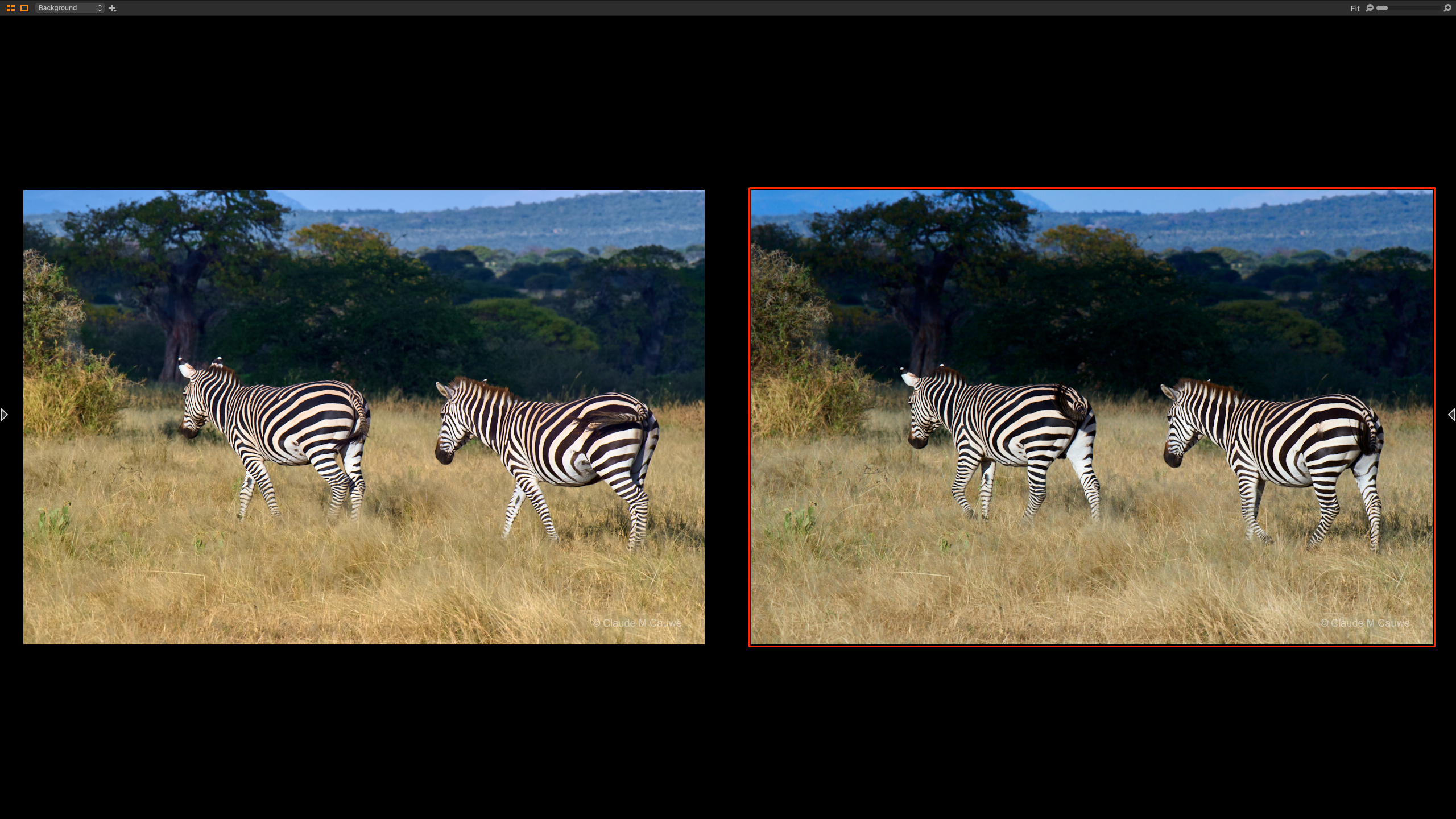
The C1P is more "harsh" in the renditions - although I am sure that the same result can be achieved by working the curves.
"My" method is just quicker and less job-intensive.Please feel free to disagree and/or comment :-)
0 -
I like the colours better in the right hand version (is the white balance the same on each?) but the shadows in the background trees on the right hand version are rather dark, and I would want to lift them.
I haven't tried the new Nikon curves yet at all but you post has got me having a go. A very quick first attempt or two suggests to me that I might not want to choose the same one every time.
Ian
0 -
True. Wildlife goes better with Vivid.
But here the trick was to start from "Linear Response", and not from "Auto" or "Film Standard".
And same WB indeed - these are two picts taken as a quick-doubled shot.
0

Post is closed for comments.
Comments
33 comments