C1 Version 20.1 creates an artifact line in images

When using the HDR tool on Fujifilm XT-4 RAW files, C1 v20.1 creates a line (approximate 1-2 px) crossing the image. When you reset the HDR Sliders to default, the line disappears. You can see the white line in the dark parts of the photo below.
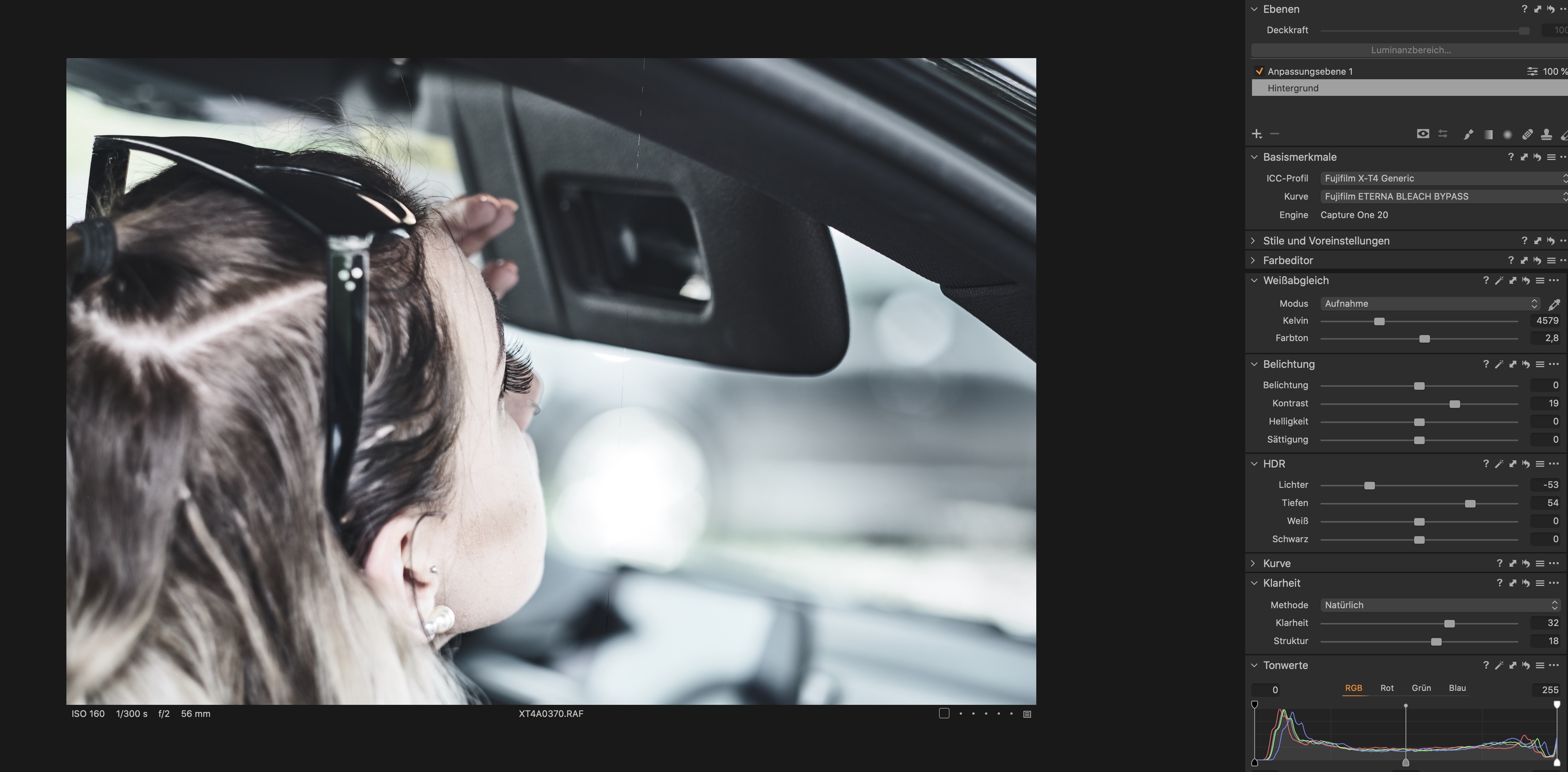
-
Reseting the HDR sliders to default, you get no lines. (see image below)
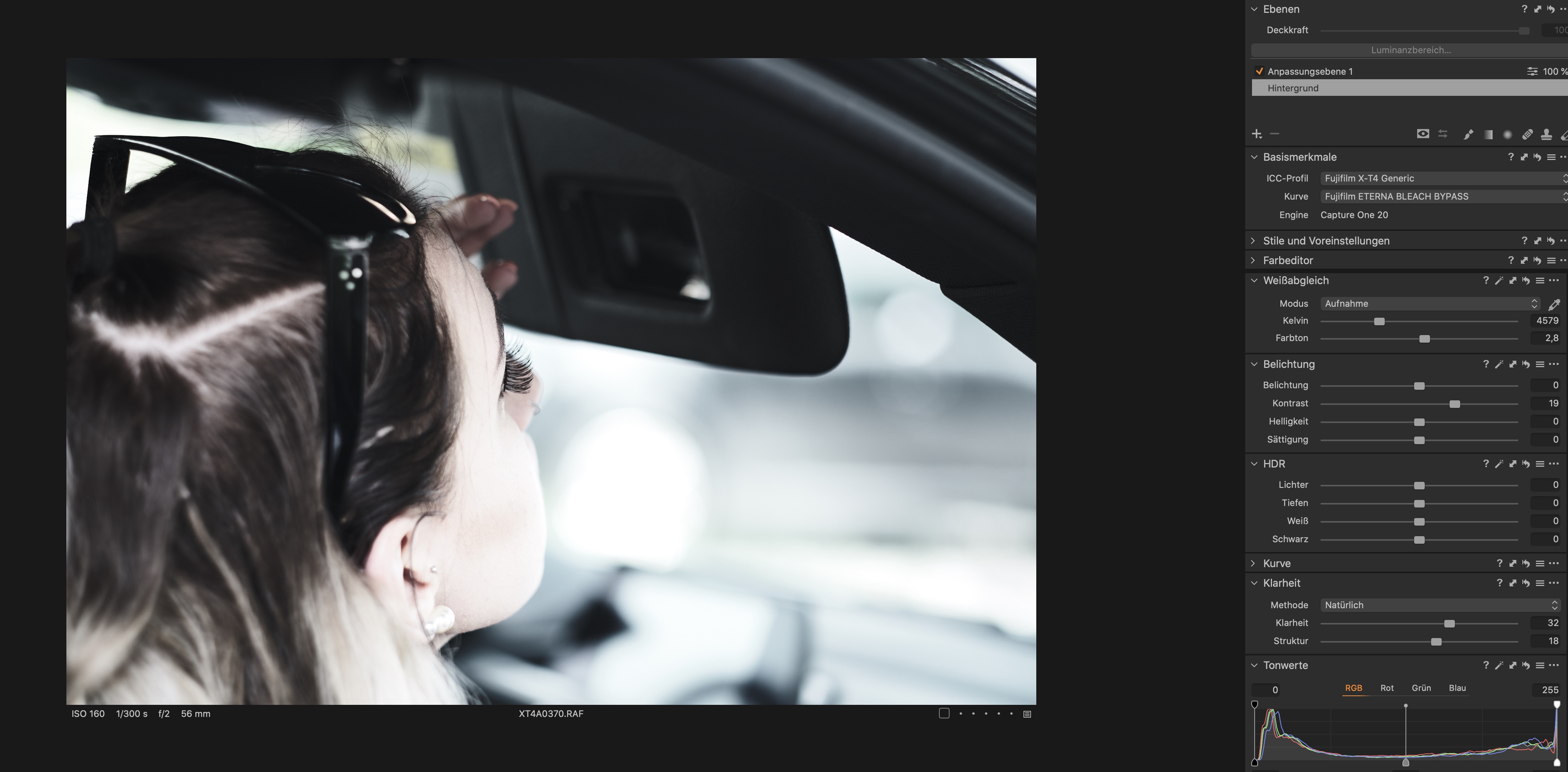 0
0 -

Hi Erich,
What is very surprising is that the line is not vertical. So, did you rotate the picture in C1 before applying the HDR tool ? If yes, I would rather suspect a camera sensor defect rather than a C1 failure.
Robert
0 -
Hi Robert,
The line appears also when the image is not rotated. Then the line is vertical.
Developing the same image with the older version of C1 (v 20.0.3) there is no problem.
Erich
0 -
I did some more tests. The line appears only with the XF 56mm f1.2 on both of my Fuji Cameras (XT-3 and XT-4).
The lines do not appear with the old version of C1 and also not in Lightroom.
Is it know a problem of the lens or of the Capture One?
Sounds funny, but it is not funny. Please help me.
Erich
0 -
Sorry Erich, I am affraid I won't be of any help, as I am far from your computer.
Anyway, does the line appear at the same place on all the images taken with this lens ? Try also other Capture One tools, such as exposure, sharpening, clarity,....
Robert
0 -
The line appears on all images on the same place. There is no line when using the other tools. The line appears only when I use one of the sliders of the HDR tool.
Erich
0 -
Can you change the lens profile and see what happens? And / or play with lens correction tools?
0 -
The lens profile and the lens correction tools have no effect. The line still appears.
0 -
Hm.
- It is not related to a faulty sensor (two cameras have the same issue)
- I only occurs with this specific lens, but lenses don't usually create such articfacts and the lens profile or the way how C1 uses the lens profile seems out of suspect
- It is only the HDR sliders
Which HDR slider will reveal this issue, and what is the minumum amount you have to set?
Is there any special in-camera setting which you used for these images?
Does it occur for exissting images as well as for freshly imported images?
Do all images with this lens have this issue?
I assume you know how to report an issue to C1 team? (submit a request link on top)
regards
0 -

I'm having the same problem too with RAF files when applying HDR. Didn't happen in earlier versions. I've been shooting with an X-E3 since its release and have never had this problem until I updated yesterday to build 13.1.0.172. Here are two examples.
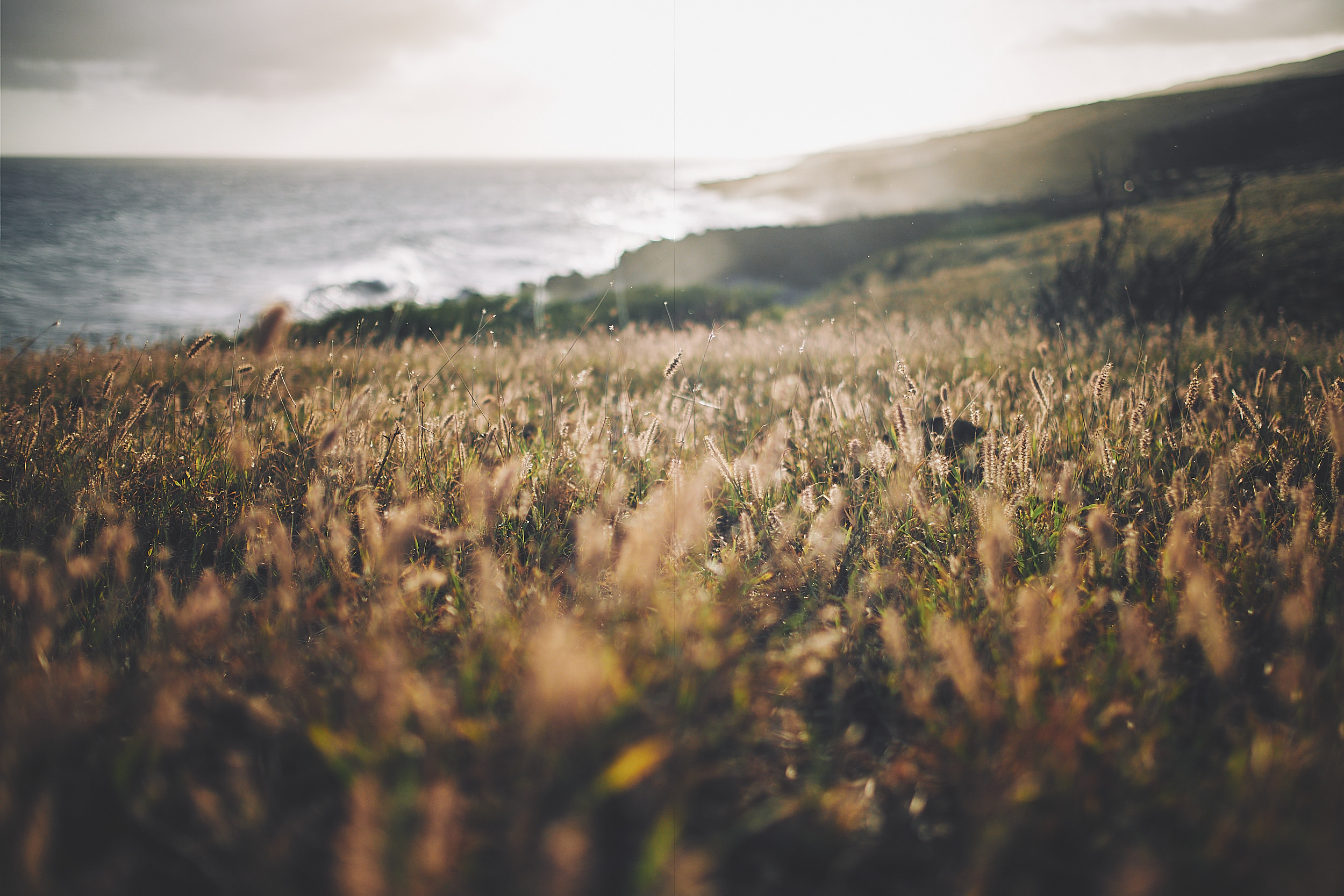
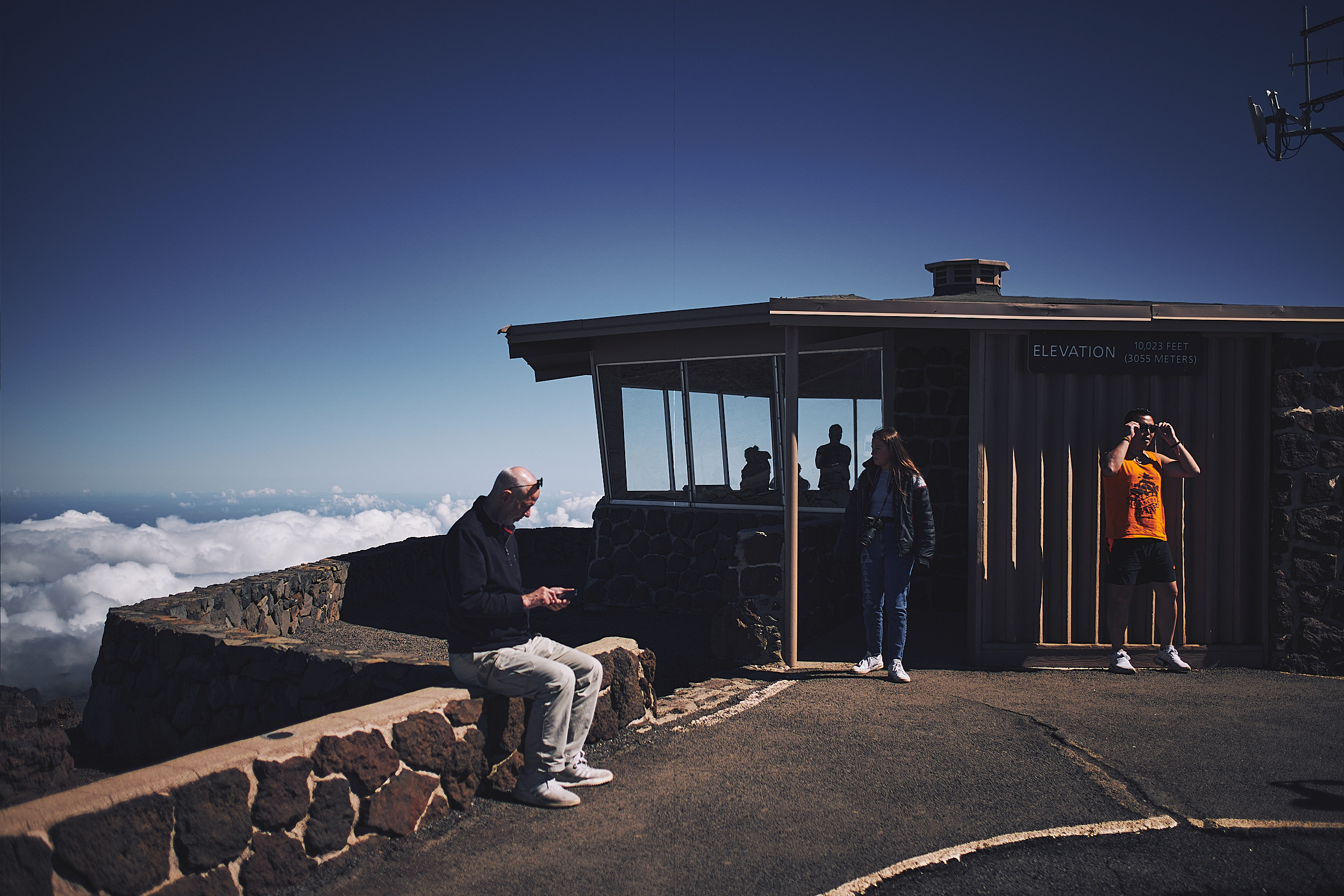 0
0 -
Hi Douglas,
thanks for your comment. One question. Which lens did you use? Was it the XF 56mm f1.2?
Erich
0 -

Out of interest and a standard check for this sort of problem ...
What happens if you disable Hardware Acceleration in the preferences? (Set it to None).
Grant
1 -
Grant,
That did it. If I disable HA for the display and leave processing enabled, the artifact goes away in the preview but remains in the processed file. If I disable HA for processing and enable it for the display, the opposite happens. Must be some weird issue with HA and HDR. Computer specs below for anyone having the same issue.
Thanks!
-Doug
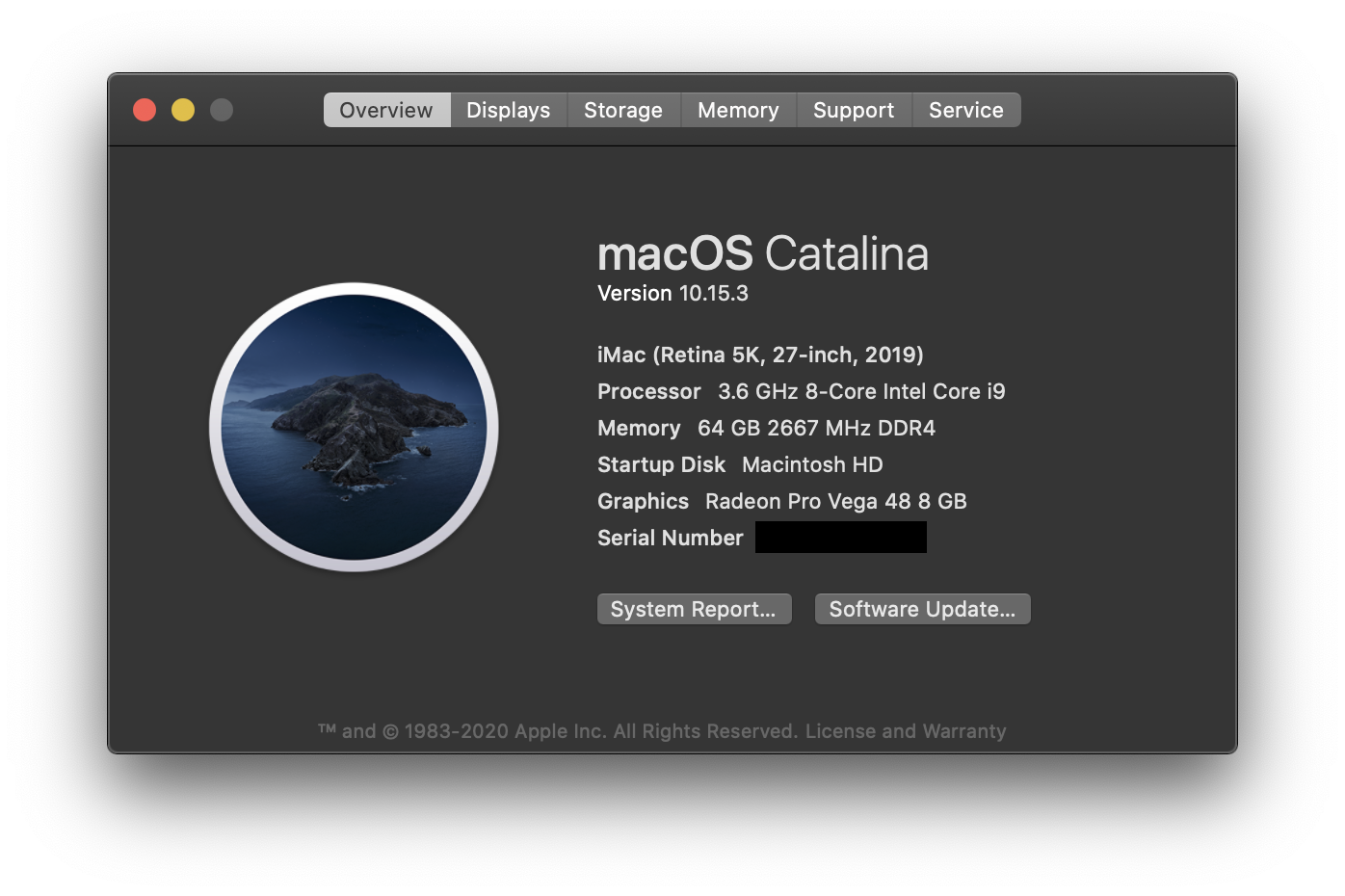 0
0 -
I have the same situation on my iMac Pro.
Thanks.
Erich
-1 -
I would suggest that anyone who sees this problem Submits a Request to the C1 Support team so that they can gather information to help them discover any common factors that might be contributing to the creation of this problem.
Apart from the 20.1 C1 update - any other recent updates to your systems?
Grant
0 -

Douglas, how do you like your system? Especially that GPU. I am planning to upgrade my 5K iMac as the GPU is showing its age and thinking the Vega option on new ones.
Cheers,
Fatih
0 -
Same with my Images. Also visible in the exports.
MacOs Catalina (10.15.4), MacBook Pro 13" late 2016, Newest C1 update, Fuji X-Pro2
It gets much more visible if I turn highlights and shadows to -100 or +100. If both are at 0 it is not that strongly visible. It can not be a problem of my camera. It also happens with photos that are 3 or more years old.
0 -

I have the same problem. I use the lens xf 16mm f1.4
when I restart C1 the error occurs with other pictures than before
how can I contact someone from C1 Support to have the problem fixed ... I have been waiting for the update to be able to use the new functions and now I have to go over the exposure, etc. again. The HDR function is not usable for me.
0 -

hi everyone!
I've had the same problem this morning with Capture One 13.1.0.
My gear combination: Fujifilm X-T3 + 16-55mm f 2.8 and Mac Mini 2018.
The famous line appeared in random cases both on video (in C1 workspace) and after output file (in various format and not in the same image in various test). Sometimes appeared after using copy/apply, HDR tab or healing mask.Temporarely solution could be to deactivate all hardware acceleration both in video and processing. It seem to work.
I hope in a fast solution because it's very frustating for a work use.Stefano
0 -
Viktor,
contact to C1 support: see the link at the top of this page
 0
0 -

After update 13.1 i have this line too. On Windows version.
0 -

I have this issue as well. With photos from the 56mm. I noticed the line appears also from editing Exposure settings. Please fix this ASAP.
0 -

Any news about the problem?
0 -
fixed in last update
0 -

This buug has not been fixed yet. Still the same problem when the hardware acceleration is enabled.
0

Post is closed for comments.
Comments
25 comments