Colours look different after exporting

Colours look different In Capture One than after exporting And opening it in Irfan view, MS Photo or after importing into MS Word. I use Windows 10. No difference if using laptop monitor or external screen.
A friend using a mac using the same settings gets exported pictures that have the same or almost the Same colors.
This info did not help: https://support.captureone.com/hc/en-us/articles/360002875058-The-colors-in-Viewer-look-different-from-those-in-the-exported-image
How can I solve that problem?
-
Not enough information I would say.
- What do you have selected in menu View/Proof Profile
- Which process recipe do you have selected when viewing the image in the Viewer, and what are the exact settings of this recipe.
- What are the exact export or process recipe settings when exporting the image
- Can you describe what the differences in colors are.
- If you import the exported image, what does C1 tell you in Base characteristics tool (ICC profile)
I have some doubts that MS Word or MS Photo are color managed applications (i.e. forget about any other profile than sRGB), but I assume Irfan view is.
0 -

Hi,
IrfanView is colored managed but not by default, I think. At least, Color Management was not enabled after I installed it.0 -
Hello
Thanks for your answers.
@Samoreen: The problem occurs also when using Word or MS Photo.
@BeO: These were the settings: (by the way: Taking a screenshot of C1 and open that one in irfanview results in the same colors as I see them capture one)
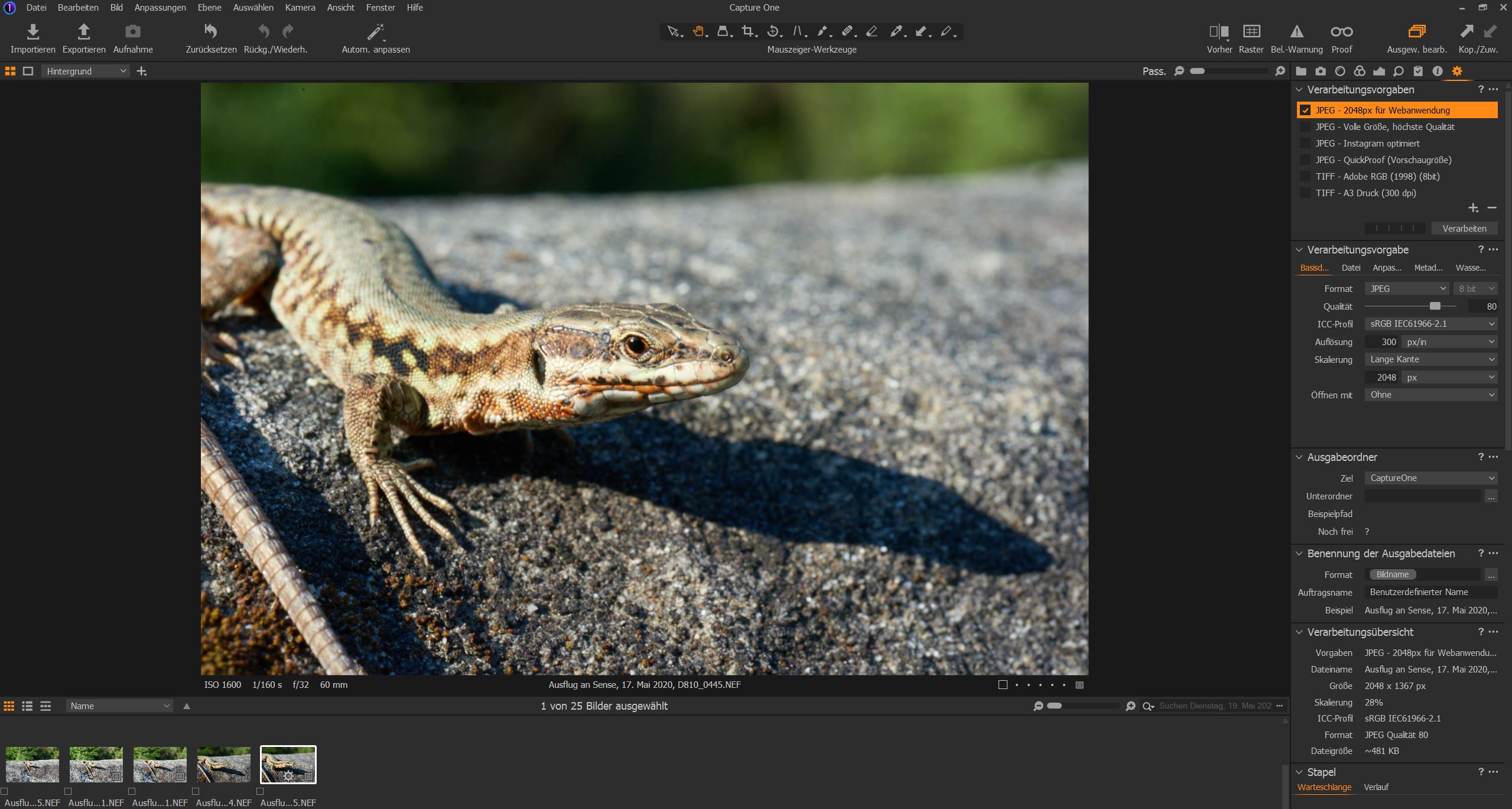 0
0 -
You didn't answer the first question asked by BeO, which seems to be important.
I would add another one. Are you using a wide gamut display ?0 -
Yes, the first question is important.
C1 is color managed, so importing the exported image and compare colors can be helpful too.
As you are in the sRGB realm, the Windows screenshooting process and our browsers should be able to show us the same differences as you see, so you could also make a screenshot of the image in C1 and Irfan view side by side on one screen and paste it here.
I don't know Irfan view but Samoreen's reply suggests to check settings there too.
What are your monitor settings?
Do you use Firefox? still the best browser regarding colors I think.
regards
0 -
Hi both
I am using A Dell2719D.
The problem occurs on the Laptopscreen, the Dell 25 Inch Ultrasharp, Dell2719D: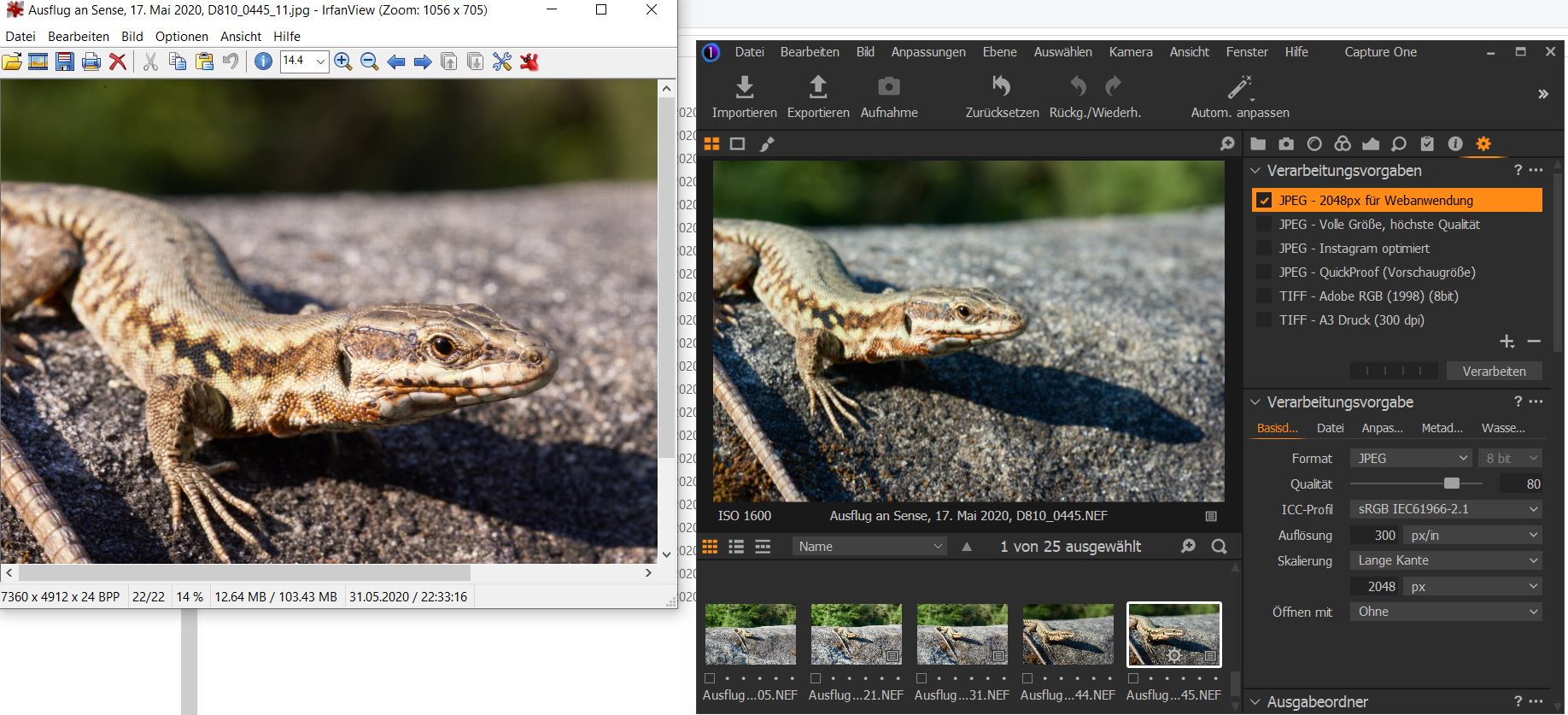
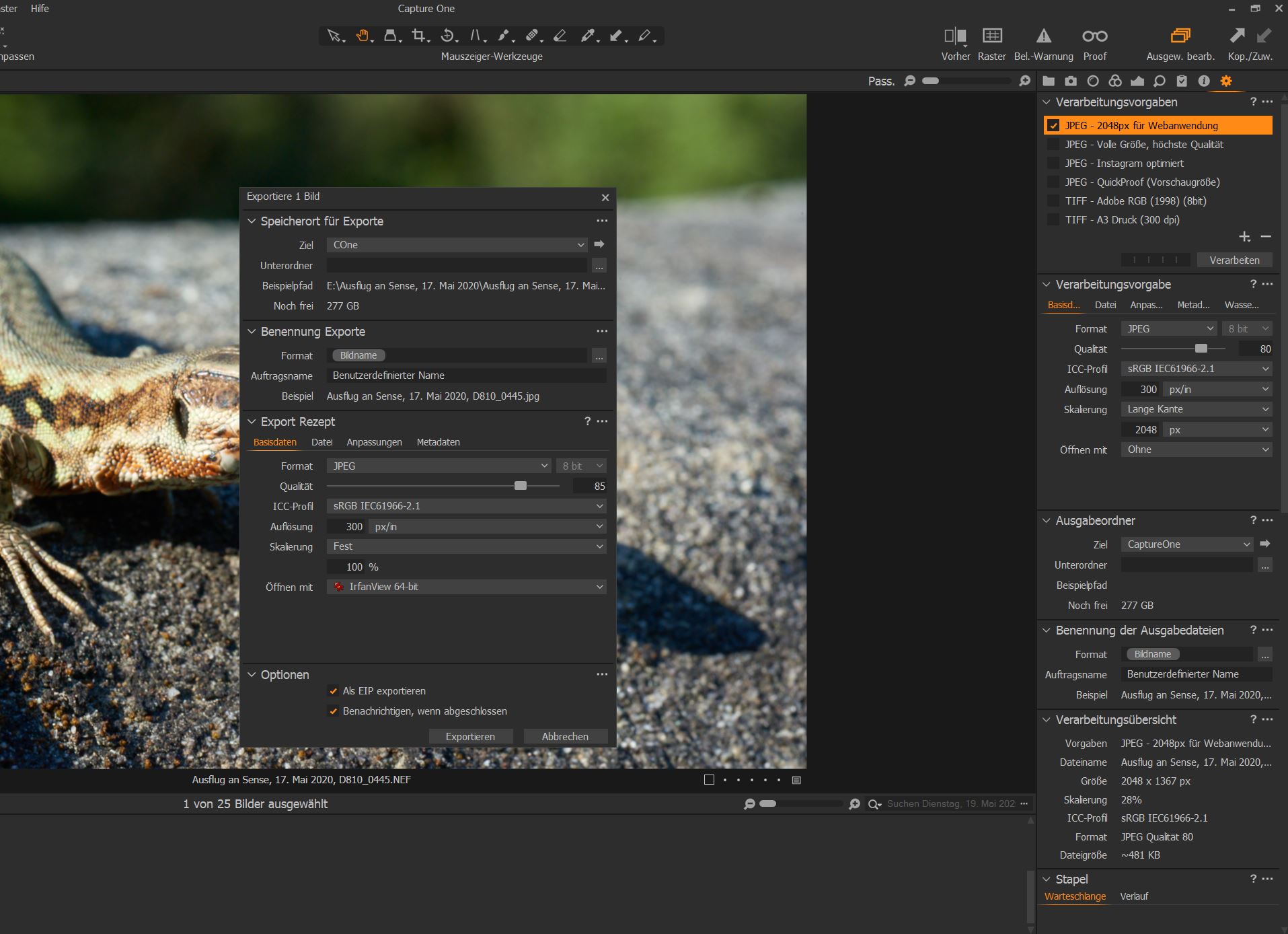 0
0 -
Here the viewer settiings:
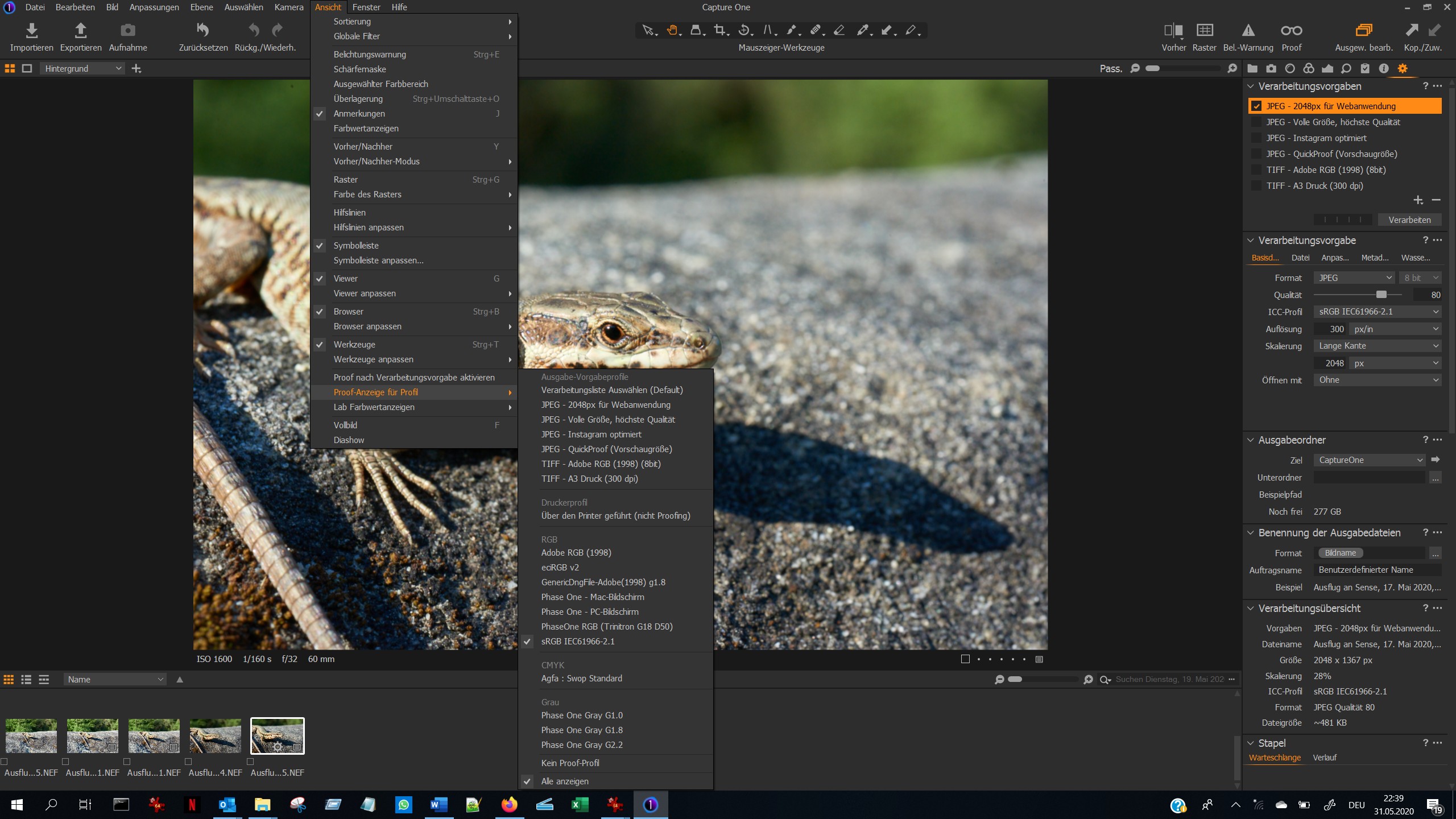 0
0 -

I've had basically the same problem, and there are more reports in https://www.reddit.com/r/captureone/comments/gnmzc9/capture_one_20_image_colors_looks_different_on/ -- try disabling hardware acceleration for processing. My exported image only had the correct colours when acceleration had been disabled.
0 -
FirstName,
On first sight the setting look ok, so I would follow Mike's advice and disable OpenCL n the preferences to verify if rhat solves the issue.
Mike,
Do you have this issue with all your images? Is it only NEF files? Are you on Windows too?
0 -
Hello Mike
Thank you so much! Switching off the hardware acceleration was the solution, see below.
I read that hardware acceleration means that C1 checks, if the exporting process was faster if the graphics card was used instead of the main processor. If so, C1 would use the graphics card. But unfortunately in my case this way of export changes the colors. Maybe the graphics card has some color settings relating to the monitor used, or it is simple a bug in C1.
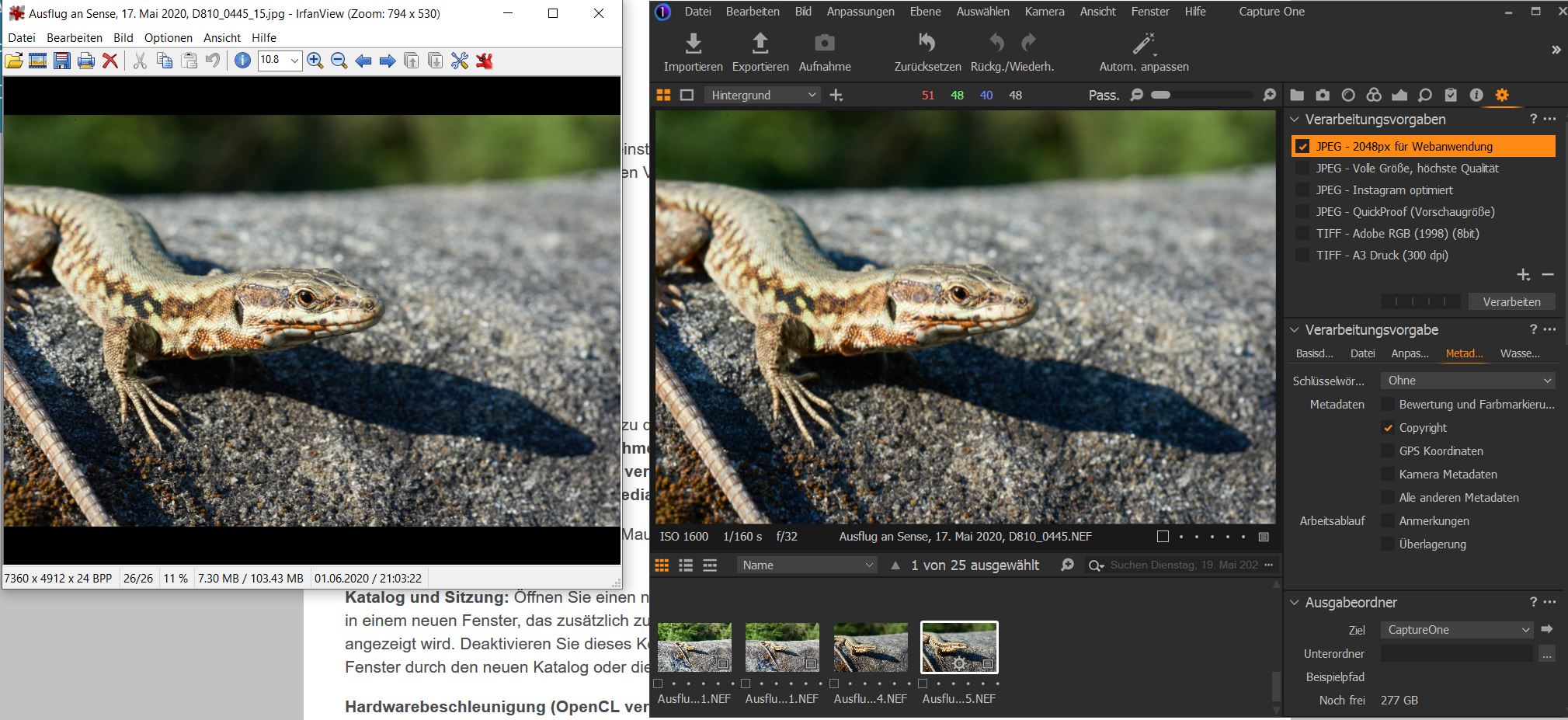 0
0 -
Or C1 uses a new function from opencl which is not correctly supported by your graphics card driver, maybe a check if you use the latest driver version and update eventually could help.
0

Post is closed for comments.
Comments
11 comments