Graphical glitch when using a brush

Hi folks,
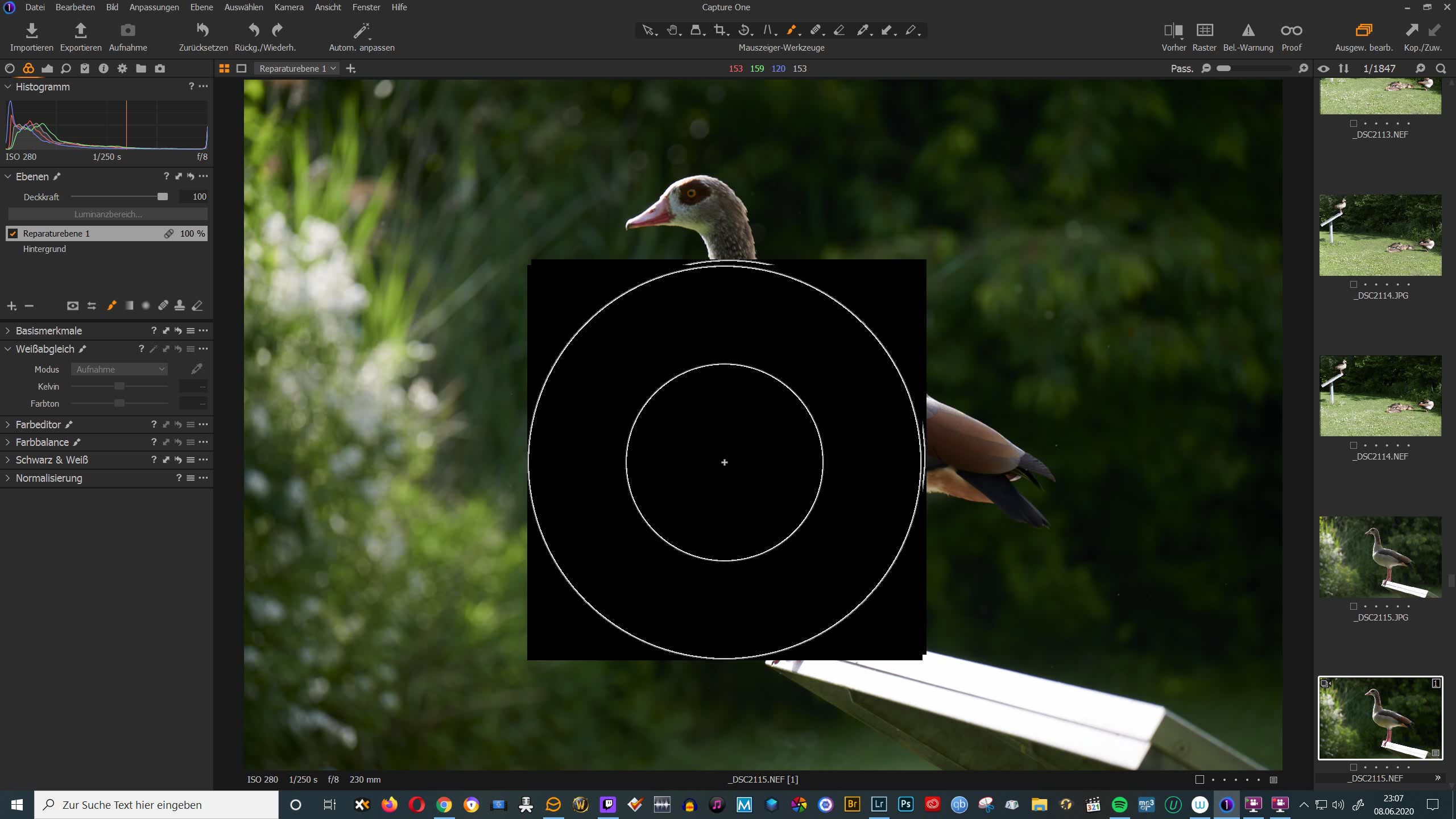
I just installed Capture One Pro (Nikon Edition) and I´m loving it so far. But I have an annoyiung graphical glitch when using the brush tool (see attached screenshot). The cursor turns into a solid black square with two concentric circles (I suppose it´s symbolising the brush size and feathering). Is there a way to get rid of this annoying behaviour? I hope so because otherwise I will have to use Lightroom again.
Kind regards,
Stefan
0
-
I've never seen that before! The first thing I would suggest is to go to Preferences and turn off hardware acceleration, then see whether the behaviour persist.
Ian
0 -

Try reinstalling your video card drivers.
0 -
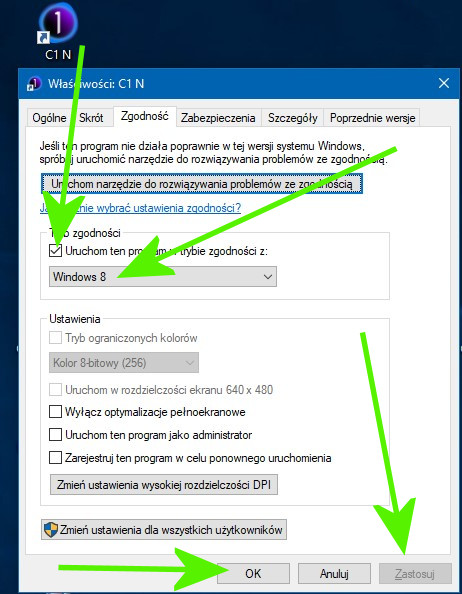
And I try to run the program according to Windows 8.
 0
0

Post is closed for comments.
Comments
3 comments