G7X II - Color issue : is there any custom ICC profile else than the one embeded into capture one

Is anyone have some source about an other custom profile ICC for CANON g7x II ?
With standard profile in capture one for G7X II, some colors are missing. Especially with over exposed tone.
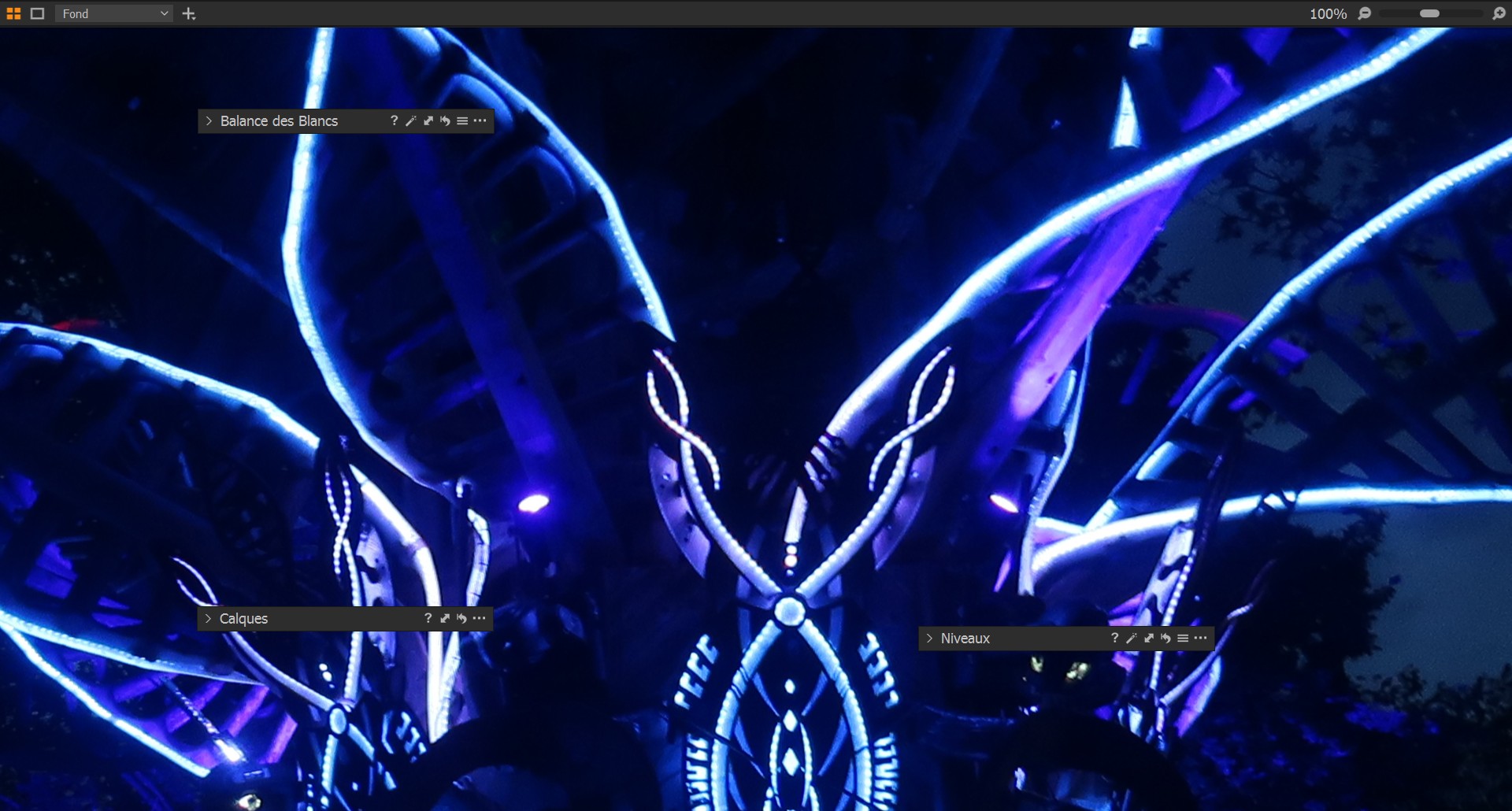
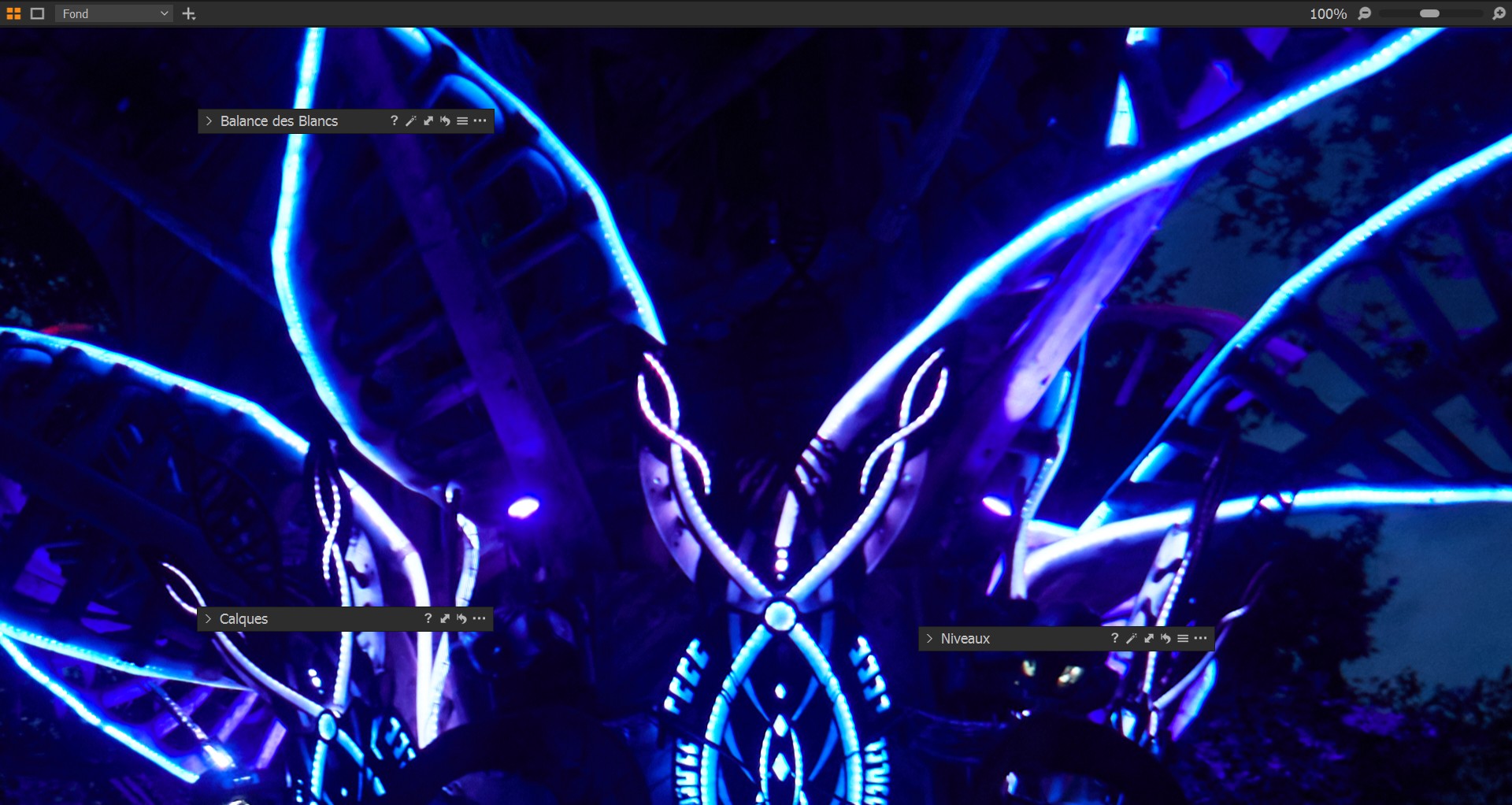
I have tried to calibrate with the color editor tool, but it's a kind of challenge to manage to get a tone change without alterate others colors. With JPEG I allways get more colors and more subtile transitions. Colors shades look wider on JPEG produced by the camera.
In Capture One, colors transitions are rough too much and over exposed tones are mismatching
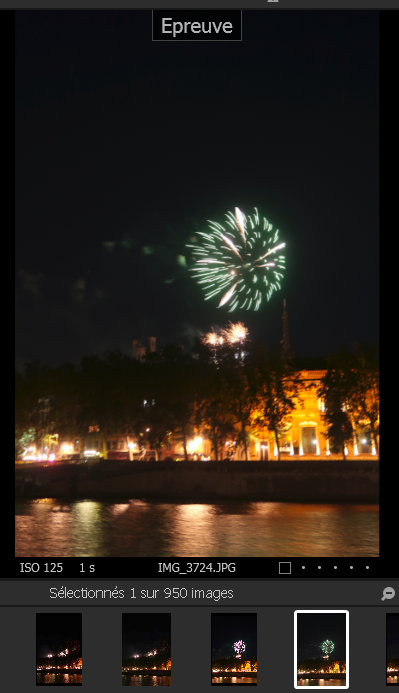
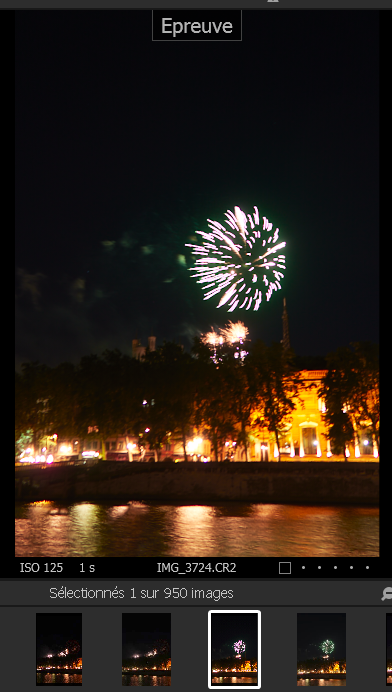
I joined some sample JPG VS RAW in C1. On fireworks picture, green almost look red
I notice that I don't meet this problem in Lightroom. Then I defintely guess for a ICC problem
Probably using a target like XRite would solve this issue, but it's quiet expensive and I wanted to explore others solutions before to switch on this possibility.
I'm quiet sure it would be possible to just import a custom ICC profile in C1 to solve my issue. Cuz when I select some others Canon camera profile, colors rendering look slightly better
Please help !!
-

Try changing the curve from Auto to Linear in the Base Characteristics tab. This will reduce contrast and allow you more headroom to adjust the image.
Ian
0 -
Hi thank you for your reply
I'm already in linear curve by default. I even tried to unload all profiles and set up "no color correction" in order to get a totaly flat profile. But nothing can help but to select another camera profile (mostly the G10 profile). That is better but still not correct
On the firework sample, if I'm pulling down exposure and/or contrast. The white turn to red. While in Jpeg and real life it wasn't red but green as you can see on sample. And that is the same for every high lights : high Blue look purple and high green look red. Moreover when I have a midle purple moving into high blue, then so I get only purple on all along the curve.The blue totally disapear.
I get this only with overexposed tone, picture with high contrast, bright clouds, light, shine, .... . In midle range and shadow, colors are correct. As this problem isn't general but localized on high level only, then, of course, I can't play with white balance that affect colors overall. I don't want to play with dodge and burn and layer to correct this. That would be a terrible long process. I tried to give my raw sample to another person who own capture one, he got the same problem. But when we are switching on his Lightroom soft, then everything goes well and all colors look corrects
I saw on a post that a guy managed to solve this issue with a Xrite target and a color calibration soft. He produced a costum ICC profile and everything went better after.
Then I'm wondering this, isn't it possible to find and download a sort of ICC bank on internet ?
0
Post is closed for comments.
Comments
2 comments