V 9.1 is crash prone

Downloaded 9.1 und tried to change some keyboard shortcuts. Crashes all the time, can´t switch the viewer off and on. Thank you very much. You should consider staying with v. 9.0.x until the new version is mature and stabil.
0
-

This is a very broad comment without much detail and helps no one. I certainly can't repro here from the description.
Please contact support to work through and verify your issue.0 -

[quote="ThomKlim" wrote:
Downloaded 9.1 und tried to change some keyboard shortcuts. Crashes all the time, can´t switch the viewer off and on. Thank you very much. You should consider staying with v. 9.0.x until the new version is mature and stabil.
I have not seen either of these problems on my system. 9.1 has been operating smoothly and without any problems and I have been able to change some keyboard shortcuts without issue. Perhaps there is some other issue on your system or perhaps it is machine dependent but, so far, I have been very pleased with the 9.1 update on my system.
I have even been able to restore OpenCL to Auto (although I don't know if this will last).0 -
Not seen this on my machine in beta testing or on final code.
Please report the problem with your system OS and hardware details.0 -
I've just downloaded 9.1. The upgrade to my catalogs seemed erratic and all my images have now disappeared from the catalog, except the last import. Library Tool no longer shows Library and when I tried to add it back the app crashed! Not good. 0 -

Downloaded 9.1 und tried to change some keyboard shortcuts. Crashes all the time, can´t switch the viewer off and on.
Both of those things work without any issue here.0 -

[quote="Justin" wrote:
I've just downloaded 9.1. The upgrade to my catalogs seemed erratic and all my images have now disappeared from the catalog, except the last import. Library Tool no longer shows Library and when I tried to add it back the app crashed! Not good.
Same behaviour here (or rather, it is just showing photos from 2016). App crashes when trying to add Library Tool back in. Woeful, simply woeful. Library handling was flaky in v9.0.1, so I was excited to see that Phase One had overhauled it. As it stands, the situation is worse.
I am reverting to 9.0.1 and a backup library that I have on another drive, seeing as the v9.1 library is not backwards compatible.
Dear Phase One, the 1990s called... they want their software testing methodology back 😉0 -

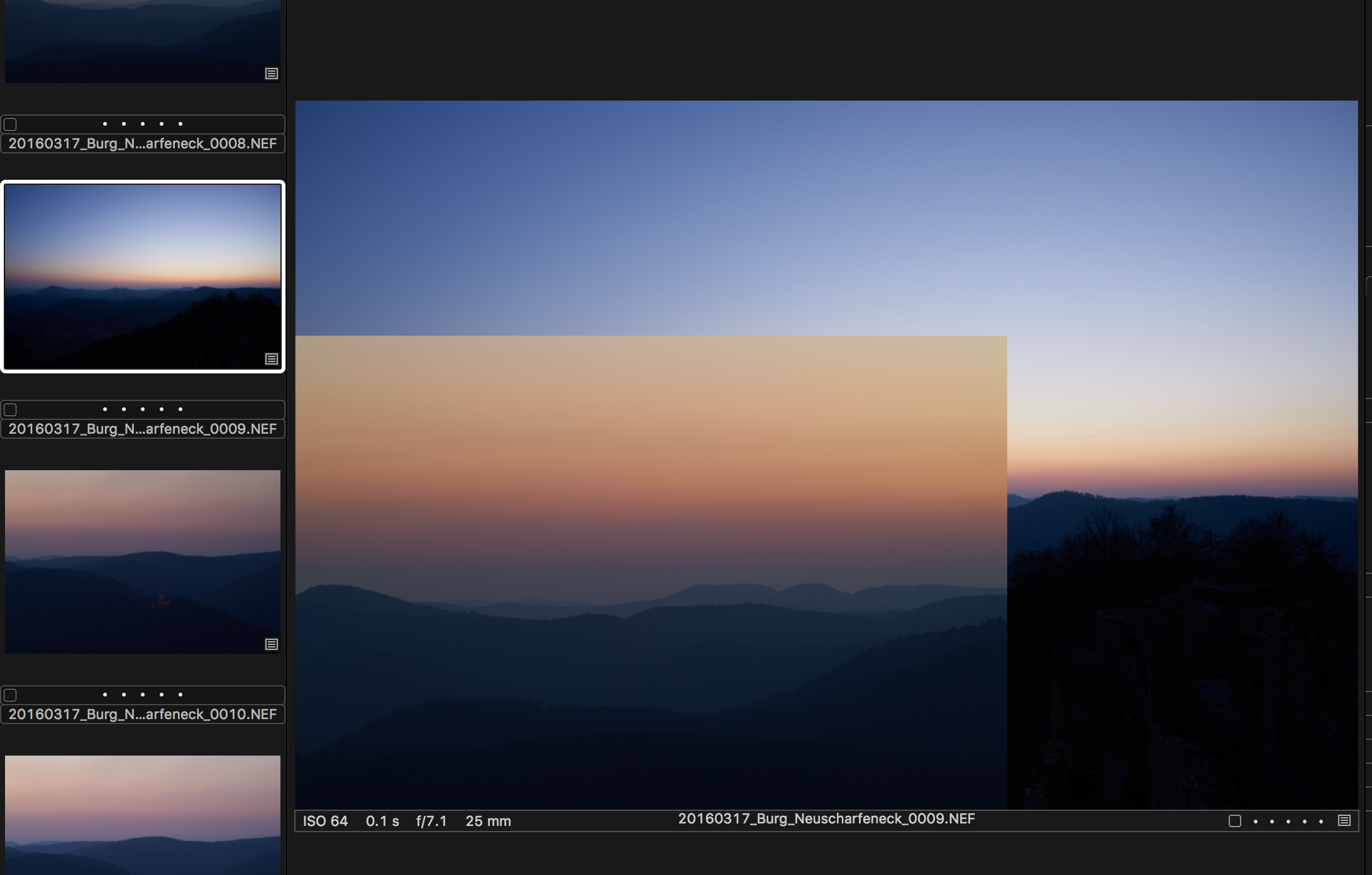
I have upgraded to version 9.1 on my top end MacBook Pro and played with a small session (33 images). It has not crashed yet but I noticed some sluggish performance with this icon spinning quite often while browsing through the images and slow down the scrolling process.
http://www.gp-photography.de/temp/Screen%20Shot%202016-03-17%20at%2021.20.01.png
Sometimes the display seems to screw up as well:
For now I am not going to update any existing sessions nor will I do this on my MacPro.
Peter0 -

Can't confirm any of the problems here, installed 9.1 and everything works as before. 0 -
[quote="Rick Evertsz" wrote:
Same behaviour here (or rather, it is just showing photos from 2016). App crashes when trying to add Library Tool back in.
Actually, I now realise that it didn't show ALL of the photos from 2016. It was just showing the User Collection that I was browsing when I last used v9.0.1 a few days ago. That's probably why Justin could only see Last Import; it may have been the collection he was viewing before upgrading to v9.1.
I hope this problem can be fixed quickly. I REALLY like Capture One, but it hasn't been very robust since v9.00 -
Thank you to Rick for confirming that you experienced exactly the same behaviour as me: the Library tool is missing from the sidebar after updating and opening a catalog with 9.1; only the last browsed User Collection is showing; adding the Library back to the sidebar causes an immediate crash of the app. 0 -
This might be a good time to remind everyone to be sure to have a fully up-to-date backup copy of their catalogs before attempting an upgrade, in case they need to revert to an earlier version, as I have. The catalog update in 9.1 makes updated catalogs unopenable by earlier versions of CO. 0 -
Thank you to Rick for confirming that you experienced exactly the same behaviour as me: the Library tool is missing from the sidebar after updating and opening a catalog with 9.1; only the last browsed User Collection is showing; adding the Library back to the sidebar causes an immediate crash of the app.
Sounds like it might be a Workspace issue. Try Window > Workspaces > Default (or one of the other ones if you are using the default already) and see if that shows the Library tab.
The images are all likely still there, it's just without a Library tab you can't navigate to them (obviously).0 -
[quote="meanwhile" wrote:
Sounds like it might be a Workspace issue. Try Window > Workspaces > Default (or one of the other ones if you are using the default already) and see if that shows the Library tab.
The images are all likely still there, it's just without a Library tab you can't navigate to them (obviously).
Good suggestion, but changing Workspace was the first thing I tried. I started with Default and then moved through them all, including the old v8 ones. No use; the Library Tool didn't appear. That's when I tried adding it manually (a few times) and the crashes ensued.0 -

[quote="Justin" wrote:
This might be a good time to remind everyone to be sure to have a fully up-to-date backup copy of their catalogs before attempting an upgrade, in case they need to revert to an earlier version, as I have. The catalog update in 9.1 makes updated catalogs unopenable by earlier versions of CO.
C1 has, historically, made copies of relevant files to retain the old version when a database file update has been required. Has that not been the case this time?0 -
[quote="SFA" wrote:
C1 has, historically, made copies of relevant files to retain the old version when a database file update has been required. Has that not been the case this time?
Not that I could see. Certainly not in the same directory as the upgraded library. Nothing in the backup directory either.0 -
[quote="Rick Evertsz" wrote:
[quote="SFA" wrote:
C1 has, historically, made copies of relevant files to retain the old version when a database file update has been required. Has that not been the case this time?
Not that I could see. Certainly not in the same directory as the upgraded library. Nothing in the backup directory either.
Interesting.
I use sessions. And Windows.
I decided to check after your comment and sure enough the session I am currently working with - the only one I have opened with 9.1 so far - has a backup session DB. In fact it has two for some reason.
I would be very surprised if the same principle had not been applied to catalogues and Macs.
Maybe in a Mac hidden directory? (I know almost nothing about Macs. It's the best part of 20 years since I last had to use one.)
Grant0 -
[quote="SFA" wrote:
I decided to check after your comment and sure enough the session I am currently working with - the only one I have opened with 9.1 so far - has a backup session DB. In fact it has two for some reason.
I presume 9.1 creates backups according to user preferences, just like earlier versions. Didn't test it (because of the Library Tool crash). I believe that SFA was referring to the creation of a 9.0 compatible version BEFORE the database was upgraded to 9.1. This did not appear to happen. My backup directory just had the last backup from 4 days before I installed 9.1. I therefore concluded that it had not created a 9.0 backup. There was no dialog offering the option to backup before the database upgrade either. I knew I had a backup on another drive, so I went ahead with the 9.1 upgrade without creating another backup manually.0 -
[quote="Rick Evertsz" wrote:
[quote="SFA" wrote:
I decided to check after your comment and sure enough the session I am currently working with - the only one I have opened with 9.1 so far - has a backup session DB. In fact it has two for some reason.
I presume 9.1 creates backups according to user preferences, just like earlier versions. Didn't test it (because of the Library Tool crash). I believe that SFA was referring to the creation of a 9.0 compatible version BEFORE the database was upgraded to 9.1. This did not appear to happen. My backup directory just had the last backup from 4 days before I installed 9.1. I therefore concluded that it had not created a 9.0 backup. There was no dialog offering the option to backup before the database upgrade either. I knew I had a backup on another drive, so I went ahead with the 9.1 upgrade without creating another backup manually.
Usually it's a file with a revised extension saved in the current folder - not a backup folder as one might think of a backup run for system purposes to external storage. Typically in Windows it is the earlier DB file with .backup added to the end of the name. Both catalogues and sessions are dealt with the same way.
I assume that both files in the folder would then be picked up and dealt with by a regular MAC system backup.
HTH.
Grant0 -
[quote="SFA" wrote:
Usually it's a file with a revised extension saved in the current folder - not a backup folder as one might think of a backup run for system purposes to external storage. Typically in Windows it is the earlier DB file with .backup added to the end of the name. Both catalogues and sessions are dealt with the same way.
I assume that both files in the folder would then be picked up and dealt with by a regular MAC system backup.
Hi Grant,
I appreciate your input. Just to be clear, no backup has been created, either on my system disk (in the default C1 backup location) or on the drive where my C1 catalogs and referenced files are held. No .cocatalog files, no files with a .backup extension. There was no prompt to create a backup before the catalog was upgraded, there was no progress dialog showing a backup being created. But this is a side issue. Yes, it would be nice for C1 to prompt you to create a backup before upgrading the catalog, but the real problem is that the upgraded library is not handled properly by 9.1. You are stuck in the collection that you were viewing in 9.0.x, and you cannot navigate out of it because showing the Library Tool crashes the program.0 -

Did you look inside the catalog file? I cannot reproduce your problem, so I suspect you haven't looked the right place. 0 -
We are working hard fixing the issues some users are experiencing on 9.1.
In the meantime, please see this thread: viewtopic.php?f=61&t=22369 (please remember to read James' comments as well!)0 -
[quote="Christian Gruner" wrote:
We are working hard fixing the issues some users are experiencing on 9.1.
In the meantime, please see this thread: viewtopic.php?f=61&t=22369 (please remember to read James' comments as well!)
Doesn't help, unfortunately. Reverted back to 9.0.1 again. All fine with that version.0 -
[quote="Christian Gruner" wrote:
Did you look inside the catalog file? I cannot reproduce your problem, so I suspect you haven't looked the right place.
Not sure what you mean by "look inside the catalog file". Opening the catalog file in 9.1 shows no Library Tool. Iterating across all available workspaces doesn't help. Adding the Library Tool crashes C1. Deleting .plist files doesn't help either. Reverting back to 9.0.1 allows the catalog to be navigated normally.0 -
You can not just delete the prefs - they will restored from the OSX cache daemon running in the background.
After delete, restart the mac, or do the delete from the terminal (see the uninstall KB). If you have old 8 prefs it might be an idea to delete these also - just to make sure nothing migrates.0 -
On Mac, as I havent used COP since v6 on Windows, I have found that each version of 8 and now 9 has improved stability. The cataloguing is now much faster and more resilient. It still isnt as easy or fast as Lightroom but is is getting there.
Once this is cracked then COP will be much better than Lightroom as it will have all the tools I need except for the most extensive or difficult edits.
Personally I cant wait for this (speed of cataloguing equality) to happen as it will make my life a lot easier.
I wonder if there are conflicts with other software and preferences when people are complaining about COP being more crash prone.0 -
[quote="Jim_DK" wrote:
You can not just delete the prefs - they will restored from the OSX cache daemon running in the background.
True, but deleting from Terminal doesn't solve the problem. There is still no Library Tool. Adding it crashes C1.0 -

@Rick Evertsz Personally, I didn't experience the issue with the Library tool, thankfully. However, not quite sure I'm following what you mean by; You are stuck in the collection that you were viewing in 9.0.x, and you cannot navigate out of it because showing the Library Tool crashes the program.
Once a catalog has been upgraded to 9.1, C1 should be refusing to open it in any version prior. If it still tries to open it, then yes, something seems to have gone wrong during the upgrade. Maybe you could try creating a new catalog and importing the old one into it?
One way to do it would be to click the application icon and then immediately press the alt/option-key while C1 is launching. That will bring up the catalog selector, from where you'll also be able to create a new catalog. Once the new catalog is open, try to import the one you were having trouble with...0 -
Before I would do that (re-import everything into new catalog) I would just try to start a new catalog, so that the application launches without issues, and then from there verify and repair the old catalog (under the "File" menu). You can select which catalog file you want to repair, just click on your old catalog then. 0 -
[quote="dredlew" wrote:
@Rick Evertsz Personally, I didn't experience the issue with the Library tool, thankfully. However, not quite sure I'm following what you mean by;You are stuck in the collection that you were viewing in 9.0.x, and you cannot navigate out of it because showing the Library Tool crashes the program.
Once a catalog has been upgraded to 9.1, C1 should be refusing to open it in any version prior. If it still tries to open it, then yes, something seems to have gone wrong during the upgrade. Maybe you could try creating a new catalog and importing the old one into it?
One way to do it would be to click the application icon and then immediately press the alt/option-key while C1 is launching. That will bring up the catalog selector, from where you'll also be able to create a new catalog. Once the new catalog is open, try to import the one you were having trouble with...
The situation is quite simple. Apparently I haven't been able to explain it properly:
1. In 9.0.x, view a collection, then quit.
2. Install 9.1, open the same catalog.
- all you see is the contents of the collection you were viewing in 9.0.x
3. Try to view a different collection (under the Library Tab).
- oh dear, there aren't any collections to choose from!
- where did they go?
- oh look, there is no Library Tool, so that's why I can't see any other collections
4. Try different workspaces, maybe one of them will show the collections in the catalog
- nope
5. Ok, add the Library Tool in.
- oh dear, crashes.
6. Uninstall 9.1, install 9.0.x, open a COPY of the catalog (i.e. before C1v9.1 upgraded it)
- everything is back to normal, there are my collections with 1000s of photos
7. Verify the catalog
- C1v9.0.x reports "Database verification OK"
Hope that's clear. I'd try the import catalog idea, but I've spent far too long on something that is clearly buggy. I'll just keep working in 9.0.1 for now and await an update that claims to fix this problem. If I get some spare time, I'll try importing into an empty catalog in 9.1, but for now, I've had a gut full of trying to troubleshoot this. To be honest, my patience has worn thin after the problems with 9.0.1 catalog corruption (basically, if C1 crashes, the catalog is left in an inconsistent state and usually cannot be re-opened). I now backup every time I quit C1.0 -
[quote="EnderWiggins" wrote:
Before I would do that (re-import everything into new catalog) I would just try to start a new catalog, so that the application launches without issues, and then from there verify and repair the old catalog (under the "File" menu). You can select which catalog file you want to repair, just click on your old catalog then.
Might try that later, when I get time. Note my reply to dredlew; the catalog verifies fine under 9.0.1. Maybe the upgrade did something and it won't verify under 9.1. Hopefully, they'll sort this out before I have to spend more time on troubleshooting 😊0
Post is closed for comments.
Comments
39 comments