Naming on Import loses photos

When I Show Package Contents in the finder, I can dig down and find files that have been imported with the new naming preset, but are missing the .CR2 extension.
Occasionally when I revert the naming preset back to "Image Name" only, I am able to import files. But it messes up my naming hierarchy.
Does anyone else experience this?
David
-

are you using a renaming-scheme which puts dots in the name?
look here:
viewtopic.php?f=71&t=27648
viewtopic.php?f=71&t=277040 -
Thankyou! Will try that. 0 -

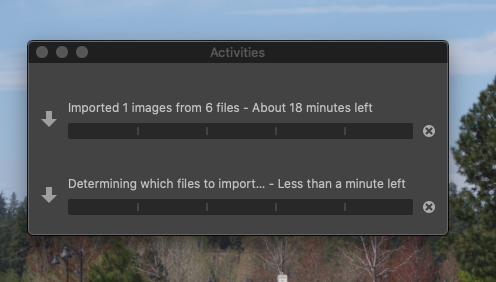
I've been getting the same "determining which files to import" message, but it happens on all the files on my Fuji GFX 100s. This is recent, and now instead of taking a short time to upload the images it takes several minutes, even for one or two images.
 0
0 -

Do you have checking for duplicates enabled on import processing?
0 -
Piet - in my instance the problem was using periods to make the date numbers in the file name readable (ie YYMMDD.HHMMSS format, or 210407.094439). I switched to using underscores and hyphens and the problem stopped.
0 -
The Duplicate check is not enabled. I restarted my computer, and that helps, but only briefly, then its back to SLOW again. Just now, I'm importing 6 images, and the import window says 18 minutes, just like the one from yesterday. As I said this is new, it wasn't happening last week, maybe it has to do with the new OS update?
0
Post is closed for comments.
Comments
6 comments