Neon/Fluro colours

Has anyone found a way, while shooting in C1pro, to keep neon/fluorescent colours in clothing/accessories bright and vibrant?
Im applying basic exposure, contrast, saturation to clean up the image, but have never found a way to keep those colours bright, its always had to be done in post. I don't think its possible, just thought I would ask.
Shooting on Canon 1dx with latest version of C1 for mac.
Im applying basic exposure, contrast, saturation to clean up the image, but have never found a way to keep those colours bright, its always had to be done in post. I don't think its possible, just thought I would ask.
Shooting on Canon 1dx with latest version of C1 for mac.
0
-

I observed a similar behavior a couple of years ago. Shooting a rider on an equestrian event, wearing a bright, pale, neon fluorescent green jacket with a Canon 1Dm3. RAW and out-of-cam JPEG couldn't capture that color.
It wasn't limited to the 1Dm3. Others (quite a collection of different DSLRs, compacts and smartphones) didn't do it either. It seems to be a problem to capture these special colors. We would have liked to see a digital back trying.
Accepting the fact, that CO cannot preserve a color the camera doesn't capture, I didn't try to bring the color back. Anyway, there was nothing special to these images but the color of the jacket.
Regards,
Hans0 -

[quote="Jason231" wrote:
Has anyone found a way, while shooting in C1pro, to keep neon/fluorescent colours in clothing/accessories bright and vibrant?
Im applying basic exposure, contrast, saturation to clean up the image, but have never found a way to keep those colours bright, its always had to be done in post. I don't think its possible, just thought I would ask.
Shooting on Canon 1dx with latest version of C1 for mac.
My experience is that flueros are almost 2-full stops over exposed vs. regular exposures. Something about the reflective nature of those colours. As a digi-tech working on alot of fashion e-commerce, we used to have to export the file twice, once at "normal" exposure for skin, then one with the exposure pulled down 2 stops for the fluero... then brush the 2 files together in post.
Hope that helps.0 -

A little thread necromancy here but it might help some people understand what is going on.
Safety clothing generally has 2 elements:- Retroreflective areas (silver/grey) that reflect light back towards its source, these are the key to safety at night when (EG) car headlights might be in use.
Fluorescent areas (bright/neon colours) that convert ultraviolet light from sunlight into visible colours that we can see. They also reflect light as normal so they are literally glowing (= dayglow).
So the problem is that the fluorescent areas are actually emitting more light than falls on them and messing up the metering. I don't have a solution but you might be able to do something by treating it as some kind of HDR image.0 -

A small amount of flash light would work - perhaps too well though.
If you are shooting in a studio you may be able to control things.
In variable outside light it may be trickier.
I have yet to find a full proof one-stop "fix" that comes even close to resolving a majority of situations. Local adjustments and masks seem to be the only solid option.
Masking by colour alone will tend not to work with day-glo orange (without specifically apply a very local mask) because the selected colour range required is very likely, in most images, to exist in other "colours" . Fluorescent yellow usually has the same problem.
If anyone has a way around this I too would be interested to hear about it.
HTH.
Grant0 -
Hi, I have just found a way:
1. By using the magic brush mark a good sample of the appropriate area of colour.
2. Reduce brightness by about one stop.
3. Increase saturation to almost full.
4. Raise the amount of mangenta to the appropriate level according to taste.
5. Clear areas using by correcting the mask.
See examples enclosed (before and after correction).
Camera used: Olympus E-M1.2
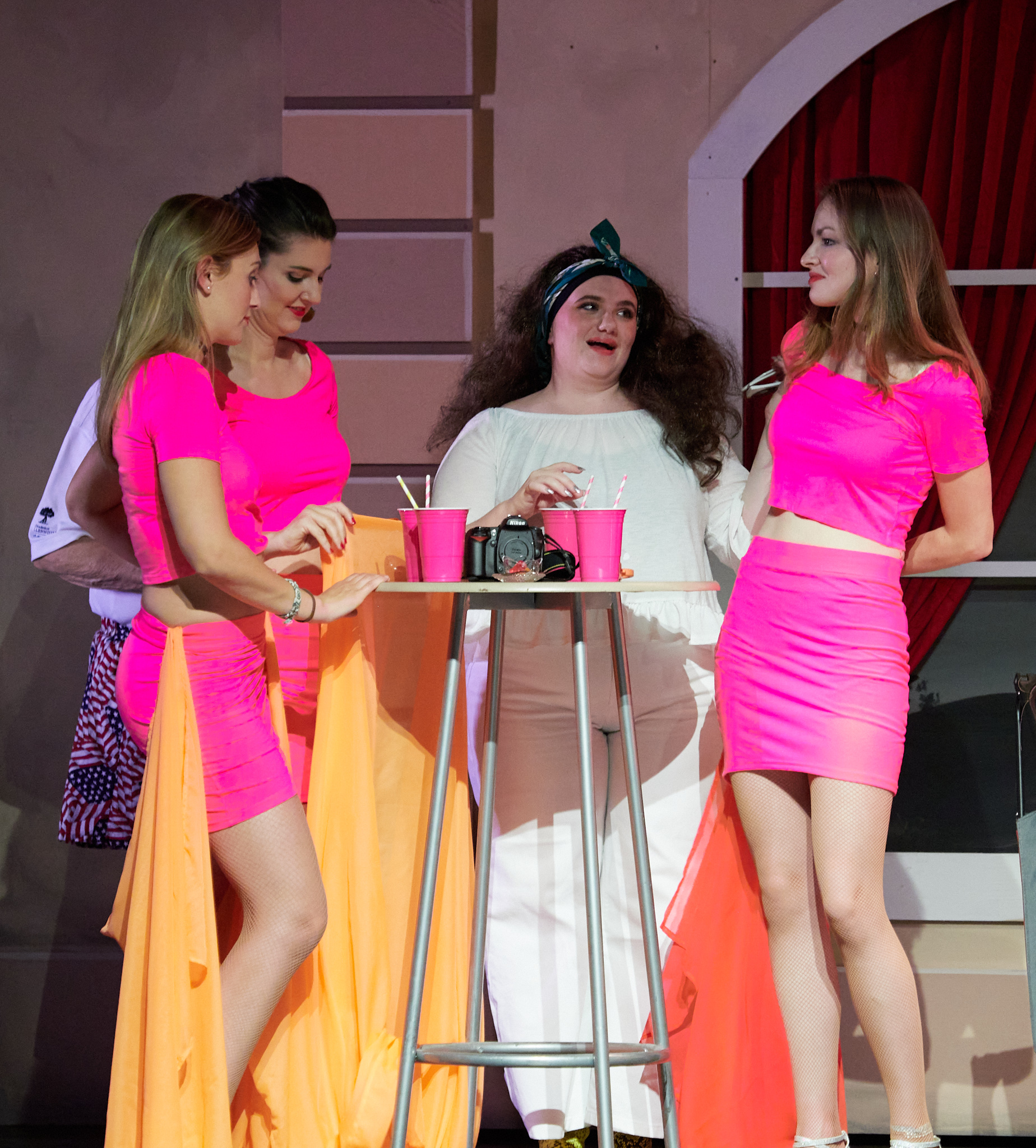
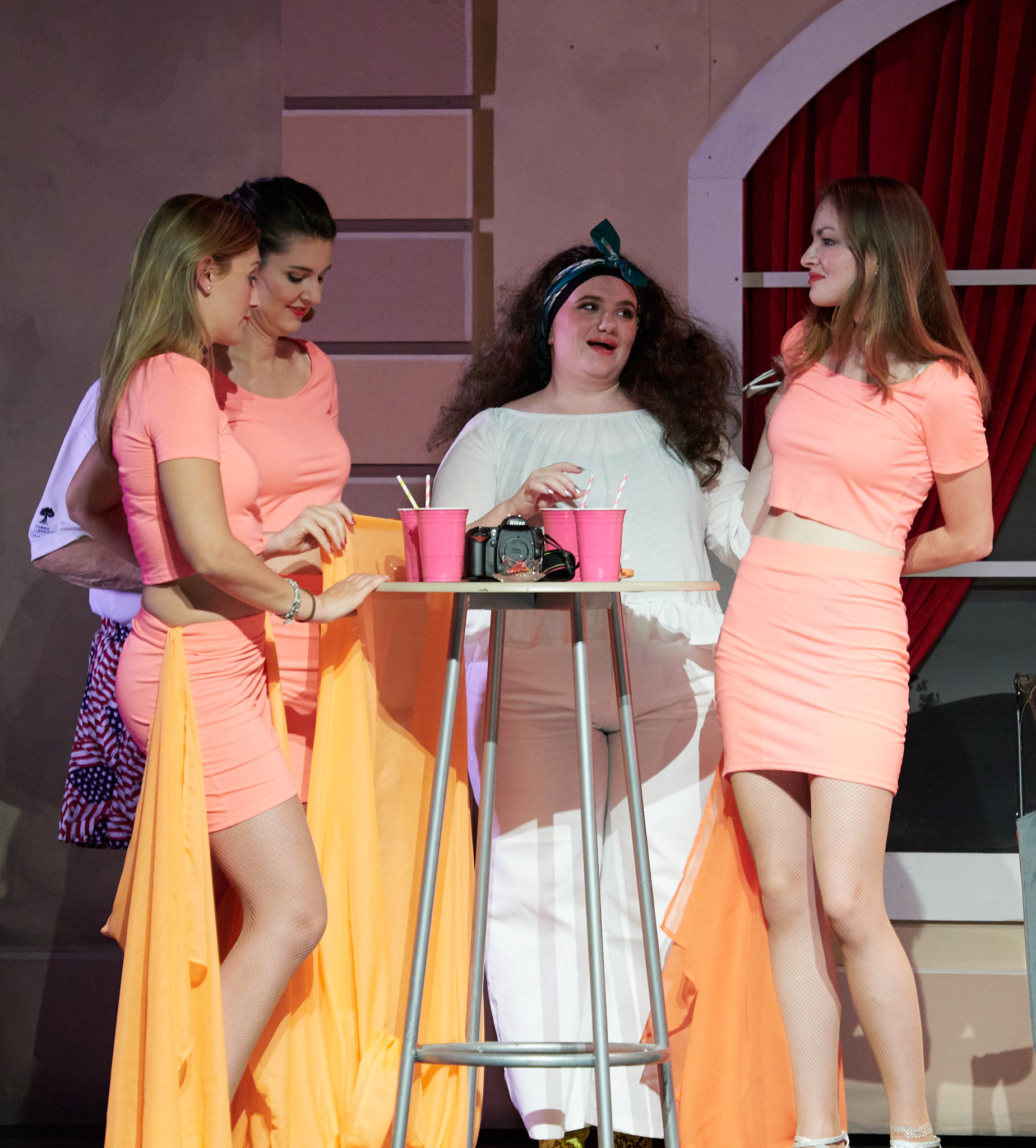 0
0
Post is closed for comments.
Comments
5 comments