sometimes icons are blue

Could any one possibly explain why some tool icons sometimes render blue? Is this just a bug - assuming so as seems to have little bearing on whether a tool is active or not but if anyone knows otherwise?
0
-

Hello,
The blue icons is the funniest thing. Leaf Capture used to have this issue and Capture One never had this issue until they acquired Leaf and added support for Leaf in Capture One!
To fix the preview, it is best to quit Capture One, find the associated preview in CaptureOne/Cache/Proxies/xxx.cop and delete it. When you relaunch Capture One and go back to the folder with the image, Capture One will see the image preview missing and will recreate it, hopefully without the blue cast.
Sometimes adding a drastic color temperature change then returning it to the initial level forces Capture One to recreate preview. I have had mixed results with this one though.
Jim0 -

Hmmm... I remember this being an issue related to the Mac OS' Univeral Access settings. I can't quite recall the exact setting but somewhere in Universal Access was a setting that put a Blue Box around icons and highlight there color. 0 -

Still around... see the import icon. Turns up from time to time in other icons on my Mac mini M1 but only in C1.
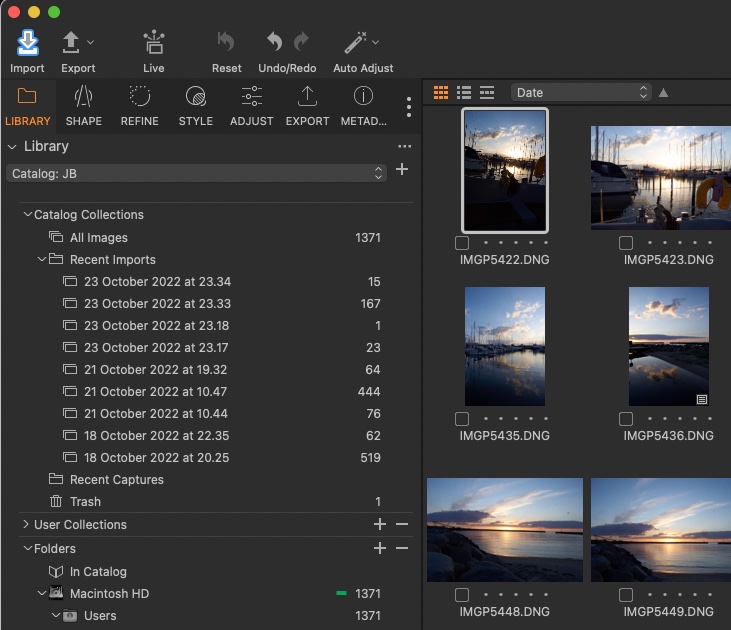 0
0
Post is closed for comments.
Comments
3 comments