error when edit in photoshop

I edit in PS but when I try to save I get error (program error). Won't save edit.
Any fix??
-
What does the error message say? And I wonder whether it is a problem with Capture One or with Photoshop.
Ian
0 -
The error says:
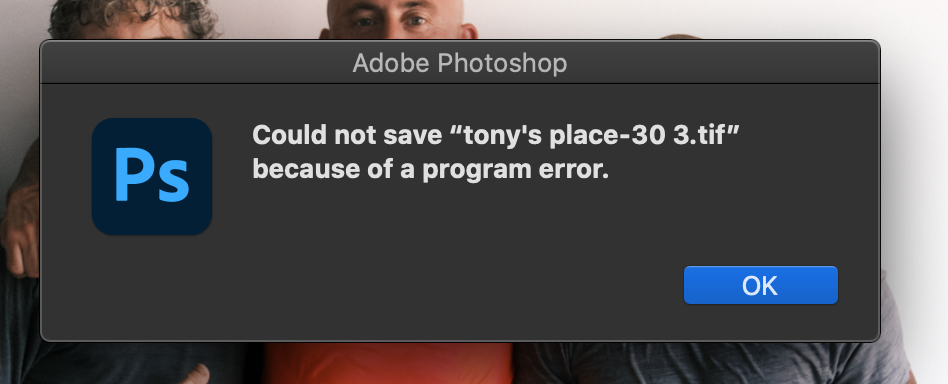
ERROR BOX SAYS: "Could not save “tony's place-30.tif” because of a program error."
Works if I edit from Lightroom or open a file in PS but not from Capture One.
In Capture One I right click on a raw file (any file) -> select edit with PS. -> PS opens, I make the edits -> I hit save and as the save bar in the lower left complete the error pops-up with "Could not save “tony's place-30.tif” because of a program error." With “tony's place-30.tif” being the random file I was editing.
0 -
 0
0 -
Again... as I mentioned before this only happens when I edit from Capture One. And only with PS (latest).
This DOES NOT happen if I edit in DXO or Topaz. Seems to be a PS capture one communication issue.
0 -
OK... I seemed to of fixed it. Closed everything down and RESTART the computer. DUH... Action of last resort. Thanks.
0 -

This did not work for me.
0 -

Thanks Joseph; it worked for me.
I had the same issue. What I did before restarting the computer was to allow Photoshop accessing files and folders in Security/Privacy settings. I actually gave it full disk access. Then rebooted.
0 -

I have the same problem, the only thing I can do is 'Save as' with a different name or or save a copy, so I'm filling up my computer with useless files, every time I edit.
It would seem Capture One is accessing the file before Photoshop gets a chance to finish writing. Very annoying!
I already gave permissions and rebooted several times, no luck
0 -
has someone from capture one fixed this. this such a nuissance for a software of this kind
0

Post is closed for comments.
Comments
9 comments