Drawing masks: Brush tool with Flow <100 has fundamental "scattering" issue?

Hi.
When using the brush with a relatively hard edge, the mask gets silly patterns.
Is it just on my system or can you see this behavior too?
100% view:
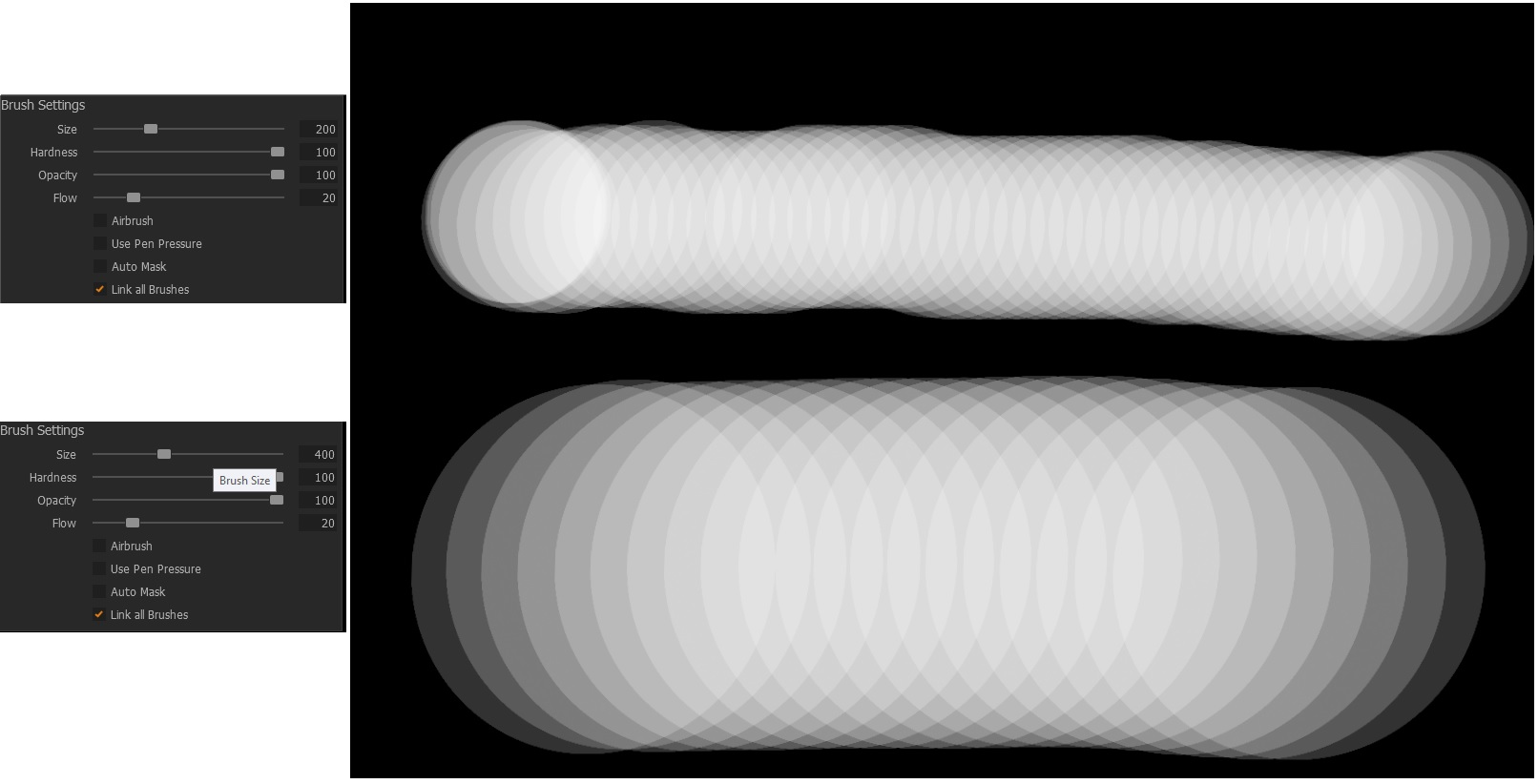
Go down with hardness and the efffect is less obvious:
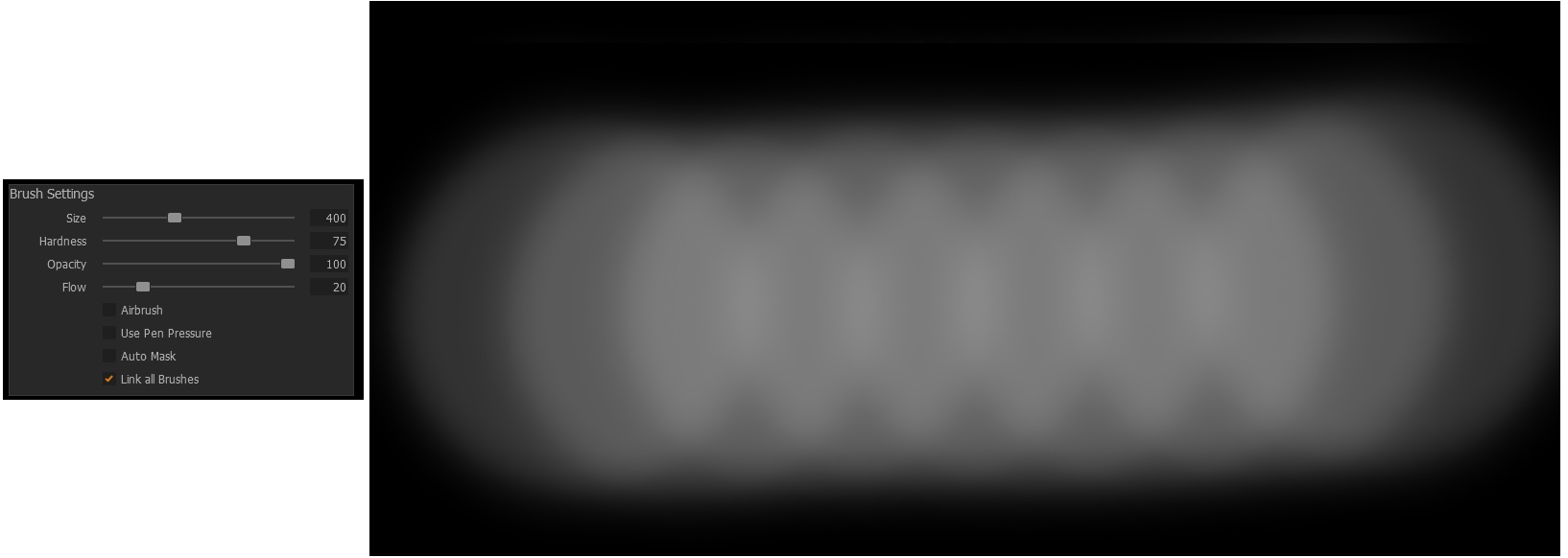
Win10, with or without OpenCL, with mouse and also with Wacom pen, fast or slow brush movements don't massively influence the effect.
-
Does this matter in real work? I would say it depends. Even if it is not obvious right away depending on adjustment and image content, I consider it not desirable that the brush has this effect build in.
For effects, I would rather go to Affinity or PS etc.
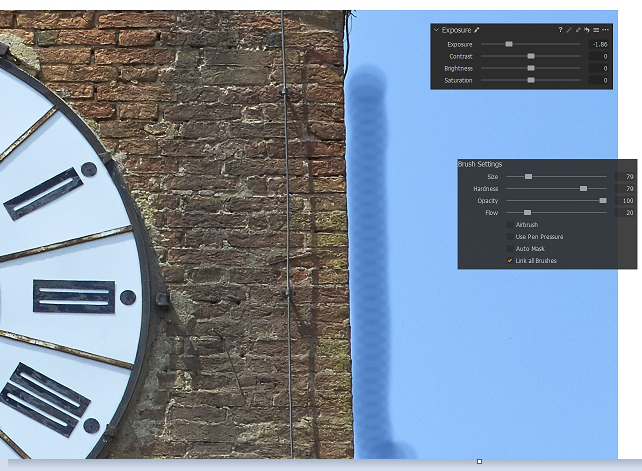
Sure, the following example may not be the ideal way or how I would typically mask a blue sky but it shows the effect.
 0
0 -
Yes, I can see the same effect. (MacOS Catalina). I don't see it if I turn flow up and opacity down, so it seems to be just a flow thing. Of course with low flow, I would typically be brushing repeatedly over the same area to build up the mask to the required density, which hides the effect to some extent, but looking at a greyscale mask, I can see it. Something isn't right!
Ian
0 -
It looks like the sort of effect you could get in Photoshop with the brush Spacing set wrong for your purpose.
Ian
0 -
Thanks Ian.
Yes you're right, we often don''t see it, or don't attribute a 'failed' brush attempt we don't like to this effect. But something isn't right, yes.
Many of us are keen to keep tonal values and histograms 'intact', we buy expensive cameras and work with 16bit tiffs etc. etc., and then C1 offers us a scatter tool instead of a nice flow.
regards
BeO
0

Post is closed for comments.
Comments
4 comments