Auto Crop on all pictures

I import my pictures normally but since 20.2 or so, they all are cut off at the sites. Some parts on the botton and top and left and right are missing. You can crop out later but you have to do this seperatly to every image. Can somebody maybe help?
-

Most likely it will be due to Lens corrections.
0 -
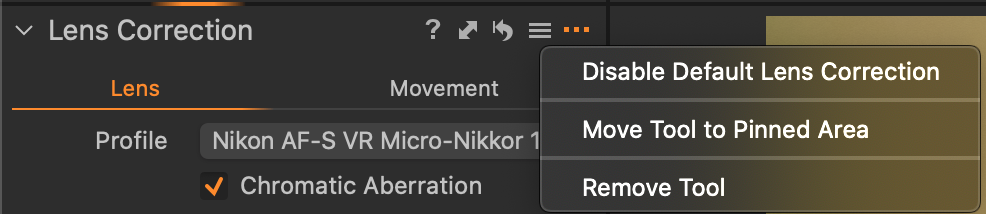
To add to what SFA says, you can turn off automatic lens correction if you click the ... on the Lens Correction tool. Tick Disable Default Lens correction. It won't affect already imported images, but it will stop new imports having the correction applied. But before choosing to do that, you might like to see whether images are better with the correction. It will vary with the camera and the lens, and typically there will be more correction applied for wider angle lenses. You can turn it off for any given images by just pulling down the slider to zero. You may or may not get unacceptable distortion as a result.
Ian
 0
0

Post is closed for comments.
Comments
2 comments