Smoothing the skin.

Hello!
He has questions for more advanced C1 users whether there is something like LR in C1 defined brush settings, e.g. skin smoothing,

and the second question, how do you set the parameters in the layer to smooth the skin nicely? or maybe you have a link to a tutorial on this.
-
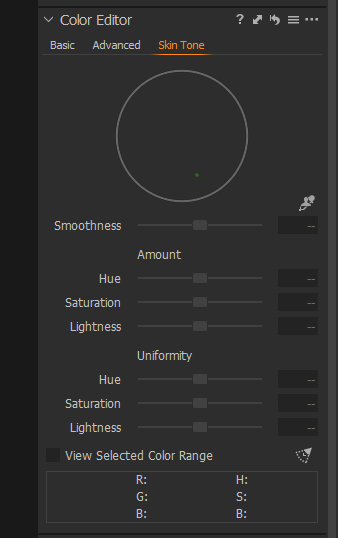
There is no such thing like a special brush with explitcite certain properties in C1. The adjustment brush is used only to define a mask, area and intensity, of a corresponding layer. It's the layer where you set certain properties which should be applied to the layer's mask. You can use almost every tool to adjust the layer's effect on the masked pixels/areas. For skin work the Color editor/Skin tone is probably a good candidate to adjust or equalize hue, saturation or lightness.
To get rid of freckles, pickels and such, you can use a heal or clone layer, heal is better.
For more serious skin retouching, you're probably better off with PS or Affinity.
The learning resources are comprehensive, especially look for recorded webinars.
0 -
Thank you for your answer!
I mean smoothing because I can deal with color.0 -

Under the Colour Editor you can smooth skin, use the uniformity sliders.
There is a tutorial from Capture One on youtube that should help, if not there are lots of other youtube videos out there on the topic.
https://www.youtube.com/results?search_query=capture+one+skin+tone
 0
0 -

Hi Bartek
Mark has pointed you at some tutorials for the Skin Tone tab which gives you tools that aren't available in LR. The brushes you have in LR I guess are just presets for the commands available under LR's local adjustment tab. If you want to soften the skin as in LR you just ned to use the similar tools that are available in C1. If you look at the adjustments that are applied to the brush in LR that will guide you. Probably negative clarity or negative detail enhancer (I think it is called that). Use negative clarity / structure in C1.
Hope that helps.
Ian
0 -
@Ians - Thank you for the hint, that's what I will do, Regards!
0

Post is closed for comments.
Comments
5 comments