Importing existing folders of images

Hello - I am still inexperienced using Capture One but have used Lightroom for 8 yrs. I have hundreds of folders of images. I want to begin working with some of these existing images in C1. I believe I need to import them. When I try to do that I cannot select current location in the import to option. Can someone please direct me as to what I am not understanding? Thanks! 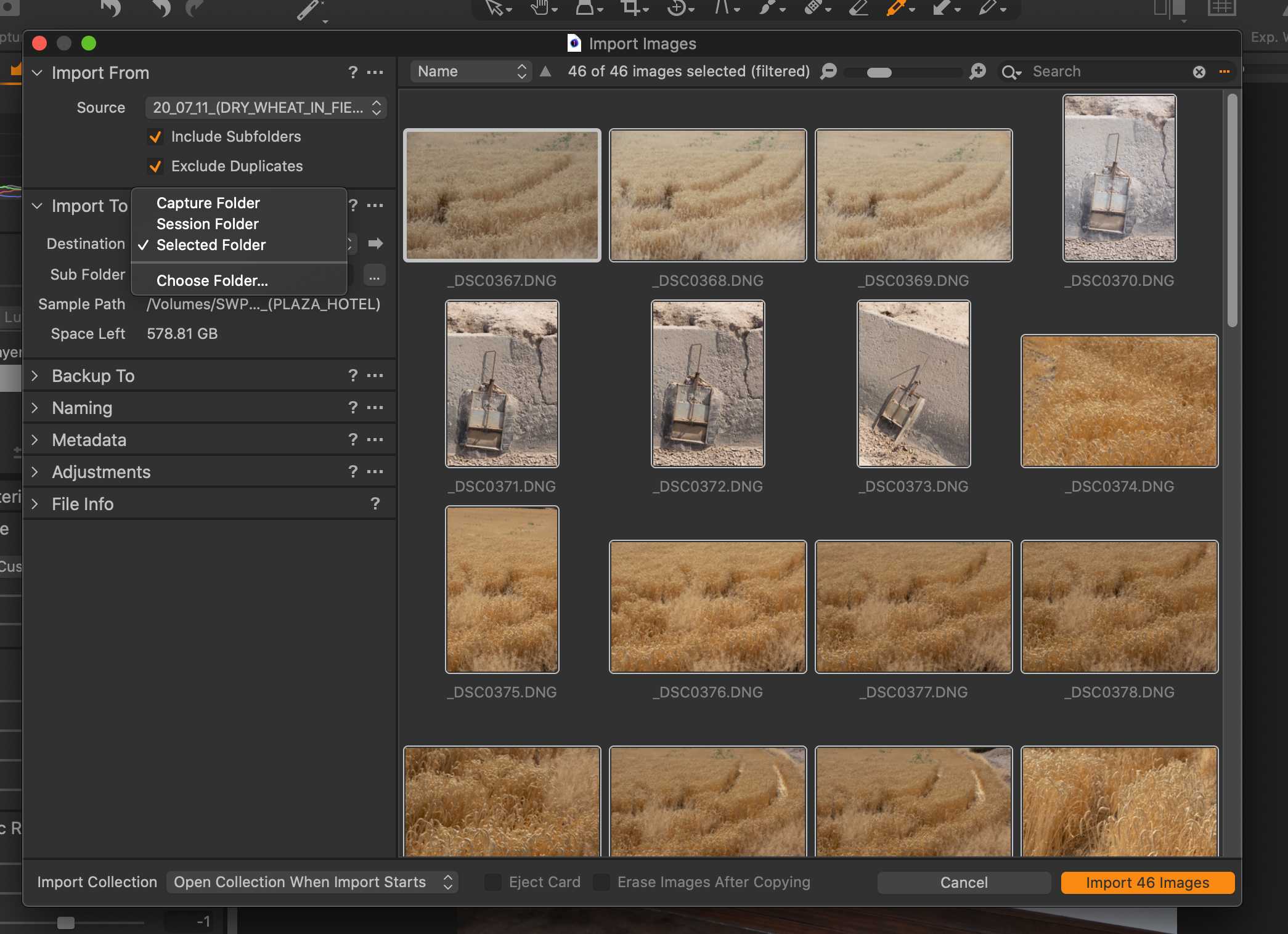
-

Well it seems you have created a session and want to import the existing folders into this session. In sessions, C1 provides a folder structure for different purpose that you should have seen when you created the session (Capture, Selects, Output, Trash). The images should get stored in the Capture folder.
I'm not so familiar with sessions, I'm sure other users can help better here. I'm working with a catalog and there you have the import option "current folder", which leaves the images in place and just references them in the catalog which is the preferred method.
This is only a brief overview. The question is then basically how you want to work and organize yourself with C1 in the future. This needs more information then you'll sure get advice here.
0 -

If I understand correctly, you are working in sessions, so you don't
need to importe the pictures as it is done with libraries.
With CO launched and from within the app, just select the folder you
want to work with.
Here, on an external HD, I have Image Bank > Archive and select the
targeted folder.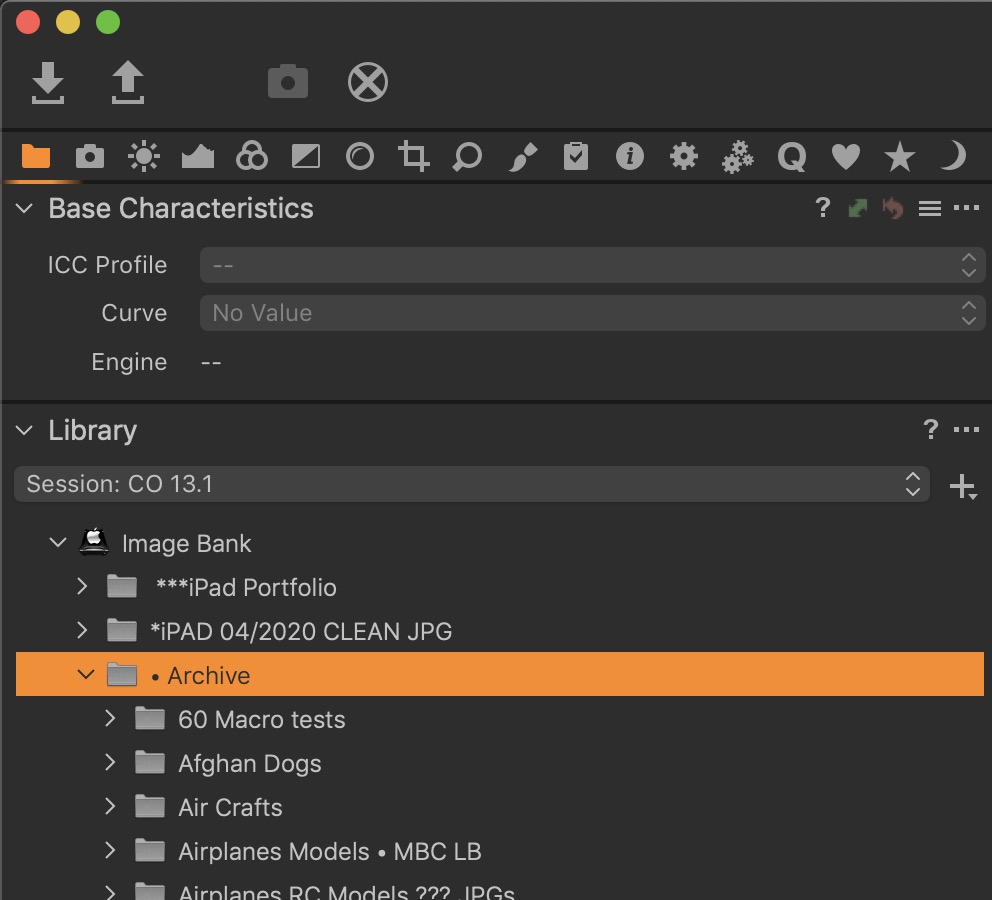 0
0 -
Thank you for your responses! I greatly appreciate it. I created a catalog, which I had not yet done, and then began importing my older folders. I hope that approach works for me! There is a great deal yet to learn about C1. Thanks very much.
0
Post is closed for comments.
Comments
3 comments