See "places" of selected image(s)

How can I tell if the image or the images I currently have selected have "places" metadata and which "places" these are?
I know I can see the keywords of the selected images and I know how to filter by "places" but I don't see e way see the "places" of the selected images just like I can see they keywords of the selected images.
0
-
The places metadata is in the IPTC section of the information on the metadata tool. (Quite a long way down.)
Ian
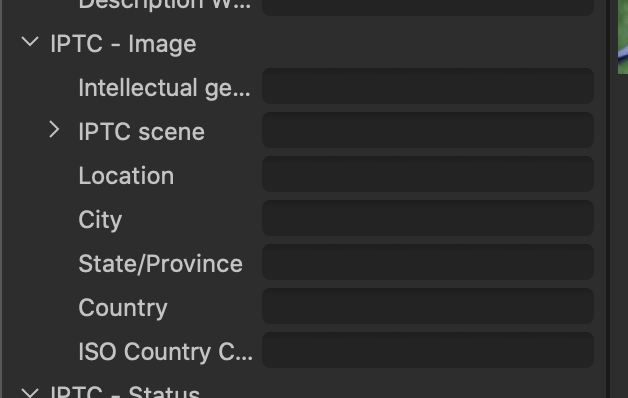 0
0 -
Click on the three dots in the filters section of the Library tab. Click on Show/Hide Filters... Check on the Place checkbox. That will add it as a selectable filter. In the screenshot this session does not have any places assigned.
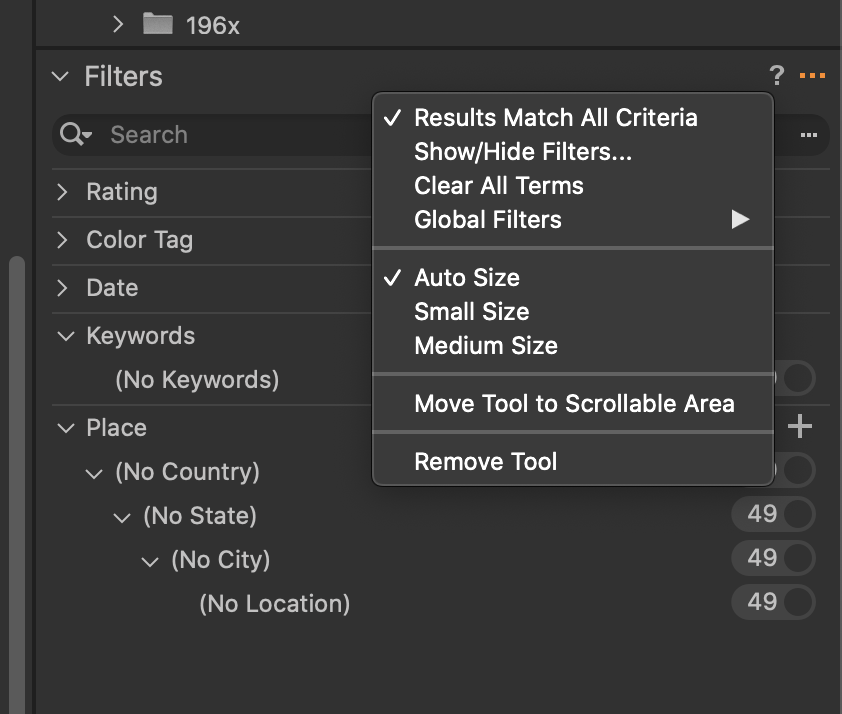 0
0

Post is closed for comments.
Comments
2 comments